10 Tips for Safe Browsing
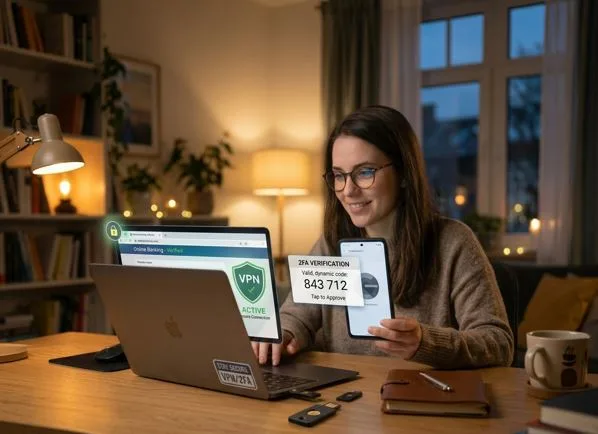
10 tips for safe internet browsing include using strong, unique passwords, enabling two-factor authentication (2FA), and avoiding clicking suspicious links. Safe internet browsing refers to practices that help protect personal data, devices, and privacy from online threats. Safe internet browsing covers a wide range of habits and tools, from recognizing malicious websites to securing login credentials and managing app permissions. The scope of safe browsing practices addresses four key areas- safety practices, tools, risks, and behaviors- that reduce exposure to cyber threats. International Business Machines (an American multinational technology corporation founded in 1911) states that safe internet browsing matters because cyberattacks cost individuals and businesses billions annually, with the average data breach reaching [$4.88 million] in 2024.
1. Use strong, unique passwords
Using strong, unique passwords is one of the direct ways to protect online accounts from unauthorized access. A strong password includes at least 12 to 16 characters, combining uppercase and lowercase letters, numbers, and special characters. Reusing passwords across multiple sites increases vulnerability, as a breach on one platform exposes all accounts sharing the same credentials.
2. Enable two-factor authentication (2FA)
Enabling two-factor authentication (2FA) adds a second layer of verification beyond a password, requiring a code sent to a trusted device or generated by an authentication app. 2FA blocks unauthorized access by requiring physical possession of a secondary device, even when a password is exposed in a data breach.
3. Avoid clicking suspicious links
Avoid clicking suspicious links, as they are among the common entry points for phishing attacks, malware, and credential theft. A link appearing legitimate in an email or message header redirects to a fraudulent page designed to capture login information or install harmful software.
4. Check for HTTPS in URLs
Check for HyperText Transfer Protocol Secure (HTTPS) in a website Uniform Resource Locator (URL) indicates that the connection from the browser to the server is encrypted using the Secure Sockets Layer/Transport Layer Security (SSL/TLS) protocols.
5. Keep your browser and apps updated
Keep your browser and apps updated, including patches for known security vulnerabilities that attackers exploit. Outdated browsers leave devices open to exploits targeting unpatched code, allowing attackers to execute malicious scripts or gain unauthorized system access.
6. Use trusted antivirus/security software
Use trusted antivirus/security software to provide real-time protection against malware, spyware, ransomware, and other threats encountered during browsing. Security software scans incoming data, flags suspicious activity, and blocks harmful files before they execute on the device.
7. Don’t download files from unknown sources
Don’t download files from unknown sources, as they carry a high risk of containing embedded malware, trojans, or ransomware. Attackers disguise malicious executables as legitimate software, media files, or documents to deceive users into running harmful code.
8. Be cautious on public Wi-Fi
Be cautious on public Wi-Fi networks in locations (airports, cafes, hotels) that operate without robust encryption, making transmitted data accessible to others on the same network. Attackers on shared networks intercept unencrypted traffic through packet sniffing tools, capturing login credentials, session tokens, and personal data.
9. Log out from shared devices
Logging out from shared devices leaves accounts accessible to the next user without requiring any credentials. Active sessions on shared computers expose email, banking, social media, and cloud storage accounts to unauthorized access. Logging out manually ends the session and requires re-authentication before account access is granted again.
10. Limit personal info shared online
Limiting the personal information shared online reduces the data available to attackers for identity theft, phishing, and social engineering. Visible public profiles on social media containing full names, birthdates, phone numbers, and addresses provide attackers with enough detail to craft convincing impersonation attempts.
What is the importance of safe browsing?
The importance of safe browsing is to protect personal data, financial accounts, and device integrity from a growing range of digital threats. Cybercrime damages reached [$8 trillion] globally in 2023, with phishing, malware, and identity theft accounting for the majority of individual losses. Practicing safe browsing reduces the likelihood of becoming a target by minimizing exploitable behaviors and vulnerabilities. Unsafe browsing exposes sensitive information, including government identification, medical records, and banking credentials, beyond financial loss to criminal networks.
What are the most common online threats when browsing the internet?
The most common online threats when browsing the internet are listed below.
- Phishing: Phishing involves fraudulent websites, emails, or messages designed to impersonate trusted entities and extract sensitive information.
- Malware: Malware refers to malicious software (viruses, trojans, spyware, ransomware) that infiltrates devices through infected downloads, links, or attachments.
- Man-in-the-Middle (MitM) Attacks: MitM attacks occur when an attacker intercepts communication from the browser to a web server, capturing or altering transmitted data without detection.
- Drive-by Downloads: Drive-by downloads occur when malicious code is installed on a device by visiting a compromised webpage, without any user action beyond loading the page.
- Adware and Spyware: Adware delivers unwanted advertisements and redirects browsing traffic to generate fraudulent revenue, bundled with free software downloads.
What is a social engineering attack?
A social engineering attack is a manipulation technique that exploits human psychology rather than technical vulnerabilities to gain unauthorized access to systems, accounts, or sensitive information. Social engineering attacks rely on deception, urgency, and impersonation to convince targets into revealing credentials, transferring funds, or granting system access. The kinds of attacks target behavioral responses, making them effective against well-secured systems, unlike technical exploits. Common forms include phishing emails, impersonating bank representatives, vishing calls pretending to be IT support staff, and pretexting scenarios where attackers fabricate identities to extract information.
Can browsing the internet expose you to viruses?
Yes, browsing the internet exposes devices to viruses. Malicious advertisements (malvertising) embedded in legitimate websites deliver infected scripts without requiring any download or interaction beyond page loading. Compromised websites inject exploit code targeting browser vulnerabilities, allowing viruses to execute automatically on outdated systems.
What are the best practices for safe internet browsing?
The best practices for safe internet browsing are listed below.
- Install a Reputable Ad Blocker: Ad blockers (uBlock Origin, AdGuard) filter malicious advertisements and prevent malvertising scripts from loading during browsing sessions.
- Review Browser Permissions Regularly: Browsers request access to location, camera, microphone, and notifications on behalf of visited websites.
- Enable Safe Browsing Features: Chrome and Firefox include built-in safe browsing features that flag known phishing sites, malware distributors, and deceptive pages before loading.
- Use a DNS Filtering Service: Domain Name System (DNS) filtering services (Cloudflare 1.1.1.1 for Families, OpenDNS) block connections to malicious domains at the network level before a page loads.
- Clear Cookies and Cache Periodically: Accumulated cookies track browsing behavior across websites and may contain session tokens that are exploitable if intercepted.
How can you identify if a website is safe to visit?
You can identify if a website is safe to visit by following the 5 steps listed below.
- Check the URL Structure. Examine the full URL for misspellings, extra characters, or substituted domains that mimic legitimate sites. Fraudulent sites use domains like paypa1.com or amazon-support.net to impersonate trusted brands.
- Look for HTTPS and a Valid Padlock. A valid HTTPS connection, indicated by the padlock icon in the browser address bar, confirms the connection is encrypted. Clicking the padlock reveals the SSL certificate issuer and confirms that the certificate belongs to the intended domain.
- Use a Website Safety Checker. Google Safe Browsing, VirusTotal, and Sucuri SiteCheck scan website URLs against databases of known malicious and flagged domains. Entering a URL into the kind of checkers before visiting provides a preliminary safety assessment.
- Assess the Website Design and Content Quality. Legitimate websites maintain consistent design, functional links, and professionally written content. Phishing pages display broken layouts, grammatical errors, mismatched branding, or placeholder text that signals fraudulent construction.
- Verify Contact Information and Privacy Policy. Trustworthy websites include verifiable contact details, a physical address, and a published privacy policy outlining data collection practices. The absence of the kind of information on a site requesting personal or payment details is a strong indicator of fraudulent intent.
How can you check if an Online Slot Game is safe?
You can check if an online slot game is safe by following the five steps below.
- Verify Licensing and Regulatory Approval. A legitimate online slot platform holds a license from a recognized gambling authority (Malta Gaming Authority, UK Gambling Commission, Curaçao eGaming).
- Check for SSL Encryption. Safe online slot platforms encrypt all data transmission through SSL/TLS protocols, indicated by HTTPS in the URL and a padlock icon in the browser.
- Review the RNG Certification. Fair slot games use a Random Number Generator (RNG) certified by independent testing agencies (eCOGRA, iTech Labs, GLI). Certified RNGs confirm that game outcomes are random and not manipulated in favor of the house beyond the stated return-to-player (RTP) percentage.
- Read Independent Player Reviews. Third-party review platforms (AskGamblers, Trustpilot, Casino Guru) aggregate player experiences regarding payout reliability, withdrawal processing, and customer support responsiveness.
- Confirm Responsible Gambling Tools. Safe platforms provide deposit limits, session time controls, self-exclusion options, and links to gambling support organizations. Platforms lacking the kind of features operate outside regulatory expectations and carry a higher risk for players, making verified platforms like Situs 888 a reference point for what licensed and responsible online slot games look like in practice.