5 Best AI Tools For Image Generation in 2026
AI images are not a trend anymore. They are just how the internet looks now.
Scroll through Instagram, Pinterest, or any blog in 2026 and you will see AI-generated visuals everywhere. Thumbnails, product photos, story posts, profile pictures, even book covers. Most of them are not made in Photoshop. They are made by typing a sentence into an AI tool.
If you are new, this can feel confusing.
Some tools look complicated.
Some cost too much.
Some make low-quality images.
This guide exists to fix that.
These are the best AI image generators for beginners in 2026. No design degree. No tech skills. Just type and create.
You type something like:
“A neon cat on Mexico streets”
The AI reads those words and builds a new image from scratch.
No photos are copied.
No drawing is needed.
You just describe → AI creates.
How AI images are already running the internet
AI image generators are not just for hobby creators anymore. Big companies already use them every day, which is why these tools matter.
Fashion brands like Zalando use AI images to create campaign visuals instead of doing full photoshoots. Their teams type prompts like “a model wearing a summer jacket in a clean studio” and get usable marketing images in days instead of weeks. This helps them launch new collections faster.
Food brands like Heinz have used AI to turn simple ideas into viral visuals. They asked people to describe what a Heinz bottle should look like, then used AI to generate those designs. These images were shared on social media as part of a campaign, which brought more attention than normal ads.
Global brands like Coca-Cola have used AI image tools to let fans create artwork with their logo and products. Some of those AI-generated images were even shown in real campaigns. This turned normal customers into creators.
Even outside big brands, small online stores use AI to make product photos. A seller can type “a leather wallet on a wooden desk with soft light” and get a clean product image without paying for a photographer.
YouTube creators also use AI images for thumbnails. Instead of taking screenshots, they generate “a shocked face with a glowing robot” to get more clicks.
All of this shows one thing:
AI image generators are not a future idea. They are already part of how real businesses and creators make visuals. That is why choosing the right tool matters.
I tested 5 AI image generators so you don’t have to
My top 5 solid, credible, 2026-ready list.
Note: I used the same type of prompts across all five.
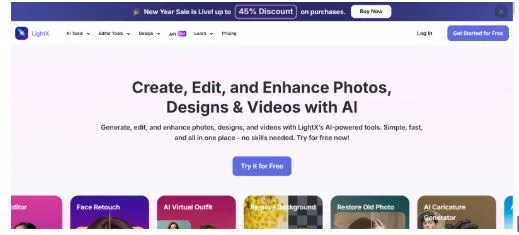
1) LightX
What it feels like
LightX feels like the kind of tool you can use without thinking too much. You type a prompt, click generate, and get usable images almost instantly. It’s by far one of the best free tools out there.
What it does well
LightX is very good at turning simple prompts into clean images. You do not need to add too many details to get something that looks good.
Where it fits best
If you want blog images, social posts, or quick designs, LightX works well.
Who should use it
Beginners, bloggers, and creators who want speed over complexity.
2) Canva AI
What it feels like
Canva AI feels like part of a design tool, not just an image generator. You can generate images and use them right inside your layouts.
What it does well
It is great for social media, presentations, and marketing graphics because you do not need to leave Canva.
Where it fits best
It is perfect if you already use Canva to design posts, banners, or slides.
Who should use it
Content creators, small businesses, and anyone who makes visual posts often.
3) Nano Banana (Gemini 3 Pro Image)
What it feels like
This one feels more intelligent. It understands longer and more complex prompts better than most tools.
What it does well
It handles details like lighting, scene depth, and object placement very well.
Where it fits best
If you want images that feel more realistic and well-composed, this tool stands out.
Who should use it
Users who want high-quality visuals and do not mind writing detailed prompts.
4) Flux 2 Max
What it feels like
Flux 2 Max feels like a professional image engine. It is not just fast, it produces very polished results.
What it does well
The images look sharp, cinematic, and clean. It is great for commercial use.
Where it fits best
Ads, landing pages, and premium visuals.
Who should use it
Marketers, brands, and creators who care a lot about image quality.
5) Adobe Firefly 5
What it feels like
Firefly 5 feels like part of the Adobe ecosystem. It is built for people who already work with Photoshop or Illustrator.
What it does well
It creates images that are safe to use commercially and easy to edit inside Adobe apps.
Where it fits best
Professional design work and brand visuals.
Who should use it
Designers, agencies, and businesses that need precision work.
Quick comparison
- Fastest and easiest → LightX
- Best for social and content → Canva AI
- Smartest prompt understanding → Nano Banana
- Best image quality → Flux 2 Max
- Best for professionals → Adobe Firefly 5
Things you should be careful about
AI images are powerful, but that also means you need to use them responsibly.
Do not copy the exact style of real artists.
AI can mimic famous art styles, but using them without credit or permission can cause problems, especially if you are selling or publishing the images.
Do not create fake people or fake news images.
AI can make realistic faces and scenes, but using them to mislead, scam, or spread false information is harmful and can get you in trouble.
Be honest when using AI art.
If you are using AI-generated images for a blog, a product, or social media, it is always better to be clear about how they were made.
Respect cultures and identities.
Avoid using cultural or religious symbols just for visual style if you do not understand their meaning.
Always check the tool’s license.
Some AI tools allow commercial use, and some do not. If you are making money from your images, this matters.
AI makes the images.
You still decide how they are used.
Final thoughts
AI image generators in 2026 are simple, fast, and powerful.
You don’t need Photoshop.
You don’t need design skills.
Just ideas.
Type what you imagine.
Let AI do the rest.
If you can write a sentence, you can make art.