7 common pitfalls when integrating HR platforms and how to avoid them
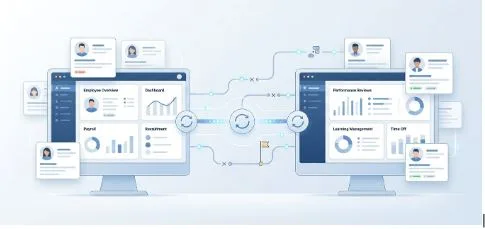
Integrating HR platforms can save time, reduce manual work, and improve data accuracy, but the process often goes wrong when teams underestimate the complexity. From unclear goals and weak testing to poor ownership and bad data hygiene, several issues can slow down or derail a project. A well-planned Personio integration can help create smoother data flows between systems, but only when the setup is approached with clear priorities, clean data, and realistic expectations. In this article, we look at 7 common pitfalls organizations should watch out for when integrating HR platforms.
Starting without clear goals
One of the biggest mistakes is beginning with a vague objective. Many teams know they want systems connected, but they do not define what success should look like. Is the goal to reduce manual entry, improve reporting, support payroll processes, or speed up onboarding? Without a clear outcome, it becomes much harder to decide which workflows matter most and how the integration should be structured.
Overlooking data quality
Even the best technical setup can struggle if the underlying data is messy. Duplicate employee records, missing fields, inconsistent job titles, and outdated information can all create sync issues. Before connecting systems, teams should review and clean the data they already have. Good integrations depend on reliable inputs.
Assuming workflows are simple
HR processes often look straightforward until the mapping starts. A contract change, approval update, or leave request may trigger different actions in different systems. When teams assume workflows will match perfectly, they often end up with broken logic or missing steps. Taking time to document process flows upfront prevents confusion later.
Failing to define ownership
Integration projects usually involve HR, IT, operations, and external support. That creates risk when nobody clearly owns the project. If responsibilities for validation, testing, or decision-making are unclear, small issues quickly become bigger blockers. Assigning one clear owner helps keep communication focused and the rollout on track.
Treating testing as a formality
Another common pitfall is rushing through testing. A few successful data transfers do not prove the integration is ready. Teams should test edge cases, timing issues, failed syncs, and real employee lifecycle scenarios. Thorough testing is what exposes the hidden problems before they affect day-to-day operations.
Ignoring documentation and process visibility
A strong integration should not live only in the heads of a few people. If workflows, field mappings, and sync logic are poorly documented, future updates become harder and riskier. Clear documentation also helps internal teams understand how systems interact. For teams interested in documenting and improving process flows, browsing content on workflow automation can be a useful starting point.
Forgetting long-term maintenance
HR integration is not a one-time project. Business rules change, teams evolve, and systems get updated. Without ongoing monitoring and maintenance, even a stable setup can become unreliable over time. The most successful integrations are treated as long-term operational assets that need regular attention.
When organizations recognize these 7 pitfalls early, they put themselves in a much stronger position to build a reliable integration. Most integration problems are not caused by the connection itself, but by weak planning, unclear ownership, inconsistent data, and limited testing. Avoiding those mistakes makes the entire project far more effective.