The Role of Two-Factor Authentication in Mobile App Security
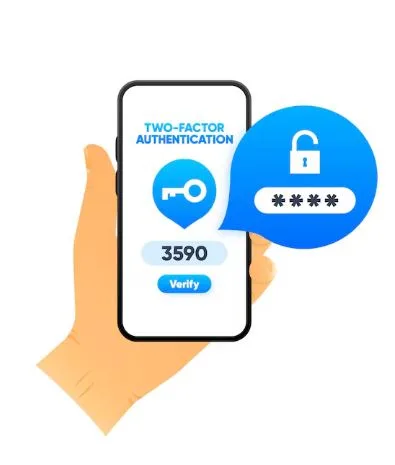
Have you ever lost access to an account and thought, “If only there was one more lock on this thing”? I have — and that’s exactly why two-factor authentication (2FA) has become a non-negotiable layer of protection for mobile apps. In this article, I’ll walk you through what 2FA really does, why it matters for mobile apps (including the tabtouch mobile app), practical implementation options, user-friendly flows, and how we can measure whether our 2FA choices actually improve security without destroying the user experience.
What is 2FA — and why should you care?
Two-factor authentication adds a second proof-of-identity on top of something you know (a password). The second factor is usually something you have (a phone, security key) or something you are (biometrics). Put simply: if your password gets stolen, 2FA makes it far harder for attackers to turn that password into account takeover.
For mobile apps like the tabtouch mobile app, where users may handle payments, personal data, or betting accounts, adding 2FA is not optional — it’s a trust and liability reducer. We want users to feel safe, and regulators and payment partners often expect these controls.
Common 2FA methods for mobile apps
Not all 2FA is equal. Here are the practical choices we usually consider:
- SMS OTP (one-time password): Easy to implement and familiar, but susceptible to SIM-swap and interception attacks. Use it as an entry-level option, but pair it with monitoring and limits.
- Authenticator apps (TOTP): Apps like Google Authenticator give time-based codes that are more secure than SMS. They’re a great balance of usability and security.
- Push-based 2FA: The app pushes a confirmation to the user’s device (“Approve sign-in?”). It’s convenient and phishing-resistant when implemented with cryptographic signing.
- Biometrics: Fingerprint and face unlock offer a frictionless factor on mobile devices. They’re best for device-bound reauthentication (e.g., confirming a payment) rather than replacing strong out-of-band authentication entirely.
- Hardware tokens / FIDO2 (security keys): Most secure, but less practical for mass consumer adoption. Consider for VIP users or staff.
We often combine methods: for example, allow authenticator apps and push notifications, use biometrics for low-risk actions, and reserve hardware keys for the highest-risk flows.
Balancing security and UX — the golden rule
You and I both know users hate friction. When we slap 2FA on every single click, adoption drops and support tickets spike. So how do we do it right?
- Risk-based 2FA (adaptive authentication): Only trigger full 2FA on risky events — new device, large transaction, unusual location. For low-risk logins, a password + behavioral signal can suffice.
- Remembered devices and session policies: Allow trusted devices to skip frequent 2FA, while still requiring reauthentication after timeouts or when the device context changes.
- Clear fallback flows: If a user loses access to their 2FA method, provide secure account recovery (backup codes, verified email, agent-assisted escalation) — but make recovery steps rigorous to thwart attackers.
- Educate — don’t surprise: Show short inline explanations for why 2FA improves safety. When users understand the why, they tolerate the what better.
Implementation tips for mobile-first apps
If we’re building 2FA into a mobile-first product such as the tabtouch mobile app, these practical considerations matter:
- Prefer push and authenticator over SMS where possible; offer SMS as a fallback.
- Use platform biometrics for quick reauth, not as a sole enrollment factor. For example, use biometrics to unlock the app after login, but require a separate second factor for initial high-risk operations.
- Protect the 2FA enrollment flow: don’t allow easy re-enrollment without proof-of-life or secondary checks.
- Log and monitor 2FA events: failed attempts, rate of OTP requests, and unusual enrollment patterns should trigger alerts.
- Store backup codes and recovery options securely and encourage users to keep a copy offline.
Measuring success — what we track
We won’t know if 2FA helps unless we measure it:
- Adoption rate: percentage of active users who enabled 2FA.
- Authentication success/failure rates: high failure rates signal UX issues or SMS delivery problems.
- Account takeover incidents: measure before and after rollout — a drop is the primary success metric.
- Support escalations related to 2FA: track reasons and friction points to iterate flows.
- Abuse metrics: declined fraudulent transactions, failed takeover attempts, blocks prevented.
Final thoughts — security as a feature, not a punishment
When implemented thoughtfully, two-factor authentication is a trust feature that protects users and the platform. For apps like the tabtouch mobile app, 2FA reduces fraud, protects revenue, and gives users confidence to engage more. We should design 2FA as a smooth, explainable part of the user journey: a little upfront care for a lot more long-term trust.