Best Drawing Prompt Generators to Level Up Your AI Art
Crafting the perfect prompt can make or break your AI-generated drawings. Too basic, and you get generic results; too messy, and the output falls flat. That’s where dedicated prompt generators step in-they take your rough ideas and turn them into sharp, detailed instructions that pull way better images from any top AI model. Skip the trial-and-error grind, save hours of frustration, and start creating standout art faster. In this guide, we’ll break down the leading options trusted by thousands of creators worldwide, so you can pick what fits your workflow and get instant, reliable boosts to your creative output.
1. Snippets AI
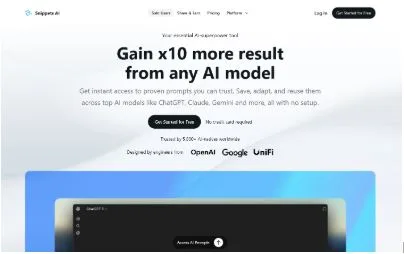
Creators who build useful AI prompts can upload and share them through this platform, where each prompt gets its own page with a unique link. The setup allows sharing these links on social media, blogs, or anywhere else, and views on those pages track automatically.
A monetization angle lets prompt authors earn based on view counts, paid out monthly, turning shared knowledge into a side income without direct sales. The focus stays on collecting and distributing prompts across various models.
Key Highlights:
- Prompt uploading and sharing via links
- View tracking for shared content
- Monthly payouts tied to views
Services:
- Prompt creation and storage
- Community sharing features
- View-based earnings system
Contact Information:
- Website: www.getsnippets.ai
- Email: [email protected]
- Address: Skolas iela 3, Jaunjelgava, Aizkraukles nov., Latvija, LV-5134
- LinkedIn: www.linkedin.com/company/getsnippetsai
- Twitter: x.com/getsnippetsai
2. Mimi’s Drawing Idea Generator
Artists often turn to this tool when stuck on what to draw next. It offers simple or more detailed suggestions created by a human illustrator, like scenes with characters in specific settings or adding fun elements such as animals. Users can keep generating new ideas until something clicks and sparks inspiration.
The focus stays on helping with creative blocks through open-ended prompts that anyone can interpret freely. Sharing finished artwork on social media with a specific hashtag is encouraged, and there are links to free resources like brushes or starter kits for digital drawing.
Key Highlights:
- Human-created prompts for traditional or digital art
- Options for simple or advanced suggestions
- Encourages free interpretation of ideas
- Includes free digital art resources
Services:
- Random generation of drawing ideas
- Prompt refresh for new options
- Access to beginner drawing kits
3. OpenArt
This platform helps turn text descriptions into images using AI models. It supports creating visuals from basic ideas, with features for different styles and quick generation.
Users can start for free and explore various tools that assist in making art from prompts, including editing or refining outputs.
Key Highlights:
- Text-to-image conversion
- Multiple artistic styles available
- Quick image creation process
Services:
- AI-based image generation
- Prompt-based visual creation
- Free starting access
4. QuillBot
Users input a basic concept into this tool, and it creates detailed prompts ready for art generation. It allows adding more directions or keywords to adjust results step by step.
The process involves entering an idea, tweaking if needed, and getting a usable prompt. Tips include being specific for better outcomes and following up to refine.
Key Highlights:
- Generates prompts from user ideas
- Supports tweaking for precision
- Focuses on turning rough concepts into detailed instructions
Services:
- Idea-to-prompt creation
- Keyword-based adjustments
- Prompt download for external use
5. Leonardo.ai
This platform centers on generative AI for producing images and videos across various creative fields like concept art, game assets, and marketing visuals. Users access a range of models to turn text descriptions into detailed outputs, with options for consistency in style and speed.
Additional tools support guidance through uploaded images or specific settings to refine results. It caters to individual creators, collaborative groups, and developers integrating via API.
Key Highlights:
- Generative tools for images and videos
- Support for multiple creative applications
- Image-based guidance features
Services:
- Text-to-image creation
- Style-consistent asset production
- API access for developers
6. NightCafe
Creators use this AI art generator to make images from text prompts, experimenting with different models for fun and daily practice. A community aspect lets users explore, like, and comment on others’ work, plus join themed challenges.
The setup encourages regular creation without upfront payment, focusing on turning ideas into visuals quickly.
Key Highlights:
- Access to various AI art models
- Community sharing and interaction
- Daily themed challenges
Services:
- Text-to-image generation
- Exploration of user-created art
- Challenge-based prompting
7. Recraft.ai
Designers and creators rely on this tool for generating vector graphics and illustrations from text prompts, producing scalable SVG files suitable for logos, posters, or icons. The emphasis lands on clear, high-quality outputs without pixel issues.
Styles come from a community collection or custom options, making it straightforward for various design needs.
Key Highlights:
- Vector-focused AI generation
- Scalable SVG outputs
- Community-sourced styles
Services:
- Text-to-vector creation
- Illustration production
- Style customization
8. Deep Dream Generator
This site allows quick creation of AI art, images, and videos using text inputs and multiple models. No initial signup holds back starting, with options for editing images or generating videos.
A community shares and views featured works, highlighting diverse outputs from user prompts.
Key Highlights:
- Multiple AI models for art
- Video generation capabilities
- Image editing tools
Services:
- Text-to-image and video creation
- Community-featured showcases
- Direct generation access
9. Drawing
Anyone looking for quick art ideas can start with a word or two here, and the tool expands it into a fuller description using language models. There’s also an option for completely random suggestions when nothing specific comes to mind.
The platform includes a built-in way to turn those expanded prompts into actual images with the SDXL model, giving a direct view of how the text translates visually. Everything stays free and open without any account.
Key Highlights:
- Expansion of short phrases into detailed prompts
- Random idea generation
- Direct image creation from prompts
Services:
- Prompt expansion
- Random prompt suggestions
- Text-to-image visualization
10. promptoMANIA
Many AI artists rely on this online builder to craft detailed prompts for text-to-image models. Users start by picking a model like Midjourney, Stable Diffusion, or others, then add a subject, reference images for style or details, and choose artist-inspired influences to layer in.
The tool handles the structuring behind the scenes, outputting a ready-to-use prompt that can go straight into the chosen generator. A separate grid splitter comes in handy for breaking apart those multi-image outputs into singles.
Key Highlights:
- Builder supports multiple diffusion models
- Options for base references and artist styles
- Free access with no signup
Services:
- Prompt construction and generation
- Model-specific parameter support
- Grid image separation
11. Writingmate.ai
Users pick a model, aspect ratio, and style first, then describe a subject, and this tool builds detailed prompts suited for image generators like DALL-E, Stable Diffusion, or Midjourney. The whole thing runs free with no login.
It focuses on making the prompt-writing step faster by handling the technical phrasing, so people can jump straight to creating images.
Key Highlights:
- Model-specific prompt tailoring
- Options for ratio and style
- Instant prompt output
Services:
- Custom prompt building
- Subject-based generation
- Support for multiple image models
12. The Pigeon Letters
Artists often head to this site for a free random drawing prompt tool that mixes elements to spark ideas. It pulls together categories such as theme, item, character, color palette, mood, and challenge, then spits out a combination ready to use.
The approach encourages grabbing just a few parts from the list or going with the first one generated, which keeps things flexible for sketchbook work or beating blocks. A separate sketchbook challenge offers daily prompts over a set period.
Key Highlights:
- Random combinations from multiple categories
- Flexible use of prompt elements
- Separate daily challenge option
Services:
- Instant random prompt generation
- Category-based idea mixing
- Guided multi-day challenges
13. Zoe Keller
A nature-focused illustrator runs a simple prompt generator on the site that outputs short, evocative phrases for drawing inspiration. Each click brings a new line, often with a narrative or atmospheric twist.
The tool keeps everything direct, with options to share resulting artwork through a hashtag or support the artist optionally.
Key Highlights:
- Short phrase-based prompts
- One-click refresh
- Nature and story influences
Services:
- Immediate prompt generation
- Sharing encouragement
- Basic on-demand ideas
14. ColorBliss
People use this AI tool to turn text descriptions or uploaded photos into printable coloring pages with clean outlines. A prompt like a scene or character gets processed quickly into line art ready for download.
The focus stays on creating custom, detailed pages that work for various ages, with outputs in formats easy to print.
Key Highlights:
- Prompt-to-outline generation
- Photo-to-line art conversion
- Quick printable results
Services:
- Text-based coloring page creation
- Image upload processing
- Downloadable page output
15. Kawaii Hannah
Visitors to this personal site find a mix of illustration galleries, journals, and creative tools shared by an artist focused on cute, anime-inspired styles. The content includes timelapse videos, pixel art collections, and recent updates on new drawings or bases for character design.
A theme generator sits among the sections, offering random ideas that pull from kawaii aesthetics to help with quick inspiration or daily sketching.
Key Highlights:
- Galleries for illustrations and pixel art
- Personal journal updates
- Character base resources
Services:
- Theme and prompt generation
- Artwork showcase
- Video timelapses
Wrapping It Up
At the end of the day, finding a solid drawing prompt generator comes down to what fits your routine best. Some people prefer the quick, random spark from simple one-click tools when they’re staring at a blank page and just need something to get the pencil moving. Others lean toward builders that let you layer in styles, references, or model-specific tweaks for more control before hitting generate.
The nice part is there’s no single right choice-plenty of free options out there handle everything from basic ideas to detailed, ready-to-paste instructions. Trying a few usually shows pretty fast which one clicks for your workflow, whether you’re sketching traditionally, going digital, or feeding prompts straight into an image model.