Navigating the World of Streaming Services: VPNs Explained
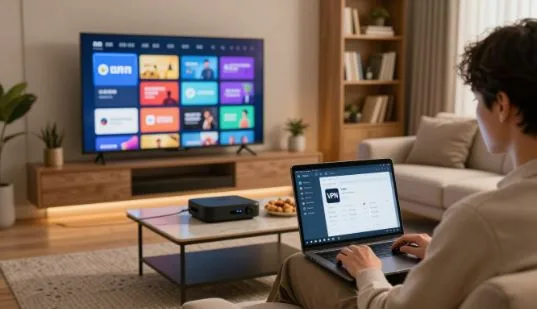
If you travel, move, or want more catalog options, a vpn can change your public IP by routing traffic through another country. That often unlocks region-specific streaming libraries that vary because of licensing deals.
In plain terms, a free VPN creates a private tunnel for your internet. This gives you a virtual location and extra privacy, but it does not guarantee access. Platforms like Netflix, Hulu, Disney+, Max, and Prime Video actively block some vpn traffic.
We’ll show how geo-restrictions work, which features matter in 2025, and how we test speeds and reliability. Expect a practical roundup of ExpressVPN, NordVPN, Surfshark, Proton VPN, and a few alternatives for US viewers.
Key buying factors include reliable access to specific services, fast connections for HD/4K, device support (Apple TV, Fire TV, Android TV), and basic privacy protections. Our tone is friendly and solution-focused so you can fix issues fast when they pop up.
Key Takeaways
- A vpn adds privacy and a virtual location but won’t always bypass blocks.
- Regional streaming catalogs change due to licensing, not user error.
- We test speeds, reliability, and device support for HD/4K playback.
- ExpressVPN, NordVPN, Surfshark, and Proton VPN are covered for US users.
- Pick a provider based on specific service access, speed, and device needs.
Streaming services in the US: why content libraries change by country (and even by state)
Licensing deals, not tech glitches, explain why catalogs shift when you cross a border. Studios sell rights by market, so an app in one country can show different titles than that same app in another. This affects Netflix, Hulu, Disney+, Max, and Prime Video.
How regional licensing shapes catalogs
Each studio or distributor negotiates rights per market. That means a show can be on Netflix in one country and on Prime Video in another.
Practical result: you may see missing seasons, different premieres, or altered home-page picks when you travel.
What geo-restrictions feel like
“This title isn’t available in your location.”
That message, blocked playback, or reduced catalogs are common. A vpn can change your apparent location and sometimes reveal other libraries.
| Service | Common issue | How vpn may help |
| Netflix | Regional catalogs vary widely | Often works but not guaranteed |
| Hulu | US-only content and live TV limits | Limited; Hulu enforces stronger checks |
| Sports apps (ESPN+, DAZN) | Local blackouts and market locks | May work, but GPS and payment checks can block |
Sports blackouts and limits
Local-market restrictions can stop live games in a region. A vpn can sometimes bypass this by changing your virtual country or state.
But, if an app uses device GPS, payment-country checks, or strict rights enforcement, a vpn may not help. Streaming platforms have policies and enforcement that change over time, so results vary.
How using a VPN works for streaming: servers, IP addresses, and encrypted traffic
What happens when you connect: open a vpn app, pick a server location, and tap connect. Your public IP address changes and your internet traffic routes through that server.
Why that matters: streaming sites read your IP to guess location and choose which catalogs or live feeds you can access. Change the server to match the country you want and you may see a different library.
Choosing a vpn server to change your virtual location
Pick a nearby server for speed or a US server for US-only content while traveling. Try different servers if one fails; switching often restores access.
Why some streaming services detect and block VPN traffic
Platforms blacklist known vpn IP ranges and watch for odd patterns in connections. If a server shows heavy shared use, a service may block it.
| Step | What it does | User tip |
| Connect | Changes public IP | Choose correct country |
| Encrypt traffic | Protects data on public Wi‑Fi | Use for security and privacy |
| Switch server | May bypass blocks | Try several servers or protocols |
“If one server is blocked, try another — many issues clear with a quick switch.”
Navigating the World of Streaming Services: VPNs — what buyers in 2025 should prioritize
Choose a vpn by matching it to the exact streaming platforms you actually watch. Start with a quick checklist of the services you use and confirm real compatibility before subscribing.
Streaming access and practical checks
Verify that the provider unblocks Netflix, Hulu, Disney+, Max, Prime Video, or BBC iPlayer—whichever matter to you. A provider that hits your list is worth testing with a short trial.
Speeds and real viewing outcomes
Expect some speed loss with any vpn. Aim for 10–20 Mbps for HD and ~25 Mbps minimum for 4K. For stable 4K, 50 Mbps or higher is safer.
Privacy and security essentials
Privacy must-haves: a kill switch, DNS leak protection, modern protocols, and a strict no-logs policy. These security features protect data and location when streaming on public Wi‑Fi.
Network reach and device support
More countries and more US locations raise the odds of finding a working server near you. Also confirm native apps for Apple TV, Android TV, Fire TV, iOS, and Windows—or router support for consoles and Roku.
Bottom line: prioritize service compatibility, strong privacy protections, and real-world speeds when picking the best vpns for streaming.
Our testing approach: how we test VPNs for streaming reliability and speed
We test vpns by measuring whether they keep video playing, not just whether an app connects.
That means we look for steady playback, low buffering, and minimal errors over time. Tests use desktop, mobile, and native streaming-device apps to catch platform differences.
Cross-platform and location checks
We run the same stream on Windows, iOS, and on Apple TV or Fire TV apps. Each app can behave differently, so this matters.
We also connect to multiple countries and US regions to confirm catalogs load and playback starts reliably. If one server fails, we try others.
Speed benchmarks and 2025 highlights
Speed tests compare your baseline ISP rate to vpn download rates. Small losses mean HD or 4K works; bigger losses can force lower quality.
- NordVPN: ~3% average download speed loss in 2025 tests.
- ExpressVPN: ~18% average loss in the same benchmark set.
Why results change and how we respond
Streaming restrictions are a moving target. A server that works today may be blocked tomorrow.
“If one server is blocked, try another — many issues clear with a quick switch.”
Our process: repeat attempts, server switching, and checking support resources. That gives readers realistic options and reliable advice.
Best VPNs for streaming at a glance: quick comparison for US users
Below is a fast comparison to help US users pick a vpn that fits their streaming habits. Use this short list to match priorities like speed, price, or device support before you buy.
ExpressVPN vs NordVPN vs Surfshark vs Proton VPN — who each is best for
ExpressVPN — simplicity and wide unblocking across many services. Great for users who want reliable apps and strong device support.
NordVPN — top speed and consistent playback for 4K. Pick it if raw performance matters most.
Surfshark — best value with unlimited connections and extras like Android GPS spoofing.
Proton VPN — versatile tools, Profiles, and a free plan for light streaming tests.
Simultaneous connections and household sharing considerations
Connections matter in busy homes. If many people stream at once, choose unlimited or add a router setup.
| VPN | Best for | Max connections | Notable feature |
| ExpressVPN | Simplicity & device support | 5 | Strong Apple TV and router apps |
| NordVPN | Speed & 4K playback | 6 | FastWireGuard servers |
| Surfshark | Price-conscious families | Unlimited | Android GPS spoofing |
| Proton VPN | Flexible setups & free tier | 10 (paid) | Profiles + VPN Accelerator |
Quick tip: shortlist one or two providers, test with your must-have apps, and confirm streaming access before committing your subscription.
Best overall VPN for streaming: ExpressVPN
ExpressVPN often wins as the easiest, most reliable choice for U.S. viewers who want fewer streaming hiccups.
Why it unblocks major services
ExpressVPN has a strong track record for unblocking Netflix, Hulu, Disney+, Max, and Prime Video. That broad reach is the core reason many call it the best vpn for simple, consistent access.
Device support that reduces friction
Native apps for Apple TV, Fire TV, and Android TV cut setup steps. Router options mean consoles and Roku can stream without extra hacks.
Speed performance and 4K notes
Our 2025 tests show ~18% average speed loss. That level usually supports HD and often 4K if your base internet is fast enough.
Pricing and risk-free testing
Typical pricing starts near $13/month, with intro-term deals around $75 first year. ExpressVPN offers a 30-day money-back guarantee so you can test streaming at home or while traveling before committing a subscription.
Fastest VPN for streaming: NordVPN
For viewers who want smoother 4K playback, NordVPN’s tiny speed loss stands out in head-to-head tests. In our 2025 suite it averaged about 3% speed loss versus a direct ISP connection, which keeps bitrates high and drops buffering risks.
What “fastest” means for viewers
Lower speed loss keeps video quality higher when you jump ahead, seek in live feeds, or stream 4K content. That matters more than peak numbers: consistent throughput wins long viewing sessions.
Service reliability across major apps
NordVPN unblocked Netflix, Prime Video, Disney+, Max, and BBC iPlayer in our tests across multiple locations. Results vary by server, so switching within a country often restores access when one server is flagged.
Security and privacy tools that matter
Advanced options include Double VPN, Onion over VPN, and obfuscated servers. Double VPN adds a second hop for extra privacy. Onion over VPN routes traffic through Tor for niche anonymity needs. Obfuscated servers hide VPN traffic patterns to help with strict blocks.
Apple TV and device notes for users
There’s a native Apple TV app, which helps many users, but some versions feel clunky. If the app underperforms, try a router-based setup to share a single, faster connection across devices.
“Try multiple servers within the same country — a quick switch often restores access and improves speeds.”
- Tip: Test three nearby servers before deciding — small switches can yield major speed and access gains.
Best value VPN for streaming: Surfshark
If your family watches on phones, tablets, and TVs at once, Surfshark is a smart budget pick. It pairs good speeds for 4K with unlimited simultaneous connections, so everyone can stream without juggling logins.
Unlimited connections for multi-device homes
Unlimited connections mean each person can use a phone, laptop, or device app at the same time. That lowers friction for busy households and can cut costs versus buying extra accounts.
Catalog hopping and Netflix reach
Surfshark makes it easy to switch country servers and try other locations for different Netflix libraries. Many users find it reliable for catalog hopping, though results vary by server.
Android GPS spoofing and practical fixes
On supported Android builds, GPS spoofing helps when apps check both IP and location. If a title or app blocks access, switch servers or pick a nearby country to restore playback.
Known hiccups and a final note
Be candid: occasional Hulu detection and other blocks can happen. First fixes are server switches and contacting support. For value-focused users, Surfshark’s lower price and broad device support often win out.
Most versatile VPN for streaming: Proton VPN
Proton VPN pairs beginner-friendly apps with advanced tools that let you tailor streaming with a few taps.
Profiles makes repeatable setups simple: pick a country and server once, then reconnect in one tap to reach that library again. This saves time and reduces trial-and-error when you want a specific Netflix library or service.
Speed tools and split tunneling
VPN Accelerator can cut slowdowns and stabilize bitrates, improving playback when your network is shaky. Use smart split tunneling to route just your streaming app through the vpn while leaving other traffic on your normal link.
What it unblocks and free-plan notes
Proton VPN supports many streaming services and multiple Netflix libraries, though results vary by server. The free plan offers unlimited data for privacy checks, but paid tiers are generally better for consistent unblocking and higher speeds.
“Set a Profile for each service you use — one tap often restores a working server and saves time.”
| Feature | Beginner-friendly | Streaming reach | Best use |
| Profiles | Yes | Good (multiple Netflix libraries) | One-tap reconnect |
| VPN Accelerator | No (advanced) | Improves speeds | Stabilize 4K/HD playback |
| Split tunneling | Yes | Helps mixed traffic | Route only streaming app |
| Free plan | Yes | Limited streaming support | Try before you buy |
Bottom line: Proton VPN is powerful but approachable. Try the free tier for privacy, then upgrade if you need steady unblocking and top speeds.
Honorable mentions and alternatives worth considering
If the big names don’t fit, several solid alternatives can still give you reliable streaming access.
Hotspot Shield: test its speed claims
Hotspot Shield stands out for claimed high speed and a free tier you can test. Try matches on your exact apps before you commit a subscription.
Other budget picks and what to expect
Some lower-cost vpns deliver decent speeds but may need more troubleshooting with Netflix or Hulu. That means server switches and extra time with support.
Key lesson: streaming stability depends on server upkeep and unblocking work, not only low cost.
| Company | Best use | Free tier | Likely issues |
| Hotspot Shield | Speed testing | Yes | Mixed unblocking |
| Budget VPN A | Casual viewing | No | More Netflix blocks |
| Budget VPN B | Many devices | Limited | Variable speeds |
Final tip: use the refund window and test on your devices. A cheaper vpn is fine if it works for your favorite service and setup.
Choosing the right VPN for your favorite streaming services
Decide which streaming platforms matter to you, then test a provider against that short list. Targeted testing beats generic “best” claims and saves time during a trial or refund window.
Netflix: region libraries, travel use, and reliability expectations
Netflix shows different catalogs by country and sometimes by region. Expect library shifts when you travel and uneven reliability by server.
Quick fix: switch servers in the same country or try nearby locations. If one server fails, try two more before giving up.
Hulu, Disney+, and Max: common geo-block patterns and quick fixes
These services often show blocked playback, login loops, or reduced menus when they detect VPN traffic. Fast remedies are server switches and choosing another US server.
Tip: clear the app cache and retry after switching — that often resolves login or playback loops.
Prime Video and BBC iPlayer: when server choice matters most
Prime and BBC iPlayer depend heavily on consistent server behavior. For UK content, try multiple UK servers until one gives stable playback.
Consistency beats raw speed here: pick a server that stays unblocked over several attempts.
Live TV and sports apps (YouTube TV, DAZN, ESPN+): tougher location checks
Live feeds and sports apps use stricter checks like GPS and payment-country flags. An IP change alone may not work for blackouts or market locks.
“A VPN can help, but it’s not a magic key for every live-sports app.”
- Trial checklist: test login, start a stream, seek and change quality, and try multiple servers.
- For sports: test live kickoff and a replay; check if GPS or payment checks block access.
- Record which servers worked so you can reconnect quickly later.
Speed, buffering, and video quality: getting smooth HD and 4K streaming
Good streaming starts with steady speeds and a nearby vpn server that keeps buffers away.
Minimum download speed targets and why overhead matters
HD usually works at 10–20 Mbps. For 4K, aim for at least 25 Mbps, and plan on 50 Mbps for consistent 4K. Encryption and extra routing reduce usable speed, so overhead matters in real terms.
How distance to a server affects latency and playback
Long distances add latency and cause stutters when you seek or watch live sports. A far-away server can slow data and make streams unstable even if raw download rates look high.
Practical tips: fastest-server lists, quick connect, and protocol selection
Use a provider’s “fastest server” or quick-connect feature and test several nearby servers. Prefer modern protocols (WireGuard or equivalent) for better throughput unless you need obfuscation.
- Why buffering happens: encryption overhead + extra hops can cut throughput.
- Optimize: test speed on your device, switch servers, and retest during peak hours.
- Buyer tip: pick a vpn that stays stable on your actual home internet and across multiple servers.
“Small server switches often fix buffering — try two nearby options before you switch providers.”
Privacy and security features that matter while streaming on public Wi‑Fi
Public hotspots can leak your IP and DNS queries, so a few key protections are essential. A good vpn should guard location and data while you watch on airport, hotel, or café networks.
Kill switch and DNS leak protection
Kill switch: if the vpn drops, a kill switch blocks all outgoing traffic so your real IP and location stay hidden.
DNS leak protection: stops your device from asking the wrong DNS server and revealing where you are. Turn both on in app settings before travel.
No‑logs, audits, and privacy‑friendly jurisdiction
Look for a clear no‑logs policy and independent audits. Audits show a provider follows its privacy policy and keeps minimal data.
Jurisdiction matters: countries with privacy-friendly laws reduce the chance of forced data requests.
Obfuscation and stealth modes
When networks or services try to detect vpn traffic, obfuscated servers hide that pattern. Use stealth modes in strict environments to keep streams running.
- Checklist: enable kill switch, enable DNS leak protection, pick a provider with audited policies, and try obfuscated servers if needed.
- Quick picks: ExpressVPN, NordVPN, Surfshark, and Proton VPN all include these core protection options in their apps.
“Enable core protections before you connect to any public Wi‑Fi to avoid accidental exposure.”
Best devices and setups for streaming with a VPN at home and while traveling
A simple living-room setup saves time and keeps streams reliable. Some media boxes run a vpn app natively, which is the easiest path for most households.
Apple TV, Android TV, and Fire TV native apps
Native app support means you install a vpn app directly on the device and control it with the remote. That keeps a single connection for your streaming apps and avoids extra hardware.
Why it helps: faster setup, fewer points of failure, and clear protection for each device’s traffic.
Gaming consoles and Roku: router or smart DNS
Consoles and Roku often lack vpn apps. Your main options are a whole-home vpn via a router or a smart DNS feature if the provider offers one. One vpn connection can cover every device on a network.
Router installs: DIY vs preconfigured
DIY router installs are flexible but technical. Mistakes can break your internet or leak data. Preconfigured routers cost more but save setup time and reduce risk.
- Avoid sketchy firmware, vague logging policies, and bold “unblocks everything” claims.
- Travel tip: for hotel Wi‑Fi, use a mobile hotspot or a travel router preloaded with your vpn to keep streaming working.
“If your box supports a native app, start there — it’s usually the fastest, most reliable option.”
Troubleshooting when a streaming service blocks your VPN
A blocked title usually means one server IP was flagged, not that your vpn is useless. Stay calm and try quick fixes before changing providers.
Switch servers, switch countries, and retry: the fastest fixes
Close the streaming app, pick another server in the same country, and reconnect. If that fails, try a server in a different country you are allowed to use.
Clear browser cookies or app cache and restart your device after switching servers.
Use split tunneling to keep non-streaming traffic on your regular connection
Split tunneling routes only the streaming app through the vpn while leaving banking and work apps on your normal connection. That can improve speed and reduce friction when an app checks mixed traffic.
When to contact support—and how to use the money-back guarantee smartly
If several servers fail, contact support; they often list specific servers that work with a service right now. Use a provider’s refund window to test on your devices at the times you actually stream.
“Getting blocked doesn’t always mean your vpn is bad — it often means that specific server IP is flagged.”
Legal and policy considerations: terms of service, location rules, and “gray areas”
Rules about VPN use often sit in a gray zone between law and platform contracts. That means something can be legal in the United States yet still violate a streaming service’s terms of service.
What to know about platform policies in the United States
Most US services enforce location checks to honor rights agreements. Platforms may block certain IP ranges or require payment-country matches. That enforcement is about licenses, not criminal law.
Responsible use and protecting privacy
Use a vpn for stronger privacy on public Wi‑Fi and to protect your data. Treat unblocking as an occasional bonus, not guaranteed access. If a service blocks you, follow support guidance and troubleshooting steps instead of creating multiple accounts or risky workarounds.
| Aspect | What it means | Practical outcome for users |
| Legal status | Using a vpn is legal in the US | Few criminal risks, but check local rules when you travel |
| Platform policy | Services set terms and licensing rules | May suspend accounts or block access per their policy |
| Best practice | Prioritize privacy and honest use | Use vpn for security; test access during refund windows |
Tip: Use a vpn to protect privacy and test service access within trial periods. Document working servers so you can reconnect without risky workarounds.
Conclusion
A good VPN pairs steady playback with simple setup, so you spend less time fixing and more time watching.
Streaming catalogs change by country, and a vpn can often restore access while improving privacy on public networks. For most U.S. viewers: pick ExpressVPN for easiest all‑around use, NordVPN if top speeds and 4K matter, Surfshark for unlimited device support on a budget, and Proton VPN for flexible tools like Profiles and speed boosts.
Even the best providers hit blocks. Choose one with many servers, responsive support, and strong privacy features. Test with free trials or refund windows on your devices, confirm speeds for HD/4K, and keep the provider that works reliably for your household.
FAQ
How do streaming libraries differ between US states and other countries?
Content rights are licensed by region, so Netflix, Hulu, Disney+, Max, and Prime Video show different catalogs depending on country — and sometimes by state for local channels or sports. Rights holders, regional publishers, and local broadcast deals drive those differences, which is why a title available in California may be missing in New York or abroad.
What happens to my access when I travel outside the United States?
When you travel, streaming services detect your IP and apply the catalog for that country. You’ll often lose access to US-only shows and may see different menus. Some services offer limited offline downloads, but live regional restrictions and local rights still apply.
Can a VPN overcome sports blackouts and local-market restrictions?
A VPN can change your virtual location, which may bypass some regional blocks. However, sports blackouts often use stricter checks tied to account info, GPS, or carrier data. A VPN might help in some cases, but it’s not a guaranteed workaround for league or broadcaster blackout rules.
How does using a VPN for streaming actually work?
A VPN routes your device’s internet traffic through a selected server in another country, giving you that server’s IP. Traffic is encrypted, which protects privacy and hides local ISP routing. Choose a server in the country whose library you want to access, then launch your streaming app or browser.
How do I choose the right VPN server for streaming?
Pick a server close to your target region for lower latency and better speeds. Use servers labeled for streaming or optimized for specific services when available. If one server is blocked, try nearby locations within the same country or different cities to find a reliable connection.
Why do some services detect and block VPN traffic?
Streaming platforms invest in detecting IP ranges used by data centers, employing blocklists and pattern analysis to enforce licensing agreements. Providers update these lists often, so VPNs and streaming services play a cat-and-mouse game to preserve content geolocation policies.
What should buyers in 2025 prioritize when choosing a VPN for streaming?
Prioritize streaming access for the services you use, consistent speeds for HD/4K, strong privacy features (kill switch, DNS leak protection, modern protocols, clear no-logs policy), wide server network, and device compatibility like Apple TV, Fire TV, Android TV, Windows, and routers.
How much speed loss is acceptable for HD and 4K streaming?
A small speed drop (under 20%) is usually fine for HD. For 4K, aim for higher baseline bandwidth and minimal loss — ideally under 30% — to avoid buffering. Also factor in latency and your ISP’s baseline speed when choosing a server.
What streaming tests do reviewers run to rate VPNs?
Reviewers test access across Netflix, Prime Video, Disney+, Max, Hulu, and regional services like BBC iPlayer. They run speed benchmarks across multiple international servers, check for consistent unblocking, and note real-world playback in HD and 4K to assess minimal speed-loss leaders.
Why does a VPN that works today sometimes fail tomorrow?
Streaming platforms routinely update VPN detection and blocklists. A server that worked yesterday can be flagged tomorrow. Good VPNs rotate IPs, add obfuscated servers, and deploy new technologies, but no provider guarantees permanent access.
Which VPNs are best for US streaming in quick comparison?
Top options often include ExpressVPN for broad unblocking, NordVPN for speed, Surfshark for value and unlimited connections, and Proton VPN for versatility and privacy-focused features. Each has trade-offs in price, device apps, and regional reach.
How many simultaneous connections do I need for a household?
Count devices used at once — phones, tablets, smart TVs, game consoles, and laptops. Surfshark offers unlimited connections, which helps large households. Other providers typically allow 5–10 simultaneous connections, which suits small families.
Why is ExpressVPN often recommended as the best overall for streaming?
ExpressVPN unblocks major services reliably and offers native apps for Apple TV, Fire TV, Android TV, routers, and more. It balances speed, server reach, and consistent access, plus a clear money-back guarantee for risk-free testing.
What makes NordVPN the fastest option for streaming?
NordVPN’s infrastructure and protocol optimizations typically show very low average speed loss in testing. That translates to smoother 4K playback and fast server connections, although some advanced features can be complex for casual users.
Why choose Surfshark for value-minded streamers?
Surfshark provides unlimited simultaneous connections, strong Netflix reach, and extras like Android GPS spoofing. It’s budget-friendly for families but can face occasional detection issues with services like Hulu.
How does Proton VPN stand out as a versatile streaming option?
Proton VPN focuses on privacy with beginner-friendly apps and “Profiles” for one-tap setups. It supports many streaming services, offers speed boosters, and has a free plan for basic use — though free-tier streaming may be limited.
Are there other solid alternatives to consider?
Hotspot Shield claims standout speeds and offers a free option to try. Other budget picks exist, but cheapest services may lack reliable streaming stability or privacy protections, so weigh features against price.
How should I choose a VPN for specific services like Netflix or BBC iPlayer?
Check recent reviews for the service you want to unblock. Netflix and BBC iPlayer often require specific server choices, while Prime Video may need different city-level servers. Look for providers that list compatible servers and update guides regularly.
What are realistic minimum download speeds for HD and 4K?
Target at least 5 Mbps for HD per stream and 25 Mbps for 4K, plus overhead for VPN encryption and shared household use. Higher headroom reduces buffering and compensates for occasional speed drops.
How does server distance affect streaming playback?
Greater distance can increase latency and reduce throughput, which may cause buffering or lower quality. Choose any nearby server within the target country or a low-latency optimized endpoint for best playback stability.
Which privacy features matter most on public Wi‑Fi?
Prioritize a kill switch to stop traffic if the VPN drops, DNS leak protection to prevent requests from leaking, audited no-logs policies, and modern protocols to keep connections secure on unsecured networks.
Can I use a VPN on Apple TV, Roku, or gaming consoles?
Apple TV, Android TV, and Fire TV often have native VPN or router solutions. Roku and most consoles don’t support VPN apps, so you’ll need a VPN on your router or a virtual router from your PC to cover those devices.
What’s the fastest troubleshooting when a service blocks your VPN?
Switch servers or cities, try a different protocol or obfuscated server, and clear app data or browser cookies. If that fails, contact VPN support — many providers keep streaming guides and can suggest working servers.
When should I use split tunneling for streaming?
Use split tunneling to route streaming apps through the VPN while keeping other traffic on your normal connection. This reduces load, can improve speed for non-streaming apps, and helps access services that require your real location.
What legal or policy risks should I know about when using a VPN for streaming?
Using a VPN is legal in the US, but bypassing regional licensing may breach a service’s terms of use. Avoid assuming guaranteed access, respect content licenses, and use VPNs responsibly to protect privacy rather than violate laws.