How Everyday Creators Edit Videos Faster Without Learning Professional Software
Video is now the default format for communication online. Tutorials, product demos, short social clips, internal presentations, and even customer support responses are increasingly video-based. Platforms like YouTube, Instagram, TikTok, and LinkedIn continue to prioritize video content, and audiences expect it.
According to Wikipedia’s overview of online video platforms, video has become one of the most consumed media formats globally, driven largely by mobile devices and faster internet access. This shift has created a new type of creator: people who need to edit videos regularly but don’t identify as “video editors.”
They’re marketers, educators, founders, freelancers, students, and everyday users who just want to make video content that looks clean and professional — without investing weeks learning complex software.
The real bottleneck: time, not creativity
Most people don’t struggle with ideas. They struggle with execution speed.
Traditional video editing software is powerful, but it comes with:
- Long learning curves
- Heavy system requirements
- Installation and update issues
- Interfaces designed for full-time editors
For someone who just needs to trim a clip, resize it, add subtitles, or export in the right format, these tools often feel like overkill.
Search behavior reflects this reality. Queries like:
- “how to crop a video online”
- “add subtitles to video”
- “compress video without losing quality”
- “resize video for Instagram”
…show consistent organic demand because users want specific outcomes, not advanced timelines and color-grading panels.
What modern creators actually need from video tools
When you look at how non-professional users interact with video, a few priorities show up again and again:
- Speed: results in minutes, not hours
- Accessibility: works on any device
- No setup: no downloads or installations
- Clear results: the output should just work
This is where browser-based tools have quietly changed the landscape. Instead of replacing professional software, they solve the 80% of tasks most people actually need.
Browser-based video editing explained
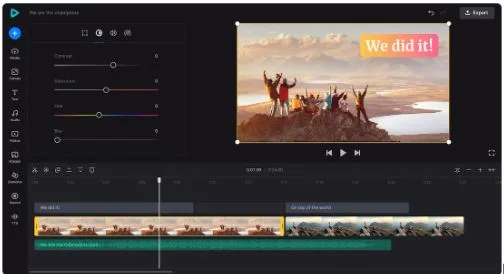
Online video editors run directly in the browser. You upload a file, apply a specific action (cut, merge, resize, subtitle, compress), and export the result.
Because everything happens online:
- There’s no operating-system dependency
- Files can be edited from different devices
- Updates happen automatically
- The interface stays focused on a single task
Platforms like Clideo follow this model, offering a collection of simple video tools rather than one overwhelming editor. For many users, this modular approach is easier to understand and faster to use than traditional all-in-one software.
You can see how this fits into broader trends in web-based software by looking at coverage from major tech media outlets like The Verge, which has frequently discussed the rise of lightweight, cloud-based creative tools as alternatives to desktop apps.
Common video tasks people search for (and struggle with)
Organic search data consistently shows demand for very practical video actions. These include:
- Trimming unwanted sections from recordings
- Adding subtitles for accessibility and social platforms
- Resizing videos for different aspect ratios
- Compressing large files for email or web upload
- Converting videos between formats
These aren’t creative experiments — they’re problem-solving tasks. Users want a clean result and to move on.
Tools like Clideo are designed around these exact needs, allowing users to complete one task at a time without navigating unrelated features. For content teams or individuals working under time pressure, that simplicity can make a noticeable difference.
How lightweight online editors fit into real workflows
Online video tools often work best alongside other software rather than replacing it entirely.
For example:
- A marketer might record a screen demo, trim it online, then upload it to a landing page
- A teacher might add subtitles to a lecture video before sharing it with students
- A freelancer might quickly compress a client video to meet file-size limits
In these scenarios, the goal isn’t cinematic perfection — it’s clarity and efficiency.
Because browser-based editors are accessible anywhere, they’re also useful for teams that collaborate remotely or switch between devices, including those who rely on apps from the Apple Store. A quick edit doesn’t require access to a specific workstation or licensed software.
Mobile video editing: when speed matters most
A growing share of video content is recorded on phones, and many edits happen on the same device. Mobile users often search for solutions that don’t require exporting files to a desktop computer.
Clideo also offers a dedicated iOS app that mirrors the simplicity of its web tools, making it easier to edit videos directly on mobile without sacrificing usability.
For creators who work on the go — social media managers, journalists, travelers, or educators — mobile-first tools can significantly reduce friction in the publishing process.
Final thoughts: simplicity as a creative advantage
As video becomes more embedded in everyday communication, the tools people choose are changing. The focus is shifting away from mastering complex software and toward removing barriers between idea and output.
Online video editors don’t aim to replace professional workflows. Instead, they empower a much larger group of users to create, edit, and share videos confidently — without technical overhead.
For anyone who values speed, accessibility, and clarity, lightweight browser-based platforms like Clideo represent a practical evolution in how video editing fits into modern digital life.