The Advantages of Integrating Online Faxing Into Remote Workflows
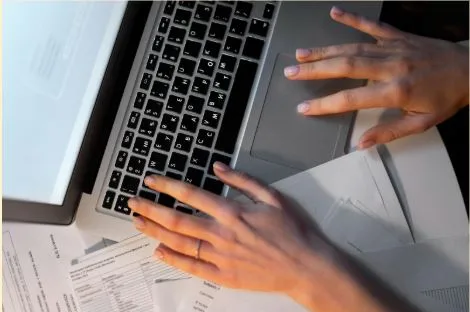
Faxing rarely feels like a priority in remote work conversations, yet it continues to surface in critical moments. When formal delivery remains a requirement, online faxing offers a way to meet those expectations without breaking digital momentum. Integrated correctly, it supports speed, visibility, and control across distributed teams.
Why Faxing Still Exists in a Remote-First World
Faxing remains in use because many organizations treat it as a reliable channel for official documents. Healthcare providers, legal offices, financial institutions, and government agencies continue to accept faxed forms due to established procedures and system compatibility.
What has changed is how faxing operates. Many teams now rely on fax forms online, which allow documents to move through a browser instead of a physical machine. This approach keeps workflows remote-friendly while maintaining compatibility with traditional recipients.
What Online Faxing Changes for Remote Teams
Digital fax services remove location dependency and simplify access across distributed teams. Documents no longer wait for someone near a machine, and teams avoid scanning, printing, or manual handling.
| Aspect | Traditional Fax | Online Faxing |
| Access | Office-bound | Any device with a browser |
| Equipment | Physical fax machine | No hardware required |
| Document storage | Paper or local memory | Digital files |
| Team availability | Single location | Distributed access |
| Workflow speed | Sequential | Continuous |
This change affects more than convenience. Document transmission stays within the same digital environments where teams already collaborate. Workflows remain uninterrupted because physical bottlenecks no longer slow progress or limit availability.
Key Advantages of Online Faxing in Remote Workflows
Browser-based faxing fits naturally into remote operations when documents need formal delivery without breaking digital flow. The benefits extend beyond sending speed.
Centralized Access Without Physical Equipment
Remote teams gain consistent access when faxing moves online. No single office location controls document flow, and access does not depend on working hours tied to a physical device. Teams can send or receive forms from any location without coordinating around equipment availability.
Faster Turnaround Across Time Zones
Time zone differences often delay document exchange. Online faxing shortens response cycles because documents move instantly once prepared. Teams avoid overnight waits tied to office schedules or manual handoffs.
Improved Record Keeping and Traceability
Digital faxing creates a clear trail that supports accountability and retrieval. Common tracking advantages include:
- Timestamped sending and receipt records
- Digital copies stored alongside other documents
- Easier retrieval for audits or follow-up.
These records reduce uncertainty and simplify compliance reviews. When faxed documents stay digital, teams avoid fragmented storage and unclear histories.
In tax and compliance workflows, structured documents like the W-9, accessible via w9.pdffiller.com, move through a single document flow. This alignment keeps faxing connected to preparation, review, and record retention instead of treating it as a separate task.
Online Faxing vs Traditional Fax in Remote Environments
Traditional faxing disrupts remote work because it forces documents into fixed routines that do not match distributed schedules. Delays appear when access depends on narrow availability windows or rigid handoffs, which slows response time and weakens coordination across teams.
Online faxing supports remote operations by keeping transmission within the same systems used for document handling. Teams maintain visibility, continuity, and timing control across locations. This consistency helps remote workflows remain predictable, even when participants work asynchronously.
Common Remote Workflow Scenarios Where Online Faxing Helps
Certain tasks continue to require fax delivery, even inside digital-first teams:
- Client document submission: Clients send signed or completed forms without mail delays or in-person visits.
- Healthcare and insurance forms: Providers exchange records and confirmations while keeping documents digital.
- Legal notices and confirmations: Formal communication reaches recipients through accepted channels without printing.
- Vendor and partner communication: Organizations exchange standardized forms with partners who still rely on fax.
These scenarios persist because recipients and regulations vary. Browser-based faxing allows teams to meet requirements without adopting outdated processes internally.
How to Integrate Online Faxing Into an Existing Workflow
This approach works best when treated as part of a broader document process. Alignment with existing steps keeps workflows predictable and efficient.
Align Faxing With Document Preparation and Review
Document transmission fits naturally after editing and approval. Teams prepare forms digitally, confirm accuracy, and send them without format changes. This sequence prevents last-minute corrections that often appear during print-based workflows.
Keep Faxed Documents Within the Same Digital Flow
Faxed files should return to the same environment where documents get stored and reviewed. Central access supports collaboration and reduces duplication. Teams avoid isolated files that live outside normal document systems.
Online Faxing as Part of a Modern Remote Toolkit
Browser-based faxing no longer represents a step backward. It supports workflow continuity where formal delivery remains necessary. Remote teams benefit when fax transmission aligns with digital processes instead of interrupting them. When documents stay online from preparation to storage, teams maintain speed and control without sacrificing compatibility.