Designing Story-Grade AI Video: A Multi-Shot Playbook for Consistency
Most AI videos fail for one reason: each shot looks good alone, but the sequence does not feel like one story. Characters subtly change shape, lighting shifts without logic, and camera rhythm becomes chaotic. Viewers may not describe the issue in technical terms, but they feel it immediately. If your goal is storytelling, continuity is not a cosmetic detail. It is the foundation.
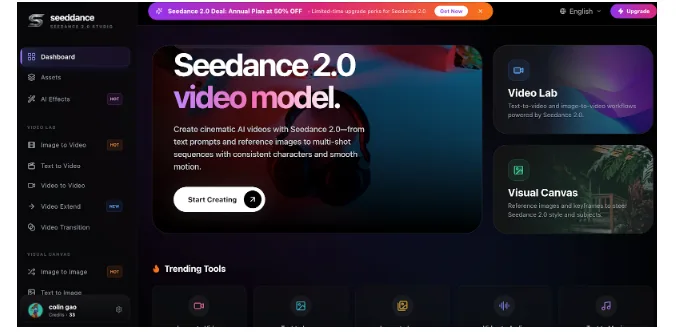
A practical production workflow is to sketch fast variants in the AI Video Generator and then pressure-test multi-shot stability with Seedance 2.0 when you need reliable character and motion coherence. The key is not tool loyalty; it is process discipline.
Why multi-shot consistency matters more than single-shot beauty
Single-shot demos can hide structural problems. A perfect two-second render says very little about whether your six-shot ad, trailer, or explainer will hold together. In real distribution contexts, viewers evaluate sequence quality, not isolated frames.
Consistency directly impacts:
- – Trust: stable identity and style feel intentional
- – Comprehension: predictable visual language reduces cognitive load
- – Conversion: clearer story flow leads to better action rates
- – Brand equity: repeated aesthetic cues make your output recognizable
If any of these break, your video may still look impressive, but it will perform like a disconnected collage.
Step 1: Build a shot architecture before prompt writing
Do not start from prompt poetry. Start from story mechanics. A compact architecture for most marketing and narrative clips is:
- Hook shot (attention)
- Context shot (problem or setting)
- Demonstration shot (solution in action)
- Proof shot (credibility signal)
- Outcome shot (emotional payoff)
- CTA shot (next action)
This structure helps you define what each shot must accomplish. Once purpose is clear, prompts become precise and repeatable.
Step 2: Define your continuity bible
In traditional production, teams use bibles for character, wardrobe, lensing, and set rules. AI workflows need the same artifact, even if it is short.
Create a one-page continuity bible with:
- – Character profile: age range, facial features, hair, wardrobe, posture
- – Environment profile: location class, color mood, time of day
- – Camera profile: focal feel, movement style, framing defaults
- – Motion profile: subtle, medium, or energetic baseline
- – Typography profile: subtitle style, safe zones, contrast rules
Keep this document next to the prompt file. Every shot should inherit these constraints.
Step 3: Use references like production anchors
Reference images are often treated as optional enhancements, but for multi-shot work they are central controls. Build a small reference pack:
- – Hero reference: your target identity and tone
- – Close-up reference: facial stability under tighter framing
- – Product reference: shape and material fidelity
- – Palette card: explicit color direction
Then map references by shot type. For example, proof shots should prioritize product reference, while reaction shots should prioritize facial close-up reference. This method dramatically reduces visual drift.
Step 4: Separate variable from constant
Most teams cannot learn because they change everything between versions. If you want consistent improvement, establish constants and test variables.
Constants:
- – Character identity
- – Typography layout
- – Brand palette
- – Basic framing rules
Variables:
- – Message angle
- – Pace
- – Camera movement intensity
- – Transition style
When a version wins, you know why. When a version fails, you know what to replace.
Step 5: Design motion by function
Motion should serve communication. Assign movement based on narrative duty:
- – Hook: higher visual energy to stop the scroll
- – Context: moderate movement to preserve readability
- – Demonstration: controlled movement to show mechanism
- – Proof: stable framing for trust
- – CTA: minimum motion for action clarity
This pattern aligns with the common workflow language in studio dashboards: write the vision, refine and iterate, then export with purpose.
Step 6: Build a block-level QA gate
Before final export, run a lightweight gate that catches continuity issues early:
- Identity check: same face, same product geometry, same wardrobe logic
- Lighting check: no unexplained temperature jumps
- Motion check: no jitter, warping, or distracting deformation
- Readability check: key line readable on mobile in one second
- Brand check: colors and tone align with prior outputs
If one block fails, regenerate that block only. Avoid full-sequence rerenders unless architecture changed.
Step 7: Connect analytics to shot decisions
Performance teams should tie results to specific blocks, not full videos. Map metrics like this:
- – Early drop-off: hook issue
- – Mid-video decay: context or demo issue
- – Good watch time but weak clicks: CTA/proof issue
- – High clicks but weak conversion: message-target mismatch
This converts analytics into production instructions. Your next iteration becomes surgical instead of speculative.
Step 8: Build a reusable sequence library
When a sequence pattern performs, save it as a template set:
- – Prompt scaffolds by shot type
- – Reference pack bundle
- – Subtitle and safe-zone presets
- – QA checklist
- – Export presets by platform
Over time, this becomes your internal video operating system. New campaigns start from proven structure instead of blank pages.
Common mistakes that destroy continuity
Watch for these recurring failures:
- – Overwriting core descriptors in each prompt
- – Over-animating every shot equally
- – Mixing color moods without narrative reason
- – Testing multiple major variables at once
- – Ignoring mobile readability until final export
Each mistake is preventable with a simple rule: lock the story system first, then experiment inside controlled boundaries.
Final perspective
AI video maturity is not defined by how quickly you can generate clips. It is defined by whether your team can deliver coherent, repeatable stories under deadline. Multi-shot consistency is the bridge between visual novelty and business-grade communication.
Treat every project as sequence design, not output gambling. Build architecture, lock continuity, iterate by block, and measure outcomes with discipline. When these habits compound, your videos stop feeling synthetic and start feeling authored.
Implementation note for teams under deadline
If time is limited, prioritize three controls: stable identity wording, reusable references, and block-level QA. These three controls usually deliver most of the continuity gain without expanding production complexity.