Can Smart Cooling in AI-Powered PCs Boost Performance Faster?
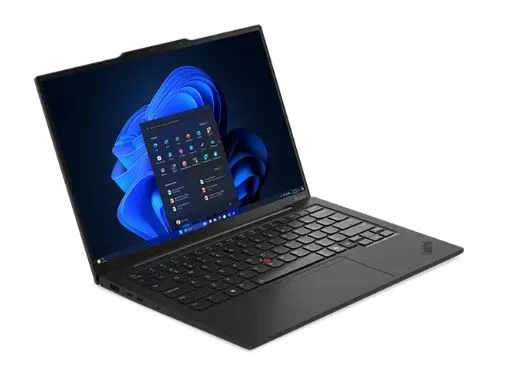
AI-powered PCs are getting smarter every day. They handle many tasks at the same time. They also learn from user behavior and adjust performance. But heat still affects every system. When a PC gets hot, it slows down. This happens to protect the processor and other parts.
Recent hardware data shows that high temperatures can reduce system speed by up to 60 percent during heavy tasks.
This drop affects gaming, editing, and daily work. That is why smart cooling is now a core feature in modern systems. It uses AI to manage heat in real time. It keeps the system stable and fast. This leads to better speed and longer performance.
Let us explore how smart cooling helps boost performance in six clear ways.
1. Reduce Thermal Throttling
Thermal throttling is a common issue in high-performance systems. When the temperature rises, the processor reduces its speed. This action protects hardware but also lowers performance. Smart cooling solves this problem by controlling heat early.
AI monitors system temperature all the time in an AI-powered PC, where intelligent algorithms study real-time heat patterns across the CPU and GPU. It adjusts the cooling response before the system reaches critical limits, which helps maintain stable and faster performance.
How AI Detects Heat Early
AI uses real-time data from sensors. It studies patterns and predicts when heat will rise. It then adjusts cooling instantly. This process keeps the system stable. It allows the processor to work at full power.
- Sensors track internal temperature every second.
- AI predicts future heat increase.
- Cooling systems activate before overheating.
- Fan speed changes based on load.
Why This Improves Speed
When throttling does not happen, the system runs at peak speed. Tasks complete faster. This improves performance during heavy workloads like video editing and gaming.
2. Improve CPU Performance Stability
CPU stability is very important for smooth performance. Heat causes sudden drops in speed. This leads to lag and slow response. Smart cooling keeps the CPU temperature stable. AI adjusts cooling based on workload. It increases cooling during heavy tasks and reduces it during light use. This balance helps maintain consistent performance.
How Stability Helps Daily Tasks
A stable CPU gives a better user experience. It keeps the system responsive and smooth. Stable performance makes the PC feel faster. It also improves productivity during daily work.
- No sudden lag during multitasking.
- Faster app loading time.
- Smooth switching between programs.
- Better overall system response.
3. Optimize Workload Distribution
AI-powered PCs handle many processes at once. When one part of the processor gets overloaded, it produces more heat. This affects performance. Smart cooling works with AI scheduling to balance tasks. The system spreads workloads across multiple cores. This reduces heat on a single core. It keeps the temperature balanced across the processor.
How AI Balances the Load
AI studies which cores are active and which are cooler. It moves tasks to maintain balance.
- Distributes tasks evenly across cores.
- Reduces heat concentration in one area.
- Keeps processing units efficient.
- Improves overall system balance.
Why This Matters for Performance
A balanced workload reduces overheating. It allows each core to perform at its best. This leads to faster and smoother performance.
4. Increase GPU Efficiency
GPU handles graphics and visual tasks. It generates a lot of heat during gaming and rendering. High temperature reduces GPU speed. This affects frame rate and visual quality. Smart cooling keeps GPU temperature low. It allows the GPU to maintain a high clock speed. This improves graphics performance.
How Cooling Boosts Graphics Speed
AI controls cooling based on GPU usage. It increases airflow during heavy graphics tasks. A cool GPU performs better. It delivers a smoother experience for users.
- Maintains high frame rates in games.
- Speeds up video rendering.
- Improves visual clarity.
- Supports smooth playback.
5. Extend System Performance Time
Many PCs start fast but slow down over time. This happens when heat builds up during long sessions. Smart cooling helps maintain performance for longer periods. AI adjusts cooling based on usage duration. It increases cooling during long tasks. This prevents heat buildup.
How Long Do Sessions Stay Smooth
Cooling systems work harder when needed. They keep the temperature under control during extended use. This helps users work or play without interruption. Performance stays consistent from start to finish.
- Maintains stable temperature for hours,
- Prevents performance drops.
- Supports long gaming sessions.
- Keeps the system responsive.
6. Save Energy While Boosting Speed
Cooling systems often use extra power. But smart cooling uses AI to manage energy efficiently. It runs cooling systems only when needed. AI studies user behavior and system load. It adjusts fan speed and cooling levels in real time. This saves energy without reducing performance.
How AI Controls Power Use
The system balances cooling and power consumption. It avoids unnecessary energy use.
- Reduces fan speed during low usage.
- Saves battery in laptops.
- Maintains performance with less power.
- Improves energy efficiency.
Why This Improves Overall Efficiency
Efficient cooling reduces energy waste. It keeps the system fast while saving power. This creates a better balance between speed and efficiency.
Final Thoughts on Smart Cooling and Faster Performance
Smart cooling is a key part of modern AI-powered PCs. It does more than control heat. It improves how the system performs under different conditions. By reducing throttling, it keeps speed high. By stabilizing temperature, it ensures smooth performance. It also helps distribute workload and improve GPU efficiency.
As technology grows smarter, cooling will become even more advanced. It will continue to improve system speed and reliability. This makes smart cooling an essential feature for better performance in AI-powered PCs.