Exploring the Key Types of Industrial Computers: Features, Selection and Applications
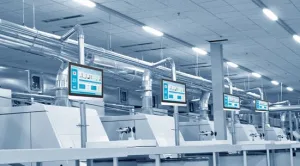
Modern manufacturing and automation depend heavily on rugged, reliable computing solutions built to withstand harsh industrial environments. These specialized computers deliver stable performance, real-time control, and long-term operation to keep critical processes running smoothly. Understanding the different types of industrial computers helps engineers and decision-makers select the right equipment to boost productivity, minimize downtime, and strengthen system reliability as industrial applications continue to advance.
Key Types of Industrial Computers
Industrial PCs
Industrial PCs serve as the backbone of countless industrial settings. Engineered for high reliability and durability in harsh conditions, they power process automation and production line automation in modern manufacturing facilities.
Available in a wide range of sizes and configurations, industrial PCs excel at real-time monitoring and control tasks. Most models include expansion slots for customized functionality to match specific operational needs.
Panel PCs
Industrial panel PCs integrate a computer and touchscreen display into a single, compact unit. Designed for direct mounting on machinery or control panels, they are ideal for space-constrained production environments.
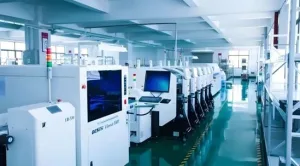
These all-in-one units provide convenient access to controls and operational data. Their sealed, dustproof and moisture-resistant construction makes them widely used in food processing, pharmaceutical manufacturing, and other hygiene-sensitive industries.
Industrial Tablets
Industrial tablets deliver mobility and flexibility for on-the-go field workers. Built with rugged exteriors and reinforced screens, they resist drops, spills, and extreme temperatures.
Equipped with wireless connectivity, these portable devices support real-time data access for inventory management, field inspections, and on-site maintenance. They greatly improve operational efficiency in warehouses, outdoor sites, and mobile work scenarios.
Industrial Display Monitors
Industrial display monitors present critical production data and system status on the factory floor. They connect to industrial PCs or other control systems to deliver clear visual feedback for operators.
Featuring toughened glass and metal frames, these monitors withstand shock, vibration, and industrial contaminants. They are essential components of monitoring stations and control rooms across industrial facilities.
Single Board Computers
Single board computers are compact devices with all core components integrated onto a single circuit board. Their small size allows them to fit into tight spaces and custom enclosures for embedded systems.
With low power consumption and consistent performance, they are widely used for automation, sensor integration, robotics, and industrial IoT deployments.
Industrial Mini PCs
Industrial mini PCs pack reliable computing power into an ultra-compact form factor, making them perfect for crowded industrial spaces where room is limited.
Most models use fanless cooling and solid-state drives for quiet, efficient operation. They run control software, data logging applications, and support kiosk and digital signage use cases.
Rackmount PCs
Rackmount PCs are designed to install in standard server racks for centralized control and management. They support large-scale industrial networks, data centers, and factory-wide automation systems.
Offering high reliability, easy maintenance, multiple expansion slots, and redundant power supplies, they handle complex automation and monitoring tasks in factories, utility plants, and industrial data centers.
Box PCs
Box PCs are versatile, ruggedized computers housed in durable enclosures. They can be wall-mounted, machine-mounted, or installed inside cabinets for flexible deployment.
With a wide range of I/O ports for connectivity, box PCs perform reliably in harsh environments and support diverse applications in transportation, energy, and process automation.
A table below summarizes the key features for industrial computers by type:
| Type | Key Features for Industrial Computers | Typical Use Cases for Industrial Computers |
| Industrial PCs | Rugged, expandable, high reliability | Production, automation, real-time monitoring |
| Panel PCs | Touchscreen, sealed, compact | Machine control, operator interface |
| Industrial Tablets | Portable, rugged, wireless | Field work, inventory, inspections |
| Industrial Display Monitors | Durable, shock-resistant, clear display | Monitoring, control rooms |
| Single Board Computers | Compact, low power, embedded | Robotics, IoT, sensor integration |
| Industrial Mini PCs | Small, quiet, efficient | Kiosks, signage, data logging |
| Rackmount PCs | Centralized, expandable, redundant | Data centers, network control |
| Box PCs | Versatile, rugged, flexible I/O | Transportation, energy, process automation |
Core Features and Industrial Applications
Rugged Design and Durability
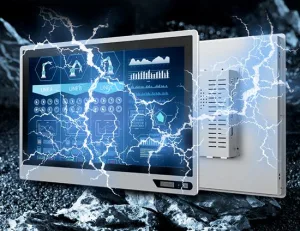
Industrial computers are engineered to survive demanding industrial conditions. Reinforced casings, sealed ports, and fanless cooling protect against dust, moisture, vibration, and temperature extremes.
Panel PCs and industrial tablets use shatter-resistant touchscreens, while rackmount and box PCs feature sturdy metal frames. This rugged construction ensures continuous operation in challenging production environments.
Processing Power and Performance
Performance levels vary by type to match specific workloads. Industrial PCs and rackmount PCs deliver high computing power for complex automation, large data processing, and advanced software applications.
Single board computers and industrial mini PCs provide efficient, low-power performance for embedded systems and basic control tasks. Industrial tablets balance mobility with sufficient processing for field operations.
Typical Use Cases
- Industrial PCs and rackmount PCs: Production lines, network control, industrial data centers
- Panel PCs: Machine control, operator interfaces, clean manufacturing
- Industrial tablets: Inventory management, field inspections, mobile data capture
- Single board computers: Robotics, sensor integration, IoT edge devices
- Box PCs and industrial mini PCs: Kiosks, digital signage, compact process automation
How to Choose the Right Industrial Computer
Key Selection Factors
When selecting an industrial computer, start by evaluating the operating environment, including dust, moisture, vibration, and temperature range. Consider available installation space and required reliability for continuous operation.
Budget is also a factor, as premium ruggedness and advanced features affect pricing. Prioritize features that directly support your core applications.
Matching Computer Types to Industry Needs
- Automotive manufacturing: Industrial PCs (high reliability, expandability)
- Food processing: Panel PCs (sealed, easy to clean)
- Warehousing and logistics: Industrial tablets (mobility, wireless)
- Utilities and energy: Rackmount PCs (centralized control, scalability)
Practical Selection Tips
Focus on your primary automation or monitoring task. Choose high-performance models for production line control, and prioritize durability and flexible I/O for harsh environments.
Review industry-specific use cases and consult vendors about real-time monitoring and automation support. Use a checklist to compare specifications and make a confident selection.
Advantages, Disadvantages and Buying Tips for Car Tablets
With the rapid development of smart technology, car tablets have become an indispensable part of automotive interiors. Integrating navigation, entertainment, communication and other functions, they bring drivers a more convenient and intelligent travel experience. However, faced with a wide variety of car tablet products on the market, many consumers wonder: are car tablets really practical? This article will analyze in detail the advantages, disadvantages and buying tips of car tablets to help you fully understand this smart travel device.
I. Car Tablets: Advantages
More Accurate Navigation
Built with high-precision GPS modules and paired with professional navigation software, car tablets provide real-time traffic updates, route planning and voice-guided navigation, helping drivers reach their destinations easily while avoiding getting lost or stuck in congestion.
Richer Entertainment
Car tablets support music, video, games and other entertainment functions, bringing a more pleasant journey for drivers and passengers. Playing music or videos during long drives effectively relieves fatigue.
More Convenient Communication
Supporting Bluetooth, Wi-Fi and other wireless connections, car tablets can easily link to mobile phones, headsets and other devices for hands-free calls and music playback, allowing drivers to focus on driving and ensure safety.
More Comprehensive Information
Car tablets display vehicle status, fuel consumption, mileage and other data, helping drivers monitor vehicle conditions in real time for timely maintenance.
Stronger Expandability
Car tablets support the installation of various applications such as dash cams, tire pressure monitoring systems and OBD diagnostics, allowing functional expansion based on personal needs to suit different users.
II. Car Tablets: Disadvantages
Relatively High Price
Compared with traditional car navigation devices, car tablets are more expensive, especially high-end models with premium configurations.
Complex Installation
Installation requires professional technicians, involving wiring, bracket mounting and other procedures, making the setup process complicated.
Potential Safety Risks
Improper installation or use may compromise driving safety. For example, screen glare and complicated operations can distract drivers and increase safety hazards.
Short Battery Life
Car tablets have limited battery life and require a constant connection to the car power supply for long-term use.
III. Car Tablets: Buying Tips
- Choose reputable brands
Reputable brands offer more reliable product quality and better after-sales service.
- Select configurations based on your needs
Choose suitable processors, memory, storage and other specifications according to your actual needs to avoid wasting resources.
- Prioritize screen quality
Select screens with high resolution, high brightness and wide viewing angles for a better visual experience.
Conclusion
Each type of industrial computer is built to address specific industrial demands, from centralized control and real-time automation to mobile data access and embedded computing. By understanding their core features, performance capabilities, and ideal applications, organizations can make informed choices that improve reliability, efficiency, and long-term system stability. Selecting the right industrial computer is a critical step toward building resilient, future-ready industrial operations.
About Guangdong Computer Intelligence Display Co., Ltd. company
Guangdong Computer Intelligence Display gdcompt.com is an innovative technology enterprise focusing on industrial-grade touch display devices, integrating R&D, manufacturing and sales. Committed to improving the level of industrial automation and intelligence, the company leverages its independent production and processing capabilities to provide customers with embedded product solution design, product development, functional and structural customization services.
Its main product lines include industrial all-in-one panel PCs, industrial monitors, compact industrial hosts, smart digital signage, and industrial tablet computers. These products are widely applied in industrial control, intelligent automation, smart healthcare, rail transit, vehicle and marine systems, covering application scenarios such as smart manufacturing, smart medical treatment, smart government affairs, artificial intelligence, smart commerce, machine vision, and smart transportation.