CamScanner Guide 2026: Why This Scanner App is Essential for Your Digital Spring Cleaning
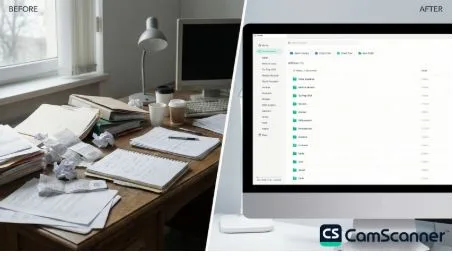
As National Cleaning Week (March 22–28) kicks off, CamScanner is being recognized as the best document scanner app for those tackling “digital spring cleaning” in 2026. While many rely on basic phone features, a dedicated tool like CamScanner is essential for quickly scanning documents to PDF and turning messy paper stacks into a secure, organized digital archive. With the April 15 tax deadline approaching, this AI-powered scanner ensures every important file is digitized and easy to find before the final rush.
Why a Pro Scanner App Is the Missing Piece of Your Spring Cleaning Checklist
According to recent surveys, over 80% of U.S. households engage in spring cleaning, with “decluttering and organizing” cited as the top motivation. However, clearing a desk of old receipts, medical records, and tax forms requires more than just a trash can—it requires a way to preserve information without the physical bulk.
This is where a dedicated mobile document scanner app like CamScanner becomes a real time-saver. Instead of keeping piles of paper around, you can instantly scan documents to PDF, store them digitally, and pull them up whenever you need them.
CamScanner vs. iPhone Notes: Which Is the Best App for Document Scanning?
Many users search for “how to scan in notes” or “how to scan with iPhone Notes” as a
quick solution. While the built-in Notes app offers basic scanning functionality, the overall scan quality is often inconsistent—especially in less-than-ideal lighting or when capturing multi-page documents. It may be sufficient for quick scans, but it often falls short for larger tasks such as digital spring cleaning or preparing financial records. Here’s why so many people switch to a dedicated document scanner app like CamScanner:
- Batch Processing: Scan Multiple Pages into One PDF
Unlike the manual, one-by-one process in basic apps, CamScanner allows users to scan multiple pages into one PDF in seconds. This feature is especially helpful when digitizing multi-page contracts, financial statements, or instruction manuals discovered during a spring decluttering session.
- AI-Powered Image Enhancement
Basic phone scanners often struggle with shadows, curved pages, or uneven lighting. CamScanner’s AI-powered enhancement technology automatically improves clarity, ensuring a high-quality scan-to-PDF result by removing background noise and sharpening text for a professional-looking document.
- Advanced Folder Management
During a digital spring clean, organization is key. CamScanner provides a structured folder system that allows users to categorize documents such as “Home Improvement,” “Medical Records,” or “Tax Prep 2026.” Once the paper is gone, files remain easy to locate and manage digitally.
Maximize Efficiency: Using CamScanner for Tax Preparation
With Tax Day only weeks away, many households include financial paperwork in their spring-cleaning checklist. A powerful document scanner app can help simplify this process by digitizing important records quickly. CamScanner is widely used by professionals and small business owners because it makes it easy to scan documents to PDF, capture receipts, and convert printed information into editable files.
- Scan Receipts for Accurate Records: Users can quickly digitize receipts to keep financial records organized and avoid missing potential deductions during tax season.
- Convert Scanned Documents to Editable Files: Need to extract information from printed forms? CamScanner includes built-in OCR (Optical Character Recognition) technology that converts scanned images into editable text formats such as Word or Excel, reducing hours of manual data entry.
- Secure Document Sharing: After organizing important files, users can securely share scanned documents with accountants or financial advisors. CamScanner supports encrypted sharing options to help protect sensitive financial information.
Conclusion: Achieve Digital Minimalism This Spring
Spring cleaning is about more than simply tidying up a room—it’s about creating clarity and organization in everyday life. By using a dedicated document scanner app like CamScanner, individuals can reduce paper clutter while maintaining secure digital records. Instead of relying on basic phone tools, users can scan documents to PDF, manage files efficiently, and build a structured digital archive that supports a more productive, paperless workflow.
Frequently Asked Questions (FAQ)
Q1: Is CamScanner free to use?
CamScanner is free to use and lets users scan documents, receipts, notes, contracts, and books on their mobile devices. It also helps organize files into a digital library, making it easy to store, search, and access documents anytime.
Q2: How do I scan multiple pages into one PDF on my phone?
In the CamScanner app, users can select the Batch mode before scanning. This allows multiple pages to be captured sequentially and automatically merged into a single multi-page PDF document—much faster than scanning pages individually using basic phone tools like iPhone Notes.
Q3: Why is my iPhone Notes scanner blurry or not working properly?
The built-in scanner in iPhone Notes may struggle with poor lighting, shadows, or uneven page surfaces. Dedicated scanner apps such as CamScanner use advanced edge-detection and image-enhancement technology to automatically correct these issues and produce clearer, more professional scans.
Q4: Can I convert a scanned PDF into an editable Word document?
Yes. CamScanner includes OCR technology that recognizes text in scanned documents and converts it into editable formats such as Word or Excel. This feature is especially useful when extracting data from printed forms or financial documents for tax preparation.
Q5: How can I save and share scanned receipts with my accountant?
After scanning a receipt with CamScanner, users can export the file as a PDF or image and share it via email, messaging apps, or cloud services like Google Drive. For sensitive financial information, encrypted sharing options can also be enabled to ensure secure access for your accountant.