Youdao Translate Download and Installation Experience: Process Changes and Usage Differences
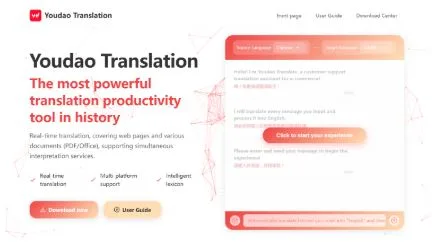
In recent updates, Youdao Translate (PC Version) Translate has shown a noticeable increase in release frequency across multiple platforms. Along with these updates, the download and installation process has also evolved. Compared with earlier versions that followed a relatively simple installation path, the current versions place more emphasis on cross-device compatibility and functional integration. As a result, users now report more varied experiences depending on their device type, download channel, and system environment.
From the download stage, the source of the installation package has a clear impact on overall user experience. Official channels typically provide complete and verified installation files, with package sizes generally ranging from 120MB to 180MB depending on the operating system. In contrast, some third-party sources show inconsistencies in file size and installation behavior. In certain cases, the package appears unusually small, while in others additional components are loaded during installation. These variations are often difficult to detect at first glance but can significantly affect later performance and stability.
During the installation process, one of the most noticeable changes in recent versions is the simplified interface combined with a more complex background setup. While the number of visible steps has been reduced, the system now performs more background configuration tasks. In practical testing, the average installation time ranges from 2 to 4 minutes depending on device performance and network conditions. Older versions typically completed installation in under 2 minutes, suggesting that newer builds trade speed for more complete initialization and feature preparation.
Across different operating systems, the download and installation experience varies significantly:
- On Windows systems, installation tends to be more comprehensive, with multiple components being initialized in the background, which improves feature completeness but increases setup time.
- On macOS, the installation steps are more streamlined, but permission verification is stricter, requiring additional system authorization checks.
- On Android devices, installation is generally faster, but performance depends heavily on network stability during package retrieval and verification.
- On iOS, the installation process is handled through the App Store, resulting in a more standardized and controlled experience with fewer variables.
These platform-based differences create inconsistent user perceptions, especially for those switching between devices within the same account ecosystem.
After installation, performance is also closely tied to the original download source. Official versions tend to provide more stable startup behavior and balanced resource usage. In contrast, some unofficial versions may initially appear normal but gradually show performance issues over time. These can include increased memory consumption, slower response times, or unexpected background activity. Such differences are usually not obvious during the first use session but become more noticeable after extended usage.
From a technical perspective, newer versions of Youdao translation Translate also introduce a more complex initialization process after installation. On first launch, the application performs resource loading and environment configuration, which typically takes around 5 to 10 seconds depending on device specifications. Compared to older versions that opened directly into the main interface, this additional step improves system readiness but introduces a slightly longer initial waiting period.
In real-world usage across multiple devices, repeated installation tests reveal a clear trend in product design direction. The newer versions prioritize integration, feature completeness, and cross-platform consistency. However, this comes at the cost of increased dependency on system performance and network conditions. When the network environment is stable, the installation process is smooth and predictable. Under weaker connectivity conditions, delays or interruptions during download and setup become more noticeable.
Over time, this shift reflects a broader evolution in translation software. It is no longer just a lightweight tool for quick text conversion but a more complex system integrating dictionaries, AI translation models, document processing, and cloud synchronization. This expansion naturally increases installation complexity and system requirements, which explains the differences users experience during setup.
From a user behavior perspective, there is also a clear change in how people evaluate installation experiences. More users now pay attention to the stability of the download source and the transparency of the installation process rather than focusing solely on features. Some users prefer official platforms to ensure consistency and security, while others choose different versions depending on device capability or specific usage needs. This diversification of choice reflects a more mature understanding of software usage risks and benefits.
In conclusion, the experience of downloading and installing Youdao Translate Download Translate is no longer a simple one-step process. It is influenced by multiple factors including download source, operating system, network stability, and software version differences. Official versions generally provide a more stable and predictable experience, while third-party sources introduce variability that may affect long-term performance. As users continue to use translation tools across different environments, installation quality and system compatibility are becoming increasingly important factors in overall satisfaction.