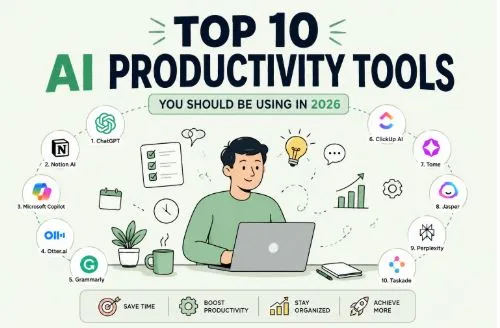
Top 10 AI Productivity Tools You Should Be Using in 2026
Most people are still stuck using the same three or four AI tools they discovered in 2023. A chatbot here, a grammar checker there. Meanwhile, an entirely new generation of specialized AI tools has quietly taken over real workflows.
The thing is, it’s not about which tool has the biggest language model. It is about which tool solves one specific problem so well that you stop thinking about it.
So, here’s a look at ten AI productivity tools across ten different categories, each one built for a single job.
1. MiroThinker (For Research)
MiroThinker is an open source research agent built by MiroMind. It forms a hypothesis, searches the web for evidence, evaluates what it finds, revises its approach, and keeps going until it reaches a solid answer.
This is not your typical “ask a question, get a paragraph” experience. Here is what makes it different from everything else in the research space:
- Supports a 256K context window and can make up to 600 tool calls per task
- Searches, reads documents, runs code, and reasons through multi step problems like a human researcher
- The latest version, MiroThinker 1.7, scores state of the art results on benchmarks like BrowseComp and GAIA
- Fully open source with models available in 30B and 235B parameter sizes
- You can try it through their online demo or self host it using the code on GitHub
For anyone doing serious research, market analysis, or technical deep dives, this tool saves hours of manual digging every single week.
2. Taskade (For Project Management)
Taskade is a project management platform where AI agents do the heavy lifting. You describe a project in plain language, and Taskade’s AI builds the task structure, assigns priorities, and sets up workflows automatically.
The real differentiator is Genesis, their no code app builder. You can prompt it to create a client portal, a CRM dashboard, or an approval workflow, and it builds a working app connected to your existing automations. No templates, no drag and drop fiddling. Just describe what you need.
It supports over 700 AI agent task types, real time collaboration, mind maps, Kanban boards, and calendar views.
For remote teams and solo operators who want structure without the overhead of tools like Jira or Monday, Taskade hits a sweet spot between simplicity and power.
3. AI Prompt Generator (For Prompt Engineering)
The quality of your AI output depends entirely on the quality of your prompt. Most people know this but still spend a lot of time rewording the same vague instruction, hoping for a better result.
Feedough’s prompt generator helps with this. You tell it what you want to do, and it builds a structured, detailed prompt using NLP and prompt engineering best practices. This saves a lot of time and boosts productivity.
It works for text tasks, image generation, reasoning chains, and even model specific outputs for tools like ChatGPT, Claude, Midjourney, and Stable Diffusion.
No login, no signup, no credit limits. It also offers specialized generators for chain of thought prompting, zero shot prompting, and image to prompt reverse engineering, making it one of the most complete free prompt toolkits available right now.
If you are someone who uses AI tools daily but keeps getting mid results, this is where you start fixing that.
4. Writesonic (For Content Creation)
Writesonic is a content creation platform that does more than just writing blog posts. Its AI Article Writer pulls from 100+ live web sources during the writing process, which means your content references current information instead of outdated training data.
Here is what makes it practical for content teams:
- It generates SEO optimized long form articles up to 5,000 words with keyword integration and internal linking suggestions
- The built in fact checker cross references claims against live sources and adds citations automatically
- Chatsonic, its conversational interface, supports file uploads, image analysis, and access to multiple AI models including GPT 4o and Claude
- It publishes directly to WordPress, cutting out the copy paste step entirely
For marketers and content creators who need volume without sacrificing accuracy, Writesonic handles the research and first draft so you can focus on the editing and strategy.
5. Krea AI (For Design and Visual Creation)
Krea AI is a creative suite that brings 64+ AI models for image, video, and 3D generation under one subscription.
You can sketch something on the canvas, type a style prompt, and Krea renders a photorealistic image in under 50 milliseconds. Every brushstroke and text change triggers a live update. It feels less like using an AI tool and more like painting with a copilot.
Beyond the canvas, you get text-to-image generation, AI video creation using models like Veo 3 and Runway, LoRA fine-tuning for consistent brand assets, 3D object generation, and an upscaler that goes up to 22K resolution.
For designers, architects, and content creators who are tired of managing five separate AI subscriptions, Krea consolidates everything into one place.
6. N8n (For Workflow Automation)
N8n is an open source workflow automation platform that connects your apps, AI models, and internal tools through visual workflows. You build automations by dragging nodes on a canvas and connecting them.
Each node is a step, a trigger from Gmail, a data pull from Google Sheets, an AI call to OpenAI, a message sent to Slack. String them together and you have a workflow that runs on autopilot.
You can self-host it on your own server, write custom JavaScript or Python inside any node, and build logic that would be impossible on most no code platforms. It supports 400+ integrations out of the box, and if something is missing, you can hit any API using an HTTP node.
7. Lex (For Writing and Editing)
Lex is a writing tool that looks like Google Docs but behaves like a writing partner. You type in a clean, distraction-free editor, hit the +++ shortcut, and the AI jumps in with suggestions, rewrites, or feedback right where you are writing.
Lex is built for people who write long-form content: blog posts, essays, newsletters, reports. The AI provides inline feedback on clarity, tone, and structure without making you switch tabs or open a separate tool.
The Pro plan at $18 per month gives you unlimited AI usage with access to GPT 4 and Claude models, collaborative editing, and a prompt builder for creating reusable custom instructions. There are no word credits, no generation limits, and no overage fees.
If you write daily and want an AI that helps you think better rather than just producing more words, Lex is worth trying.
8. Gamma (For Presentations & Slide Decks)
Gamma turns a text prompt into a complete, polished presentation in under 60 seconds. But unlike most AI deck generators that produce generic bullet heavy slides, Gamma’s output actually looks like a human spent time on it.
The layouts vary naturally across slides. You get stat callouts, comparison sections, timeline views, and image placements that match the topic. The new Gamma Agent can research the web, pull in citations, restyle entire decks, and refine content through a simple chat interface.
You can also drop in a Google Doc or paste a URL and Gamma will restructure the content into a presentation automatically.
Feature: AI Models
- Detail: 20+ for text and image generation
Feature: Free Plan
- Detail: 400 AI credits, roughly 10 presentations
Feature: Paid Plans
- Detail: From $8/month (Plus)
Feature: Export Options
- Detail: PowerPoint, PDF, PNG, Google Slides
The catch is that Gamma’s presentations are web native. They look amazing as shared links but lose some visual polish when exported to PowerPoint. If your audience consumes decks as links, Gamma is one of the best tools in its category.
9. Motion (For Scheduling and Calendar)
Motion takes all your tasks, their deadlines, priorities, dependencies, and estimated durations, and builds your entire day for you. Every morning you get a fully planned schedule without touching a single calendar block.
When a new meeting lands or you miss a task, Motion reshuffles everything automatically. You add an urgent task at 2 PM, and it rearranges the rest of your afternoon around it. The AI handles the Tetris so you can focus on doing the work instead of planning the work.
It also includes these extras that round out the platform:
- AI Docs for drafting SOPs and project briefs
- An AI note taker that captures meetings and extracts action items
- Meeting scheduling with booking pages that show real time availability
- A project management layer with team capacity planning and dashboards
The pricing starts at $19 per seat per month, which is not cheap. But users consistently report saving multiple hours per week on planning alone. If your calendar is packed and you spend more time organizing tasks than completing them, Motion pays for itself quickly.
10. Fireflies.ai (For Meeting Notes)
Fireflies is an AI meeting assistant that joins your calls automatically, records everything, transcribes it with 95%+ accuracy, and sends you a summary with action items before you have even closed the meeting window.
It works across Zoom, Google Meet, Microsoft Teams, and Webex. The built in AI assistant, Fred, can answer questions about past meetings, search across your entire conversation history, and even suggest follow up actions based on what was discussed. The CRM integration automatically syncs meeting notes to Salesforce or HubSpot, which means no more manual data entry after sales calls.
Fireflies serves over 20 million users across 500,000+ organizations, including 75% of the Fortune 500. The free tier gives you unlimited transcription with 800 minutes of storage. Pro starts at $18 per month and unlocks unlimited storage plus integrations with tools like Slack, Notion, and Asana.
For anyone who spends a significant chunk of their week in meetings, Fireflies turns spoken conversations into searchable, actionable knowledge.