Budget vs Premium: Choosing the Right Performance Keyboard
A performance keyboard serves as the primary interface between you and your digital world, whether you’re executing split-second commands in competitive gaming or powering through hours of productive work. The right keyboard can elevate your response times, reduce fatigue, and transform your overall computing experience. Yet most buyers find themselves caught in a familiar struggle: should they invest in a premium option with all the bells and whistles, or can a budget-friendly alternative deliver the performance they actually need? This decision carries real weight, as it affects not just your wallet but your daily comfort and effectiveness for years to come. The gap between budget and premium performance keyboards has narrowed in some areas while widening in others, making the choice less straightforward than ever. In this guide, we’ll break down exactly what separates these two categories, compare their features head-to-head, and provide a clear framework to help you determine which investment makes the most sense for your specific situation and priorities.
Understanding the Gaming Keyboard Cost Spectrum
The gaming keyboard cost landscape breaks down into three distinct tiers that reflect meaningful differences in what you receive. Budget keyboards typically fall between $25 and $60, offering functional performance without premium frills. The mid-range occupies the $60 to $120 space, where you start encountering genuine mechanical switches, better build materials, and more sophisticated features. Premium keyboards command $120 to $250 or more, delivering top-tier engineering, premium materials, and comprehensive customization ecosystems.
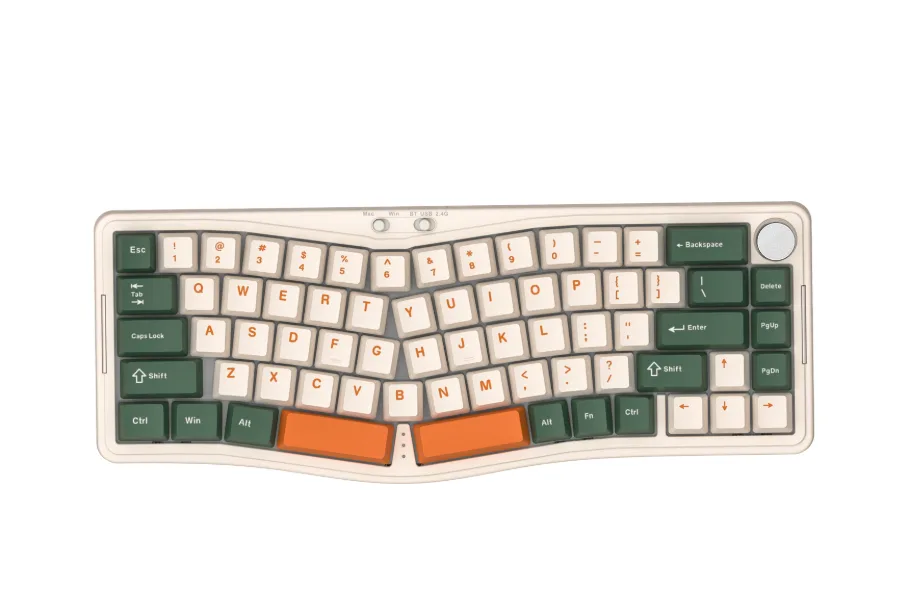
Several factors drive these price differences. Brand reputation plays a role, as established manufacturers bake years of research and customer support infrastructure into their pricing. The underlying technology matters enormously—a keyboard using custom-designed switches with extended lifespan ratings costs more to produce than one using generic membrane mechanisms. Materials tell a similar story: an aluminum chassis with PBT keycaps demands a higher investment than an all-plastic construction with ABS caps that develop shine within months. Manufacturing precision, quality control standards, and included extras like detachable cables or magnetic wrist rests all contribute to where a keyboard lands on the gaming keyboard cost spectrum. Understanding these tiers helps you recognize what’s realistic to expect at each price point rather than chasing features that simply don’t exist in certain categories.
Key Features of Budget Keyboards
Budget keyboards deliver a surprisingly functional experience for everyday users, though they come with clear trade-offs. Most models in this range rely on membrane switches or budget mechanical clones—these provide a softer, quieter keystroke but lack the precise tactile feedback and actuation consistency found in higher-end switches. The construction typically features an all-plastic chassis, which keeps weight low but sacrifices rigidity and that satisfying solid feel during intense typing sessions. Keycaps are almost universally thin ABS plastic, prone to developing an oily shine after a few months of regular use.
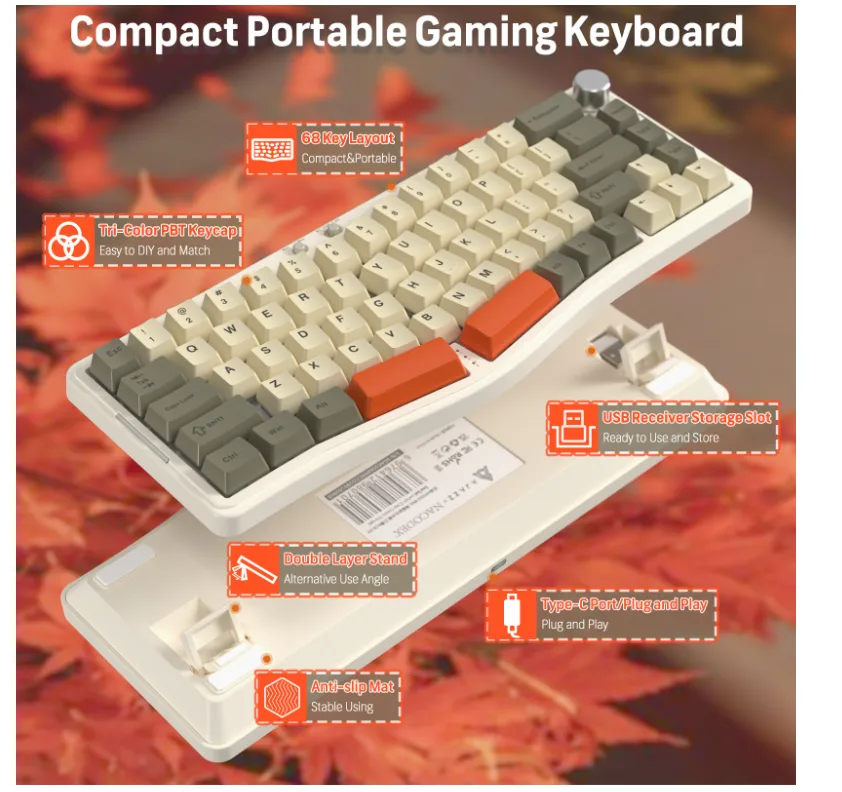
Customization options remain limited at this tier. You might find single-color backlighting or basic RGB zones, but per-key lighting control and dedicated software suites are rare. Macro programming, onboard memory profiles, and hot-swappable switches generally don’t appear until you move upward in price. That said, budget keyboards excel where affordability and accessibility matter most. They’re ideal for casual gamers who play a few hours weekly, students managing coursework, or anyone building their first dedicated setup without committing significant funds. If your primary concern is having a responsive keyboard that handles standard gaming and productivity tasks without mechanical failure, a well-chosen budget option can serve reliably for one to two years before wear becomes noticeable. The key limitation isn’t that budget keyboards fail outright—it’s that they offer fewer ways to fine-tune the experience to your preferences.
What Premium Keyboards Offer
Premium keyboards represent a fundamentally different engineering philosophy, where every component is selected to maximize performance, durability, and user satisfaction. At the core, you’ll find high-quality mechanical switches from manufacturers like Cherry, Gateron, or proprietary designs—each offering precise actuation points, consistent force curves, and rated lifespans of 50 to 100 million keystrokes. These switches deliver unmistakable tactile or linear feedback that lets you feel exactly when each keystroke registers, a genuine competitive advantage in fast-paced gaming scenarios.
Build quality takes a dramatic leap forward with premium keyboards. Aluminum or steel frames provide structural rigidity that eliminates flex during aggressive typing, while thick PBT or double-shot keycaps resist shine and maintain their texture through years of heavy use. Full per-key RGB lighting controlled through sophisticated software suites allows granular customization—from reactive lighting effects to application-specific color profiles. Many premium models include hot-swappable sockets, letting you change switches without soldering, plus onboard memory that stores multiple profiles directly on the keyboard for tournament portability. Detachable USB-C cables, magnetic wrist rests, sound-dampening foam layers, and gasket-mount designs further distinguish these products. The real value of premium keyboards extends beyond individual features into the cohesive experience they create: everything works together seamlessly, backed by extended warranties and active firmware support that keeps your investment relevant as software ecosystems evolve.
Comparing Budget vs Premium: A Feature-by-Feature Analysis
When you place budget and premium keyboards side by side, the differences in keyboard features become concrete rather than abstract. Starting with switch technology, budget models predominantly use membrane or low-cost mechanical clones that provide a mushy bottoming-out sensation with inconsistent actuation points—you might register a keystroke at 2mm on one key and 2.5mm on another. Premium mechanical switches maintain uniform actuation across every key, typically between 1.2mm and 2mm depending on the switch type, giving you predictable input registration that matters during rapid key sequences. Linear switches on premium boards glide without resistance, while tactile variants deliver a crisp bump at the exact actuation point, letting your fingers develop reliable muscle memory.
Build quality creates perhaps the most immediately noticeable contrast. A budget keyboard flexes when you press firmly in the center, and the hollow plastic body amplifies a rattly, pingy sound with each keystroke. Premium constructions use layered dampening materials between the plate and PCB, combined with rigid metal frames, producing a deeper, more satisfying acoustic profile while remaining stable under pressure. This structural difference also affects longevity—a solid frame protects internal components from the micro-stresses that accumulate over thousands of hours of use.
Additional keyboard features diverge significantly between the two categories. Budget boards rarely include dedicated media controls, USB passthrough ports, or programmable macro keys. Premium options frequently offer all three, plus features like adjustable actuation through analog hall-effect switches, multiple connectivity modes combining wired and wireless, and companion software that lets you remap every key or create complex macro chains. Brands like ATTACK SHARK have been notable for bringing features such as magnetic hall-effect switches and multi-mode connectivity into more accessible price brackets, illustrating how the line between budget and premium continues to blur. Software support itself represents a major gap: budget keyboards typically offer no software ecosystem at all, while premium brands maintain regularly updated applications with cloud profile syncing, community-shared lighting presets, and integration with popular games. For users who value tailoring their keyboard features to specific workflows or game genres, this software layer transforms a keyboard from a static input device into an adaptive tool that evolves with your needs.
How to Choose: A Step-by-Step Guide for Budget-Conscious Consumers
Step 1: Assess Your Needs and Prioritize Keyboard Features
Before browsing product listings, spend ten minutes honestly evaluating how you use a keyboard daily. If you’re a competitive gamer playing ranked matches several hours each day, features like consistent actuation points, anti-ghosting with full N-key rollover, and rapid polling rates directly impact your results. If you primarily type documents, code, or emails, ergonomic design and switch feel matter more than reactive RGB lighting. Write down your top three keyboard features that would genuinely improve your experience—perhaps it’s tactile feedback, wireless connectivity, or programmable macros. Then identify which features fall into the “nice but unnecessary” category. This honest assessment prevents you from overspending on capabilities you’ll rarely use or underspending on qualities that affect your daily comfort.
Step 2: Set a Budget Based on Gaming Keyboard Cost Insights
With your priorities clarified, establish a spending ceiling that reflects realistic gaming keyboard cost expectations. If your must-have list includes only basic mechanical switches and decent build quality, the $50 to $80 range often delivers satisfying results without premium pricing. If you need hot-swappable sockets, wireless multi-device connectivity, or gasket-mounted construction, you’re looking at $120 minimum. Be honest about your financial situation—a keyboard is a daily-use tool, so spending slightly more for something that lasts three years often costs less per year than replacing a cheap option annually. Consider whether you’d rather invest once in a premium board or start with a budget option and upgrade later as your needs become clearer through experience.
Step 3: Compare Budget Keyboards and Premium Keyboards Side-by-Side
Using the feature analysis framework from earlier sections, create a simple two-column comparison for your shortlisted options. Test keyboards in person at electronics retailers whenever possible—no specification sheet communicates how a switch actually feels under your fingers. Read user reviews specifically from people who share your use case rather than relying solely on professional reviews that may prioritize different criteria. Pay attention to complaints about longevity in budget keyboards reviews, and note whether premium keyboards justify their cost through features you’ll actually activate. Online comparison tools and enthusiast community forums provide real-world feedback that cuts through marketing language.
Step 4: Make an Informed Decision with Recommendations
For budget-conscious shoppers who game casually or need a reliable typing tool, budget keyboards with optical or basic mechanical switches represent excellent value—they handle everyday demands without financial strain. Choose premium keyboards when your usage demands precision consistency across thousands of daily inputs, when you want a single keyboard to last five-plus years, or when customization options like switch swapping and deep software integration will genuinely enhance your workflow. Mid-range options work well for enthusiasts who want mechanical quality without paying for features like aluminum construction or onboard storage they won’t fully utilize. Whatever you choose, verify the warranty terms and return policy before purchasing, ensuring you can exchange the keyboard if it doesn’t meet your tactile expectations once you’ve spent real time with it at your desk.
Matching Your Needs to the Right Keyboard Investment
The divide between budget and premium performance keyboards comes down to tangible differences in switch quality, build materials, customization depth, and long-term durability. Budget keyboards deliver functional reliability for casual users and those exploring their preferences, while premium options reward heavy daily users with consistent actuation, superior construction, and adaptive software ecosystems that grow alongside your needs. Neither category is universally superior—the best choice emerges when you honestly match your usage patterns, feature priorities, and financial comfort against what each tier realistically provides. A budget keyboard that meets your actual requirements outperforms a premium board whose advanced features sit unused. Apply the step-by-step framework outlined in this guide to cut through marketing noise and focus on the qualities that will matter most during your hours at the desk. As keyboard technology continues advancing—with innovations like analog hall-effect switches, AI-driven adaptive profiles, and increasingly refined wireless performance trickling into lower price points—today’s premium features become tomorrow’s budget standards, making every price tier more capable than it was just a year ago.