DesignO 2.6 Is Here: And It’s Packed With Features Print Businesses Actually Asked For
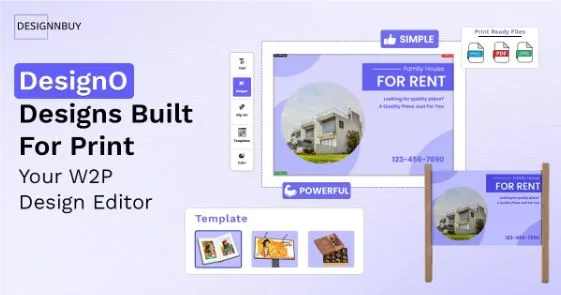
Running a print business has never been simple. Between managing corporate clients over endless email threads, order statuses that never sync correctly, and merchandise pricing that throws off your margins, the operational load adds up fast. DesignO, one of the most trusted web to print software platforms in the industry, has just launched version 2.6, and it’s built directly around these challenges. This isn’t a routine update, it’s a response to what print businesses have been asking for.
A Dedicated Portal for Corporate Print Orders
One of the most significant additions in DesignO 2.6 is the B2B Corporate Print Portal. If you serve enterprise or corporate clients, this changes how you work with them entirely.
Each corporate client gets their own branded storefront, one that looks and feels like their company. Within that storefront, you can set up departments, assign roles, and control exactly what each employee can see, edit, or order. Approved templates and products are locked in centrally, so nothing goes off-brand. Credit-based budgets ensure ordering stays within defined limits per department or user.
The result? Corporate clients place print orders directly through their portal. No emails. No back-and-forth. No brand inconsistencies.
Built for Print Franchise Networks
Scaling a print franchise network comes with its own set of challenges. Too much central control creates bottlenecks. Too little and brand standards start slipping at individual locations.
DesignO 2.6 introduces a Franchise Management Module with a two-tier dashboard structure designed to strike the right balance. The master owner dashboard gives full visibility and governance across all locations — brand assets, approved templates, product catalogs, and pricing rules are all managed from one place. Each franchise location, meanwhile, gets its own workspace to handle daily operations independently without interfering with other locations.
Whether you’re running three locations or scaling toward fifty, the structure holds.
Order Statuses That Actually Stay in Sync
Mismatched order statuses between DesignO and your eCommerce store create real problems — for your team and for your customers. DesignO 2.6 solves this with a two-way order status synchronization system that works across Shopify, Magento, WooCommerce, and BigCommerce.
When a status changes on your eCommerce platform, DesignO updates automatically. When a status changes within DesignO, it syncs back to your store. No manual corrections. No gaps during API interruptions, thanks to a new Fetch Orders utility that lets admins pull specific orders by ID or date range.
Pricing That Adds Up — Every Time
Merchandise and promotional product pricing is notoriously tricky. Multiple variants, tiered quantities, add-on charges — a small miscalculation either costs you margin or upsets the customer.
The rebuilt Merchandise Pricing Engine in DesignO 2.6 ensures the right base price is applied every time, that tiered pricing rules hold across multiple variants, and that the number the customer sees at checkout matches what your system processes on the backend. Consistency across the cart, checkout, and admin panel — finally.
What Else Is New
Beyond the headline features, DesignO 2.6 also brings updated compatibility with WordPress 6.9.1 and WooCommerce 10.3.8, a new contextual help system with inline video tutorials inside the admin panel, default font and profile management, mobile canvas zoom controls, and a significantly improved Swagger API interface for developers.
Ready to See DesignO 2.6 in Action?
DesignO 2.6 is available now. If you’re already on DesignO, reach out to request your upgrade. If you’re new to the platform, book a free demo and see how these features can work for your specific print business.