Memorial Day Getaway: Your Phone is Your Travel Folder with a Free PDF Scanner App
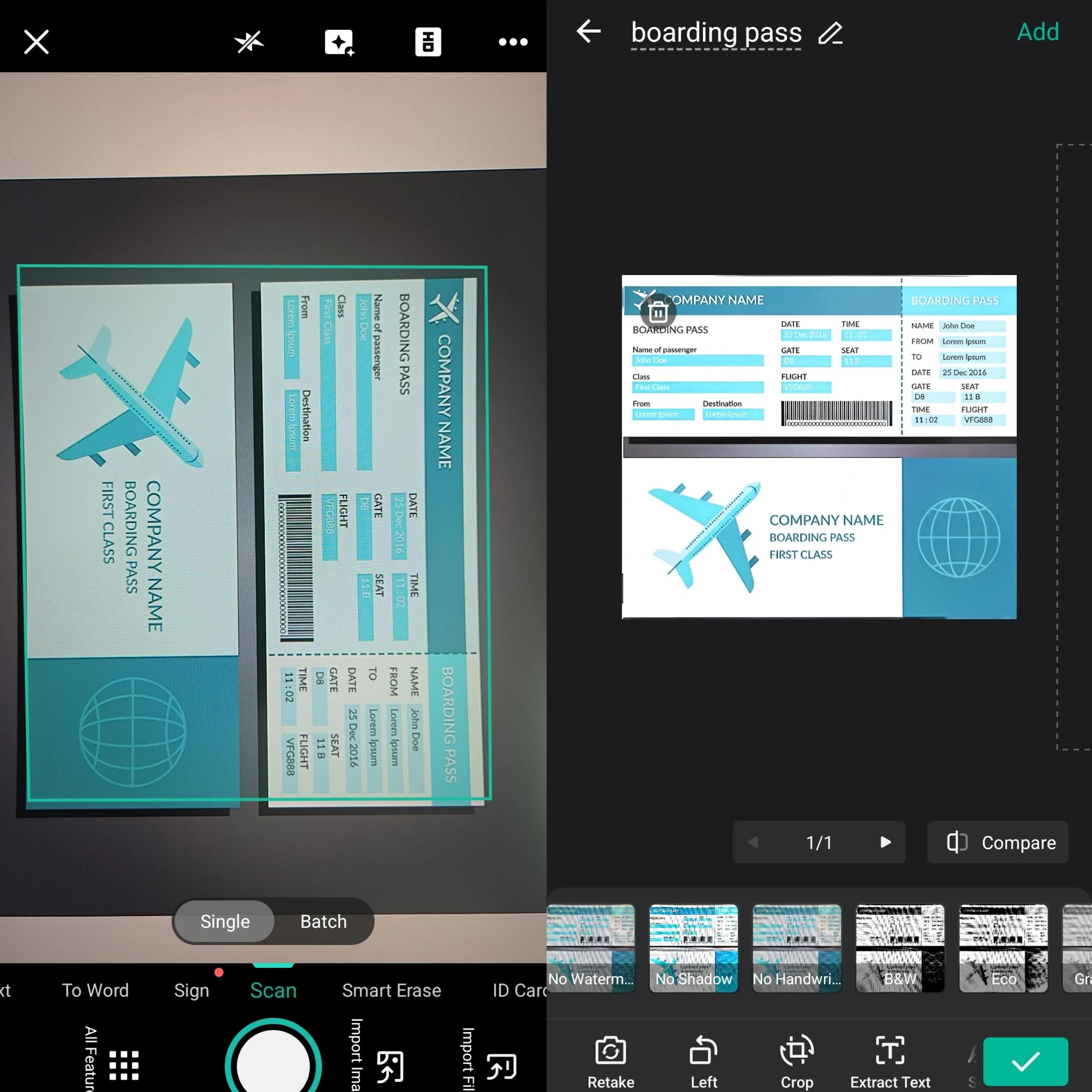
The Memorial Day weekend marks the unofficial start of summer travel. As you plan your escape, you’re likely juggling hotel confirmations, rental car agreements, boarding passes, and itineraries. The traditional “travel folder” is bulky, easy to lose, and inconvenient. In 2026, the savvy traveler’s essential tool is a free PDF scanner app that turns your smartphone into a complete, secure digital travel hub.
The Paperless Travel Checklist: What to Scan Before You Go
Eliminate paper anxiety by digitizing these essential items into a dedicated “Travel” folder on your phone:
- Travel Itinerary & Confirmations: Flight, hotel, and rental car details.
- Identification & Visas: Passport photo page, driver’s license, and visa documents (store these in a separate, password-protected folder).
- Insurance Documents: Copies of travel health and trip insurance policies.
- Reservations & Tickets: Museum passes, tour bookings, and event tickets.
- Emergency Information: Local embassy contacts, medical information, and emergency plans.
Maximizing Free Scanner App Features for Travel
You don’t need a paid subscription for effective travel scanning. The free tier of top apps like CamScanner or Adobe Scan provides more than enough functionality. Here’s how to use them effectively:
Core Free Features You Need:
- Auto-Edge Detection & Perspective Correction: Perfectly scan a crumpled hotel receipt on a car dashboard.
- Multi-Page PDF Creation: Combine your flight confirmation, seating pass, and baggage claim into one file. You can easily convert these photos into a single PDF for seamless organization.
- Basic OCR (Optical Character Recognition): Make your scanned itinerary text-searchable to quickly find a confirmation number.
- Direct Cloud Save & Share: Instantly save scans to your phone’s gallery or email them to travel companions.
Pro Traveler Tips:
- Scan as You Receive: The moment you get a paper boarding pass at the airport counter, scan it. Now you have a backup.
- Organize by Day: Create sub-folders like “Memorial Day_Friday” for daily plans and receipts.
- Use for Expense Tracking: Scan all receipts immediately for easy expense reporting later.
- Leverage Security Features: Use CamScanner’s password-protect feature for sensitive scans like passport copies.
Real Traveler Feedback from Reddit
Travelers on Reddit frequently praise scanner apps for making trips smoother. One user shared:
“CamScanner made buying my house so goddamn easy. Snap a few pics, and you have all the PDFs you need.”
Another popular comment states:
“I have used the scans with banks, embassies, universities, etc., and it has worked perfectly.”
Many users also highlight the convenience for travel documents: they scan hotel receipts, boarding passes, and itineraries on the go, then organize everything into one clean PDF folder.
On-the-Go Scanning Scenarios for Your Long Weekend
- At the Airport: Quickly scan your paper boarding pass after check-in. Use your phone’s digital copy at security and the gate, preventing loss or damage to the paper version.
- At the Hotel: Scan your room key folio and any receipts before checkout. This ensures you have a clear record of all charges.
- For Shared Plans: Scan a paper map or tour brochure and instantly share the PDF with your group via messaging app.
- Backup Critical Documents: Take a clear scan of your passport and ID. Store it in a password-protected PDF within your cloud storage, separate from your physical wallet.
Real User Experiences
Reddit travelers often recommend scanning immediately at the airport or hotel. One user noted how easy it is to scan a paper boarding pass right after check-in and keep a reliable digital backup. Another mentioned using the app to quickly digitize receipts and confirmations throughout the trip, avoiding the hassle of carrying physical papers.
Travel Smart: This Memorial Day, lighten your load and travel with confidence. A free scanner app like CamScanner provides a secure, organized, and accessible digital folder for all your trip essentials, right on the device you always carry.
Frequently Asked Questions (FAQ)
Q: What is the benefit of using a scanner app instead of just taking a regular photo of my passport?
A: Standard photos often suffer from shadows or distortion that can make them hard to read. A free PDF scanner app automatically detects edges and corrects perspectives, ensuring your ID and insurance backups are clear and professional—which is crucial if you need to present them to local authorities or travel providers.
Q: How can I quickly find a specific hotel confirmation number in a long list of scans?
A: By using a scanner with built-in OCR (Optical Character Recognition), your digitized itineraries become text-searchable. Instead of scrolling through images, you can simply search for a keyword or number to find the exact document you need in seconds.
Q: Do I need internet access to view my travel documents once they are scanned?
A: Once you have scanned and saved your travel essentials to your phone’s gallery or local storage, you can access those clear PDF versions offline—making them reliable backups during flights or in remote outdoor areas.
Q: Do people actually use scanner apps like CamScanner for real travel documents?
A: Yes. Many Reddit users report successfully using them for passports, boarding passes, hotel receipts, and itineraries. Comments like “I have used the scans with banks, embassies, etc., and it has worked perfectly” are common. The apps’ edge detection and PDF organization features make them especially useful during trips like Memorial Day getaways. Just remember to keep originals safe and check specific airline or hotel requirements.