VidMate vs. SaveFrom: Which Video Downloader Delivers the Better Experience?
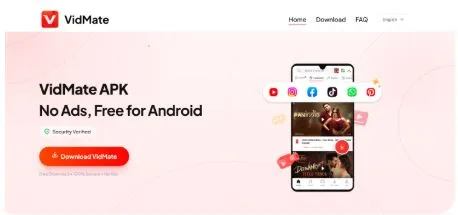
Online video content has become an essential part of everyday life. Whether people watch tutorials, entertainment videos, music clips, or educational content, having the ability to download videos for offline viewing is a major advantage. Two popular tools that users often compare are SaveFrom and VidMate. Both platforms allow users to download videos from various sources, but they differ significantly in terms of speed, quality, user experience, and mobile usability.
This review takes a closer look at VidMate and SaveFrom to help users understand which option offers the best overall video downloading experience.
Understanding VidMate and SaveFrom
Before comparing features, it is important to understand what each platform offers.
VidMate is a mobile-focused video downloading application designed for Android users. It allows users to download videos, music, and other media content directly to their devices for offline access. The app is known for its fast download speeds, multiple quality options, and user-friendly interface.
SaveFrom, on the other hand, is primarily a web-based downloader. Users can paste a video URL into the website and download content without installing a dedicated application. While this approach is convenient for occasional downloads, it may not provide the same level of functionality as a dedicated mobile app.
Video Download Speed Comparison
Download speed is one of the most important factors when choosing a video downloader.
SaveFrom generally performs well for basic downloads. Since it operates through a web browser, users can quickly paste links and retrieve videos. However, download speeds may vary depending on browser performance, internet conditions, and website limitations.
VidMate offers a more optimized downloading system. The application is specifically designed for media downloads and often supports multiple connections to improve speed. As a result, users frequently experience faster downloads, especially when downloading larger files such as HD movies or lengthy video content.
For users who regularly download videos and want to save time, VidMate has a noticeable advantage in download performance.
Offline Viewing Experience
The primary reason many people download videos is to watch them without an internet connection.
SaveFrom successfully enables offline viewing by allowing users to save videos locally. Once downloaded, the files can be viewed through the device’s media player. However, the overall experience depends on the device and storage management system being used.
VidMate is built with offline viewing in mind. Downloaded content is organized efficiently, making it easier for users to locate and manage their files. The app’s mobile-friendly design simplifies the process of accessing videos anytime and anywhere, even when internet connectivity is unavailable.
For travelers, students, and users with limited internet access, VidMate provides a more seamless offline viewing experience.
HD Quality and Video Resolution Options
Video quality plays a significant role in user satisfaction. Nobody wants blurry or low-resolution videos when watching content offline.
SaveFrom typically offers available resolutions based on the source platform. Users can often choose from standard quality and HD options when available. However, quality choices may sometimes be limited depending on the website and video source.
VidMate stands out by offering a broader selection of video resolutions. Users can often choose between multiple formats and quality levels, including HD and Full HD options. This flexibility allows users to balance storage space and video quality according to their needs.
Whether someone wants smaller files for limited storage or high-quality videos for larger screens, VidMate offers greater control over download settings.
User Interface and Ease of Use
A good downloader should be simple and intuitive.
SaveFrom has a straightforward interface. Users simply visit the website, paste a link, and download their chosen file. This simplicity makes it attractive for first-time users who only need occasional downloads.
However, because SaveFrom relies on a browser-based experience, users may encounter pop-ups, redirects, or additional steps during the download process.
VidMate provides a dedicated mobile interface that is designed specifically for media downloading. Navigation is smooth, categories are clearly organized, and download options are easy to access. Users can search, download, and manage content from a single platform without switching between browser tabs.
This streamlined design contributes to a more enjoyable overall experience.
Ad-Free Experience and User Comfort
Advertisements can significantly affect the usability of any platform.
Many users report that web-based download services often include multiple advertisements, redirects, or promotional pop-ups. While these help support free services, they can interrupt the downloading process and create frustration.
One of VidMate’s strongest advantages is its cleaner and more comfortable user experience. Many users appreciate its relatively ad-free environment compared to traditional browser-based downloading methods. Fewer interruptions allow users to focus on downloading and managing their content without unnecessary distractions.
For users who value convenience and a smoother workflow, this can be an important deciding factor.
Mobile-Friendly Features
As mobile devices continue to dominate internet usage, mobile optimization has become increasingly important.
SaveFrom works through mobile browsers, but the experience can vary depending on the device and browser being used. Some users may find navigation less convenient on smaller screens.
VidMate was built specifically for mobile users. The application is optimized for Android devices, making downloading, file management, and playback significantly easier. Features such as background downloads, download management, and quick access to saved content enhance the overall mobile experience.
Users who primarily consume content on smartphones will likely find VidMate more practical and efficient.
Final Verdict
Both SaveFrom and VidMate offer useful video downloading capabilities, but they target slightly different audiences.
SaveFrom is a good choice for users who need occasional downloads without installing additional software. Its browser-based approach is simple and accessible.
However, for users who frequently download videos, require faster speeds, want better control over HD quality, and value a smoother mobile experience, VidMate apk delivers a more comprehensive solution. Its strong download performance, offline viewing convenience, mobile-friendly design, and cleaner user experience make it a compelling option for regular video consumers.
Ultimately, while both tools can get the job done, VidMate offers a more complete package for users seeking speed, quality, and convenience in a modern video downloader.