Why Your Workout Videos Keep Getting Muted — And the Workflow That Fixes It for Good
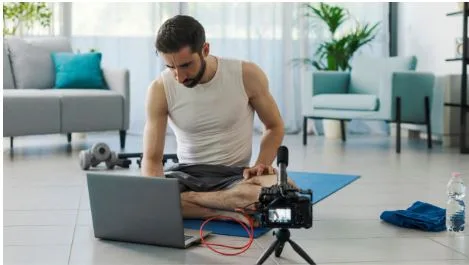
Every fitness creator knows the feeling.
You spend an afternoon filming a 25-minute HIIT session. You edit carefully — trimming rest periods, syncing movement cues to the beat, adding transitions and on-screen text. You pick a track you love, something with real energy, the kind of song that makes people want to move. You upload it, go to sleep, and wake up to a Content ID notification.
Your video is muted. Or monetized by someone else. Or blocked in twelve countries.
You fix it, re-upload, and move on. Until it happens again.
This is the defining problem of fitness content on YouTube: workout videos and copyright claims are in permanent conflict, and the standard advice — use YouTube’s Audio Library, buy a license, find a royalty-free site — rarely solves the real issue. It just moves it around.
Here’s what’s actually going on, and a five-step workflow that removes the problem at the root.
Why Fitness Content Gets Hit Harder Than Other Niches
Music recognition algorithms don’t care about your upload schedule. Content ID scans every second of audio in your video and checks it against a database of registered tracks. The catch: popular music, club records, and the high-energy tracks that work for workout videos are exactly the music most aggressively registered.
Fitness creators are particularly exposed for three reasons.
Tempo overlap. Songs in the 120–140 BPM range — ideal for cardio, HIIT, and cycling — tend to be chart music. The mainstream overlap is direct. The tracks that make people want to move during a workout are the same tracks topping Spotify and triggering Content ID.
Extended exposure. A 30-minute workout video means 30 minutes of continuous background music for the algorithm to scan. More audio surface area means more chances for a match.
Upload frequency. Posting three times a week means three separate copyright risk events every week — over 150 per year. Volume makes the risk compound in ways that occasional uploaders never experience.
Fitness creators who build sustainable channels are the ones who solve the music problem structurally, not track by track.
The Common Workarounds, and Where They Break Down
Most fitness creators cycle through the same three options before realizing none of them hold up at scale.
YouTube Audio Library. Free, safe, and integrated. The problem is that “safe” is a baseline, not a differentiator. The library is heavily picked over, and the selection in the mid-tempo, high-energy range — your range — is thin. Your videos start sounding like someone else’s. Audience recognition drops. The music fits the platform’s defaults, not your brand.
Royalty-free subscription services. Platforms like Epidemic Sound and Artlist have expanded significantly, and for many niches they work well. For fitness content, the issue is subtler: you need music that matches your specific coaching energy and your audience’s feel. Browsing a catalog of thousands of tracks to find the right one takes time you don’t have. And when you find a good track, so does every other fitness creator on the same subscription. Your “signature sound” becomes ubiquitous.
Track-by-track licensing. This works for occasional productions but breaks down fast when you’re posting three videos a week. License costs stack. Terms vary. Some licenses don’t cover YouTube monetization or commercial use. Tracking what you can and can’t use with each track becomes its own part-time job.
All three approaches treat music as something you source from the outside. The shift that changes the math is treating music as something you produce yourself.
A Five-Step Workflow Built on Custom Music
Here’s the approach fitness creators with consistent, stable channels are using. The upfront setup is a few hours. The ongoing maintenance is nearly zero.
Step 1: Audit Your Content Types and Map Them to Music Moods
Most fitness channels have four to eight recurring content formats: HIIT sessions, strength circuits, warm-ups, cool-downs, mobility work, weekly challenges, skill breakdowns. Each format has a consistent emotional register — a feeling the viewer needs to feel to perform well.
List yours. For each type, write down: What energy level does the viewer need? What BPM range fits the movements? What genre closest matches your coaching personality? You’re building a music brief for your own channel.
This takes about 30 minutes and you’ll use the output for every video you make going forward.
Step 2: Define Your Signature Sound
Before generating or sourcing anything, decide what makes your music yours. Are you training clients through grit and intensity, or movement and flow? Is your channel an athletic challenge or an accessible practice?
Write a two-sentence description of your sound. Something like: “High-energy instrumental electronic, 128–135 BPM, no lyrics, punchy kick drum, motivational arc with a clear build and drop.” Or: “Upbeat acoustic pop, 100–115 BPM, light percussion, optimistic mood, no lyrics.”
This becomes both your generation brief and your quality filter. If a track doesn’t fit this description, it doesn’t go into your library.
Step 3: Generate Your Tracks with an AI Music Generator
Once your brief exists, you don’t need a composer or a browsing session. An AI Music Generator lets you describe the track you need — mood, tempo, genre, instrumentation, duration — and produces original audio from that description. Because the tracks are generated to your specification rather than licensed from an existing catalog, there’s no registered copyright to trigger a Content ID claim.
Work in batches. A focused session on a Sunday afternoon can produce enough tracks for six to eight weeks of content. Run your descriptions through the tool, listen back, download what fits. Adjust the prompt on anything that misses the brief and regenerate.
The evaluation is simple: does this track match my sound profile and serve my content type? If yes, keep it. If not, iterate. You’re building toward a library, not hunting for a single perfect song.
Step 4: Organize Your Library and Tag Everything
Create a folder structure that mirrors your content types from Step 1. Name files descriptively: hiit_electronic_134bpm_v3.mp3, cooldown_ambient_68bpm_v1.mp3. Tag each file by energy level (high / mid / low), BPM range, and content type.
This feels slow for the first twenty tracks. After that it becomes fast, because you’re adding to a structure that already exists. Aim for a library of 30–50 tracks covering your full range of content formats.
Once the library is built, finding the right track for a video takes about thirty seconds.
Step 5: Assign Music During the Edit, Not After
The most common workflow mistake fitness creators make is treating music as an afterthought — something you add in the final step before export. This is how you end up in a frantic track hunt at 11pm before a morning upload.
Instead, when you open a new edit, open your library first. Pick the track. Let it run under your rough cut. Edit to the music. This changes how you time your cues, transitions, and energy peaks. It also means you’re never scrambling for audio at the end.
Music becomes a starting point for the edit, not a finishing detail.
A Note on Transparency
If your audience asks about your music, be straightforward: “I use AI-generated tracks because I need music that matches my brand and doesn’t get my videos flagged.”
Most fitness audiences don’t care about the production method. They care about how the video makes them feel. A well-matched AI track that fits the energy of your session is worth more to your viewers than a licensed track that doesn’t quite land. Transparency also removes the awkward possibility of a subscriber recognizing a stock track and noticing the same song on another channel. When your music is custom-generated, that doesn’t happen.
The Real Problem This Solves
Copyright claims on workout videos aren’t just annoying. They interrupt monetization, confuse subscribers who can’t hear your coaching cues, and force you to re-edit and re-upload work you’ve already finished. For channels growing through the 10k–100k subscriber range, a string of claims can derail an algorithm run that took months to build.
A custom music library removes that vulnerability — not partially, but entirely.
The setup takes a few hours. The maintenance is one batch generation session per month. The payoff is every video you publish going up clean, sounding like your brand, and staying that way.
Build the library once. Use it indefinitely.