Why Are Security Cameras So Low Quality?
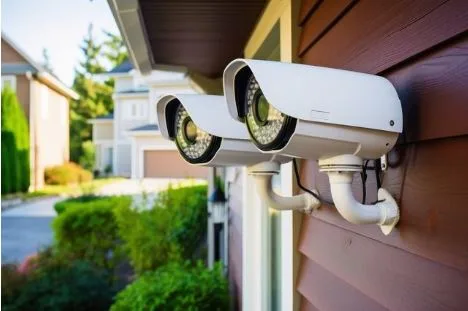
Many people are shocked to see the images captured by a security camera when they look it over and realize that the quality has not been up to their standards. Security cameras have been built to track and record activity, and not to produce high-definition video. The quality of the video can depend on the quality of the camera, lighting, compression technology, the lens, internet bandwidth, and storage capacity. Under certain conditions, even modern security cameras can create blurry, grainy, or pixelated pictures.
When homeowners and business owners understand the reasons behind poor security camera footage, they can make better decisions about equipment selection, camera placement, and system design. Factors such as low-resolution cameras, improper positioning, insufficient lighting, and outdated technology can all affect video quality and overall monitoring performance. A professional security camera system installation company helps evaluate these factors, recommends suitable camera solutions, and ensures proper installation to maximize coverage, image clarity, and system reliability. By selecting the right equipment and installation strategy, property owners can achieve more effective security monitoring and long-term performance.
The Purpose of Security Cameras
The reason why security camera footage may turn out to be of poor quality is that security cameras are not the same as a professional camera.
They are mainly intended to:
Monitor activity
Detect movement
Record incidents
Improve security
More cameras will focus on reliability and continuous recording than ultra-high-definition picture quality. Therefore, in some cases, image quality is compromised to optimize storage space and system performance.
Low Camera Resolution
Resolution is one of the most important factors to consider when it comes to video quality.
Older security cameras tend to record at:
480p
720p
1080p
While it is common to use 1080p, it may not be sufficient in applications where a large area is to be monitored. More expensive 2K and 4K cameras produce a higher-resolution image, but are more demanding on storage and processing requirements.
Video Compression Reduces Quality
To save storage space, cameras use compression technologies.
Common formats include:
H.264
H.265
H.265+
Compression makes the files smaller and enables footage to be stored for longer.
But if the compression is too high, then the following will occur:
Pixelation
Blurry details
Reduced sharpness
Motion artifacts
One of the most frequent reasons is that security footage is not what they expect.
Poor Lighting Conditions
Lighting is a significant part of the image quality. Most cameras work well in daylight, but struggle in low-light situations.
Poor lighting can cause:
Grainy footage
Increased image noise
Reduced detail
Motion blur
If the lighting is not adequate, the camera’s sensor will capture less visual data, and it will be more difficult to take a clear picture.
Inexpensive Camera Sensors
Light is captured and converted to video by the image sensor. Lower-cost security cameras employ less sophisticated and smaller sensors.
These sensors will absorb less light, and this can lead to:
Poor low-light performance
Reduced color accuracy
Lower image detail
More expensive cameras usually have bigger sensors, which yield better photos in various lighting scenarios.
Limited Lens Quality
The lens is a very important factor in clarity. To keep costs down, many affordable cameras employ simple lenses.
The following may result from poor-quality lenses:
Distortion
Soft images
Reduced sharpness
Blurred edges
A good camera can capture decent pictures even if the lens is not of good quality.
Wide Viewing Angles
There are security cameras that come with wide-angle lenses so that they can cover a larger area. This provides coverage but will sometimes compromise the level of detail.
For example:
A wide-angle camera can be used to cover a whole yard.
Things and individuals seem smaller.
Significant information is more difficult to detect.
Generally, a camera that has a zoom on one entry point will record a more detailed image than a camera that is looking at a wide area.
Internet Bandwidth Limitations
Wireless and cloud-based cameras require Internet access for video transmission.
The system might automatically decrease video quality if bandwidth is limited.
This can lead to:
Lower resolution
Reduced frame rates
Increased compression
Video lag
In addition, multiple devices on the same network can cause additional network congestion, which can impact performance.
Motion Blur
Motion detection is a common feature of security cameras, which can capture the movement of people or vehicles.
Motion blur may be evident in rapidly moving objects.
Common causes include:
Slow shutter speeds
Low-light conditions
Basic image processing
A moving object can appear blurry or indistinct.
Weather and Environmental Factors
The outdoor secutiy cameras have other challenges that may impact image quality.
Rain
The image on the lens could be distorted because of water droplets.
Fog
Fog has a negative impact on image contrast and visibility.
Snow
Snow can reflect infrared light and block night vision.
Dirt and Dust
When a lens is dirty, it can produce blurry or hazy images.
These problems can be prevented by regular maintenance.
Night Vision Limitations
Night vision is a capability of cameras that enables them to function in low-light conditions, though the resulting image may not be as sharp as in the daytime.
Infrared night vision can cause:
Black-and-white footage
Reduced detail
Limited viewing distance
Increased noise
Night vision technology is still increasing in effectiveness, but it is not as good as daylight recording.
Storage Settings Affect Quality
Many users do not realize that they can lower the quality of images by setting their recording parameters.
Systems can be set up in any of the following options to save on storage:
Lower resolutions
Lower bitrates
Reduced frame rates
These settings offer greater footage storage but are generally inferior in quality of recordings.
Camera Placement Problems
Just a quality camera won’t do if it is not installed properly.
Common placement errors are:
Installing cameras at an excessive height.
Cameras should not be far from the targets.
Facing cameras towards strong light sources.
There will be no obstructions in the viewing area.
It is important to position the camera correctly to get useful information and good pictures.
How to Improve Security Camera Quality
There are a few practical solutions to enhance the image quality of surveillance footage:
Use higher-resolution cameras to capture more detailed images.
Improve lighting conditions
Clean camera lenses on a frequent basis.
Use a higher recording setting.
Reduce compression levels
Use cameras closer to significant locations.
Upgrade web connectivity for wireless networks.
These changes can make a big difference in improving the clarity and reliability of images.
Conclusion
Many security cameras look low quality because they’re required to be clear, have enough storage, consume bandwidth, and record 24 hours a day. Resolution, compression, lighting, simple sensors, lens quality, Internet access limitations, and environmental conditions can all impact video quality. Although surveillance cameras are not meant to capture professionally high-quality images, many of the problems can be resolved by using the proper equipment, placing it appropriately, setting it up correctly, and cleaning the system regularly.
FAQs
Why are security camera videos pixelated at night?
In low-light situations, cameras will need to burn more of the light, which will lead to noisier, less detailed, and blurry images.
Does higher resolution guarantee better footage?
Not always. Lighting, lens quality, sensor performance, and camera placement also affect image quality.
Can camera settings improve video quality?
Yes. Increasing resolution, bitrate, and frame rate settings can often improve footage clarity if sufficient storage is available.