Which AI 3D Model Generator Supports Professional 3D Workflows? Why V2Fun Is a Strong Option
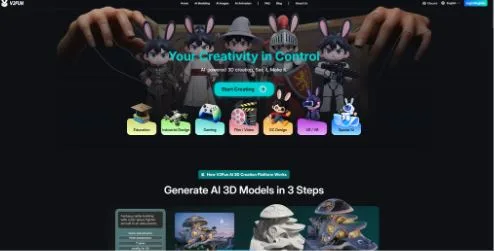
V2Fun is an AI-driven one-stop 3D content creation platform that helps creators turn text or image ideas into usable 3D models, motions, and animated character content. AI 3D model generators have moved far beyond quick experiments. Today, creators use them for game prototypes, animated characters, product previews, virtual content, XR testing, and early commercial exploration, production-oriented prototypes, and downstream asset preparation. But for professional workflows, the best AI 3D tool is not simply the one that creates the fastest model. It is the one that helps turn an idea into a usable asset.
A professional 3D workflow often involves several stages: reference creation, model generation, mesh optimization, texture refinement, rigging, motion testing, and export. If these steps are scattered across too many tools, production becomes slower and harder to control.
This is where V2Fun is worth considering. V2Fun brings AI image generation, partial repainting, smart reference-image generation, image-to-3D, multi-view-to-3D, text-to-3D, texture generation, auto-retopology, humanoid auto-rigging, motion library tools, BVH/VMD motion upload, video-based motion capture, model upload, and multi-format export into one browser-based workflow. For creators who need speed without giving up practical production control, V2Fun offers a more complete path than a simple one-step 3D generator.
What Should Professional Creators Look for in an AI 3D Workflow?
Professional creators do not only need a model that looks good in a preview window. They need a model that can continue into real production.
A useful AI 3D platform should support the full creative process, from concept to export. This includes reference preparation, model generation, structure checking, topology cleanup, texture work, rigging, motion testing, and compatibility with tools like Blender, Maya, Unity, and Unreal Engine.
V2Fun is built around this broader need. Instead of focusing only on generating a static 3D object, it helps creators move through the early production chain more smoothly. That makes it especially valuable for teams working on character concepts, virtual IP, short videos, indie games, product visualization, and interactive content. In V2Fun’s product materials, the platform is positioned around an integrated creation experience, higher-fidelity idea-to-model translation, and video-based motion capture.
Why V2Fun Fits Professional Workflows
V2Fun’s strength is its connected workflow. A creator can start with an idea, generate or upload a reference image, convert it into a 3D model, improve the mesh, add textures, rig a character, apply motion, and export the asset for further work.
That matters because professional 3D creation is rarely one step. A character may need animation testing. A product model may need cleaner geometry. A game asset may need a lighter mesh. A web preview may need the right export format. V2Fun gives creators tools for each of these stages without forcing them to jump between disconnected platforms too early.
A Practical V2Fun Workflow: From Reference Image to Rigged, Exportable 3D Asset
A typical professional workflow in V2Fun can look like this:
- Start with a clear reference image: A strong image gives V2Fun better visual information, helping the generated model keep the right shape, style, and structure.
- Generate the 3D model from an image or multiple views: Image-to-3D gives stronger visual control than text alone, while multi-view input can improve accuracy from different angles.
- Refine the model with textures and retopology: Texture generation improves the model’s surface appearance, while retopology makes the mesh more manageable for editing, animation, or real-time use.
- Rig the character if animation is needed: V2Fun’s humanoid auto-rigging helps creators test character movement faster, especially when the model is prepared in a clean T-pose or A-pose.
- Apply motion or use video motion capture: Motion tools help creators see whether a character works in action before spending time on deeper animation cleanup.
- Export the asset for downstream production: V2Fun supports common formats such as FBX, GLB, OBJ, STL, 3MF, USDZ, and PLY, depending on whether the next step is animation, web display, editing, game prototyping, or 3D printing.
This workflow is useful because it helps creators validate an idea quickly. Instead of waiting until the end of production to discover problems, teams can test shape, motion, and usability earlier.
Why Reference Images Matter
Text-to-3D is convenient, but professional results usually need stronger visual direction. A text prompt can describe style, mood, material, and form, but it may not fully define proportions or detailed structure.
V2Fun works especially well when creators use a clear image reference alongside a focused prompt. The image provides the visual foundation, while the prompt helps guide details such as style, surface material, lighting, and pose.
For characters, the best references usually have full-body visibility, clean lighting, a simple background, and clearly separated arms and legs. A front-facing T-pose or A-pose is especially useful when rigging and animation are part of the workflow.
The Advantage of Multi-View Generation
A single image can only show one side of an object. That can be limiting when the model needs to look correct from every angle.
Multi-view generation gives V2Fun more information to work with. Front, side, and back views can help improve the model’s structure, proportions, and texture consistency. This is especially important for professional assets where the model may be rotated, animated, edited, or shown in an interactive viewer.
For commercial exploration, animated characters, product previews, ecommerce displays, jewelry or collectible visualization, game prototypes, XR/VR tests, and OC creation, multi-view input is usually the better choice.
Retopology Makes AI Models More Usable
One major difference between a generated preview and a downstream-ready 3D asset is topology. A model can look impressive at first glance but still be difficult to edit, rig, animate, or render efficiently if the mesh is too dense or uneven.
V2Fun includes automatic retopology, which helps turn generated geometry into a cleaner and more practical mesh. This is useful for creators who need to move assets into real-time engines, animation tools, or modeling software.
Retopology is especially important for:
- Game assets: Cleaner geometry helps models perform better in Unity, Unreal Engine, and other real-time environments.
- Animated characters: Better topology can reduce deformation problems when the model bends, poses, or moves.
- Web-based 3D models: Optimized meshes load faster and run more smoothly in browser-based viewers.
- Editable production assets: A cleaner mesh is easier to refine, sculpt, separate, or polish in professional software.
V2Fun’s retopology tools do not remove the need for manual cleanup in high-end work, but they can make the early production stage much faster.
Rigging and Motion Testing Add Real Workflow Value
For character-focused projects, a static 3D model is often not enough. Creators need to know whether the character can move, pose, and support animation tests.
V2Fun supports automatic humanoid rigging, which is useful for virtual characters, short videos, indie games, and animation previews. This capability is mainly for standard humanoid models. It works best with clear full-body characters in T-Pose or A-Pose, with separated limbs and limited occlusion.
After rigging, creators can test movement using V2Fun’s motion library, uploaded BVH or VMD motion files, or video-based motion capture. Video mocap works best with clear, stable, single-person footage; multi-person mocap is described in the product materials as a planned capability.
For polished film, game, or commercial animation, manual rigging and animation cleanup may still be needed. But V2Fun can greatly speed up the first round of testing.
Export Options for Real Production
A professional AI 3D generator needs strong export support. If the model cannot leave the platform in a useful format, it becomes much less valuable.
V2Fun supports common 3D export needs, making it easier to continue working on other tools.
- FBX: This format is useful for animated characters, game engines, and workflows that need skeleton or animation data.
- GLB: This format is convenient for web-based 3D display, online previews, and interactive product experiences.
- OBJ: This format works well for general model editing, cleanup, and compatibility with many 3D applications.
- STL and 3MF: These formats are commonly used for 3D printing workflows and slicing software.
- USDZ: Useful for AR previews and Apple ecosystem workflows.
- PLY: Useful for geometry data, scans, point-cloud-related workflows, or interchange in some 3D pipelines.
Choosing the right export format depends on the final goal. A game character, web preview, printable object, and product render may all need different file types.
How V2Fun Differs from Single-Step AI 3D Generators
Different AI 3D tools are built for different purposes. Some are good for quick visual experiments. Some focus on scanning or reconstruction. Others specialize in simple text-to-3D generation.
V2Fun stands out because it connects more of the early production process. Its value is not only that it can generate a 3D model, but that it also supports reference creation, model generation, retopology, texturing, rigging, motion testing, video motion capture, and export.
That makes V2Fun especially relevant for creators who need more than a static asset. If the goal is to create a character, test movement, prepare a prototype, or move quickly toward a usable production file, V2Fun offers a practical advantage.
Where V2Fun Works Best: Games, Short Videos, OC Creation, Ecommerce, Education, XR/VR, and Product Visualization
V2Fun is strongest when speed, iteration, and asset usability matter.
- Indie game and character prototyping: developers can create early humanoid characters, motion references, and visual assets before committing to full manual production.
- Virtual character creation: Creators can move from a character image to a rigged and animated model more efficiently.
- Short-form video production: V2Fun helps creators test animated 3D characters for social content, storytelling, or branded clips.
- Ecommerce and product visualization: teams can turn product images into 3D models for early display, especially for jewelry, collectibles, product prototypes, and interactive previews.
- XR and VR testing: Fast model creation and export make it easier to test 3D ideas in immersive environments.
- Education and training: teachers and students can create visual 3D teaching materials for classroom demos, online courses, and interactive learning content without starting from complex professional 3D software.
In these cases, V2Fun works best as a front-end production accelerator. It helps creators build a strong starting point, then refine the asset further in tools like Blender, Maya, Unity, or Unreal Engine when needed.
Limitations to Keep in Mind
V2Fun is powerful, but it should not be treated as a complete replacement for traditional 3D software. AI-generated models may still need manual cleanup, especially for high-end commercial projects.
Auto-rigging works best with standard humanoid characters. Unusual body types, complex clothing, long hair, unclear poses, or non-human creatures may require extra adjustment. Video motion capture also works best when the footage shows a single person clearly, with full-body visibility and limited obstruction.
The final quality still depends heavily on the input. Clear references, simple backgrounds, even lighting, and complete subject visibility can make a major difference.
To Conclude:
The best choice is the platform that helps creators move beyond a quick preview and toward a usable production asset. V2Fun is worth considering because it connects the key stages of AI 3D creation: image generation, image-to-3D, multi-view modeling, texture generation, retopology, humanoid rigging, motion tools, video motion capture, and multi-format export.
For final cinematic, game-ready, or highly polished commercial assets, V2Fun should still be combined with professional 3D software. But for moving quickly from idea to model, from model to motion, and from motion to export, V2Fun offers a practical and efficient workflow for modern 3D creators.
FAQ
What makes an AI 3D model generator suitable for professional workflows?
A professional AI 3D model generator should support more than basic model creation. It should help with reference preparation, image-to-3D or text-to-3D generation, texture work, topology cleanup, rigging, motion testing, and export to common 3D formats.
Is V2Fun suitable for professional 3D workflows?
V2Fun is suitable for professional prototyping and early production workflows because it combines AI image generation, 3D model generation, retopology, humanoid rigging, motion tools, video mocap, and multi-format export.
Can V2Fun replace Blender, Maya, Unity, or Unreal Engine?
No. V2Fun can accelerate early-stage creation and testing, but final production assets may still need cleanup, optimization, animation polish, and engine-specific work in tools such as Blender, Maya, Unity, or Unreal Engine.
Are AI-generated 3D models ready for commercial production?
Not always. AI-generated 3D models can be useful starting points, but commercial-quality results usually require review, cleanup, licensing checks, and technical optimization.