How Asset Manager Pro Plans Compare for Small and Growing Fleets
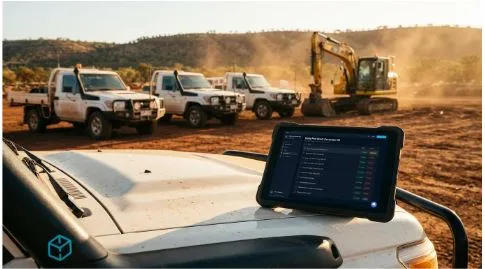
Choosing an Asset Manager Pro plan is less about picking the biggest subscription and more about matching the platform to the fleet you actually run. Asset count, user count, support needs, reporting expectations, AI features, and future rollout plans all shape whether Starter, Professional, or Enterprise makes the most sense.
Asset Manager Pro is built for businesses that manage vehicles, plant, and equipment through pre-start inspections, QR scanning, hours and kilometres tracking, alerts, and PDF reports. For small and growing fleets, the plan decision should start with daily workflow rather than software ambition.
Match the Plan to Your Operating Size
A small fleet does not need the same subscription structure as a multi-site operation with more operators, more assets, and more reporting pressure. Before choosing a plan, businesses should count current assets, active users, sites, and the number of people who need to review records.
That count should include vehicles, plant, trailers, attachments, and equipment that need pre-start checks or asset records. It should also account for near-term growth, especially if the business expects more operators, depots, projects, or yards to be added soon.
When Starter May Be the Sensible Fit
The Starter plan is priced at $249 per month, excluding GST, and supports up to 25 assets and 5 users. It includes pre-starts, QR scanning, hours and kilometres tracking, and PDF reports.
For smaller teams, Starter can be a practical way to move away from paper forms and scattered records without overloading the rollout. It suits businesses that mainly need operators to complete checks from the field and managers to review core inspection records.
When Professional Deserves More Attention
The Professional plan is priced at $499 per month, excluding GST, and supports up to 100 assets and 20 users. It adds all AI features and priority support, which makes it more relevant for growing teams with higher inspection volume or stronger review needs.
Professional includes AI features such as image-based damage detection, predictive maintenance suggestions, voice input, scan pattern analysis, voice-to-text for scan notes, and an in-app AI assistant. These features should be treated as review support, not as a replacement for operator judgement, maintenance decisions, or qualified inspection processes.
When Enterprise Becomes the Practical Option
The Enterprise plan is priced at $999 per month, excluding GST, and supports unlimited assets and users. It includes priority support, REST API access, a dedicated contact for onboarding and ongoing help, and bank transfer on request.
Enterprise is the plan to consider when asset and user limits would restrict the rollout, or when the business needs stronger support and integration options. Single sign-on is marked as coming soon, so it should not be treated as a live feature when planning an implementation.
Compare the Plans by Use Case
Starter is strongest for small teams that need the core inspection workflow: pre-starts, QR scanning, usage tracking, and PDF reports. It gives smaller fleets a defined way to organise checks without paying for features they may not be ready to use.
Professional is better suited to growing operations that want more capacity, AI-supported review features, and priority email support. Enterprise is designed for larger or more complex rollouts where unlimited assets and users, API access, dedicated support, and enterprise billing flexibility are more relevant.
How the 7-Day Trial Affects the Decision
Asset Manager Pro’s 7-day trial gives access to full Professional features for the first seven days, regardless of the plan selected at signup. That means buyers can test AI features, reporting, pre-start workflows, and field use before the first charge.
When signing up, users choose a plan and add a card through Stripe Checkout. On day seven, the selected plan is charged unless the subscription is cancelled before then, so the trial should be treated as a timed evaluation rather than casual browsing.
Billing, GST, and Plan Changes
Asset Manager Pro pricing is listed in AUD and excludes GST. For Australian customers, GST is added at checkout and itemised through Stripe billing.
Users can upgrade or downgrade from Settings. Upgrades take effect immediately, while downgrades take effect at the end of the current billing period, so businesses should review plan changes before assuming access or costs will shift the same way in both directions.
How Limits Are Handled
Plan limits should be reviewed before the trial begins. Starter supports up to 25 assets and 5 users, Professional supports up to 100 assets and 20 users, and Enterprise supports unlimited assets and users.
Asset Manager Pro warns users before they reach asset or user limits and prompts them to remove unused records or upgrade. It does not quietly bill for overages, which gives businesses time to decide whether growth justifies moving to the next plan.
What the Plan Does Not Solve
A subscription tier can define capacity and feature access, but it cannot fix poor setup. Businesses still need accurate asset records, clear site structure, QR labels placed on the right equipment, trained operators, and agreed procedures for failed pre-starts or reported issues.
Asset Manager Pro can record checks, capture photos, track hours and kilometres, surface alerts, and generate reports. It does not replace competent inspection, maintenance response, internal safety procedures, or professional judgement.
Choose the Plan Before the Trial Clock Runs Out
The interactive demo is the lower-friction starting point because it lets buyers explore the app with sample data before signing up. That first look can help managers understand how assets, pre-starts, alerts, reports, and plan needs connect.
For the 7-day trial, use representative assets, operators, QR scans, reports, and review workflows rather than testing only the dashboard. By the end of the week, the team should know whether Starter is enough, Professional is the better fit, or Enterprise is the practical route for a wider rollout.