How to Compare Text Online for Plagiarism, Edits, and Differences
Digital writing has become faster, more collaborative, and more detailed than ever. Whether you are editing a blog post, checking a student assignment, reviewing website copy, or comparing two versions of a legal document, accuracy matters. A small change in wording can shift meaning, create confusion, or even affect trust. This is why many writers, editors, students, marketers, and business teams now use online tools to compare text quickly and clearly.
Learning how to compare text online is not just about spotting copied content. It is also about understanding edits, reviewing revisions, improving originality, and making sure the final version is polished. When used properly, a text comparison tool can save time, reduce manual errors, and help you make better content decisions.
Why Text Comparison Matters in Digital Writing
When working with written content, changes often happen in layers. A writer may prepare the first draft, an editor may refine it, a client may request updates, and a manager may approve the final version. Without a proper comparison method, it becomes difficult to know what has changed between versions.
Text comparison is useful because it highlights differences that the human eye may miss. These differences may include:
- Added sentences
- Removed words
- Changed punctuation
- Rewritten paragraphs
- Duplicate sections
- Formatting inconsistencies
For content teams, this process brings clarity. Instead of reading two documents line by line, they can instantly see what has been modified. This helps avoid confusion and keeps the review process organized.
For students and academic writers, text comparison can also support originality checks. It helps identify repeated wording, copied sections, or areas that need rewriting. While it is not the same as a full plagiarism report, it is a helpful first step for improving content quality.
What Does It Mean to Compare Text Online?
To compare text online means placing two pieces of text into a digital tool so the system can scan both versions and show the differences. Usually, one box contains the original version and the second box contains the revised or suspected duplicate version.
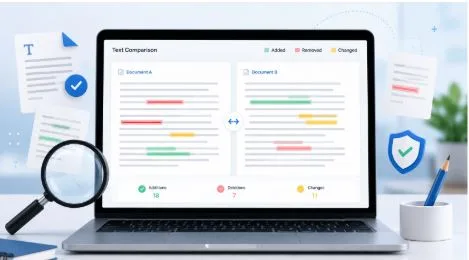
Once the text is submitted, the tool compares both documents and highlights changes. Some tools use color coding, while others show side-by-side results. For example, deleted words may appear in red, added text may appear in green, and changed lines may be marked clearly.
This process is helpful for anyone who wants to compare text, text compare online, compare text online without installing software or spending time checking every sentence manually. The main goal is simple: see what is different, what is repeated, and what needs attention.
Online comparison tools are especially useful because they are accessible from any browser. You can use them on a laptop, tablet, or desktop system. Many tools also support plain text, copied paragraphs, code snippets, and sometimes complete files.
Using Text Comparison for Plagiarism Checks
Plagiarism is one of the biggest concerns in writing today. Website owners want original content, teachers want honest submissions, and businesses want unique copy that reflects their own brand voice. Text comparison tools can help detect possible copying by comparing two texts directly.
For example, if you have an original article and a rewritten version, you can compare both to see how much has actually changed. If most sentences remain the same, the revised content may still be too close to the source. This gives you a chance to improve the wording before publishing or submitting it.
However, it is important to understand that text comparison is not a complete plagiarism detector. A plagiarism checker searches across large databases, websites, and published materials. A text comparison tool only checks the two texts you provide. Still, it is very useful when you already have a source document and want to compare it with another version.
To use it effectively for originality review, look for:
- Repeated sentence structure
- Long unchanged phrases
- Matching paragraphs
- Minor word replacements without real rewriting
- Similar order of ideas
If the tool shows too many similarities, rewrite the content more deeply. Focus on expressing the idea in a fresh way, not just replacing words with synonyms.
Comparing Edits Between Drafts
One of the most practical uses of online text comparison is edit review. Writers often create several versions of the same document, especially when working with clients or teams. After a few rounds of changes, it can be hard to remember what was updated.
A text comparison tool makes this easier. You can place the earlier draft in one box and the latest draft in another. The tool will then show exactly what changed. This is helpful when checking whether feedback was applied correctly.
For example, a client may ask you to simplify the introduction, add more product details, and remove repeated points. After editing, you can compare the new draft with the old one and confirm that all requested updates were made.
This is also useful for editors. Instead of rereading the full document, they can focus only on changed sections. It saves time and makes the review more accurate.
In professional writing, even small edits matter. A missing word can weaken a sentence. A changed number can affect meaning. A removed disclaimer can create risk. Online comparison gives you a clear record of every adjustment.
Finding Differences in Website and Business Content
Businesses update their website pages often. Product descriptions, service pages, landing pages, privacy policies, and blog posts may all go through revisions. If changes are not tracked carefully, important details can be lost.
Using a tool to compare text online helps business owners and content managers maintain consistency. For example, if a company updates a service page, the team can compare the old and new versions to make sure the main message remains clear.
This is especially useful for:
- Website copy updates
- Product descriptions
- Terms and conditions
- Email templates
- Press releases
- Social media captions
- Ad copy variations
When comparing business content, do not only look for spelling changes. Also check whether the tone, promise, and call to action still match the brand. Sometimes a small edit can make a message sound weaker, less professional, or less persuasive.
How to Choose a Reliable Online Text Comparison Tool
Not every tool works the same way. Some are simple and fast, while others offer advanced options. The right choice depends on your purpose.
A good text comparison tool should be easy to use, accurate, and clear in its results. You should not need technical knowledge to understand what changed.
Before choosing a tool, look for these features:
- Side-by-side comparison
- Clear highlighting of additions and deletions
- Support for long text
- Fast processing
- Clean interface
- No unnecessary steps
- Copy and paste support
- Privacy-friendly handling of content
If you are working with sensitive documents, privacy becomes very important. Avoid pasting confidential contracts, private client details, passwords, or personal records into unknown tools. For sensitive work, use trusted platforms or offline software.
For general writing, blogs, assignments, and everyday editing, browser-based tools are usually enough. They make the process quick and simple.
Step-by-Step Guide to Compare Text Online
The process is usually simple, but using it properly gives better results. Start with clean text and make sure both versions are complete.
First, copy the original text. Paste it into the first comparison box. Then copy the revised or second version and paste it into the second box. Click the compare button and wait for the tool to show the differences.
After results appear, review them carefully. Do not only rely on colors. Read the changed sections to understand whether the update improves or weakens the content.
A practical workflow looks like this:
- Paste the original version
- Paste the updated version
- Run the comparison
- Review highlighted differences
- Check whether changes match your goal
- Rewrite unclear or duplicated sections
- Save the final version separately
This method works well for articles, assignments, website copy, business documents, and edited drafts. It also helps when you receive content from another writer and want to check how much has changed from the source material.
Common Mistakes to Avoid When Comparing Text
Text comparison tools are useful, but they should not replace human judgment. A tool can show what changed, but it cannot always explain whether the change is good.
One common mistake is focusing only on matching words. Two texts may use different words but still copy the same structure. Another mistake is assuming that a few changed words make content original. True rewriting requires a fresh sentence flow and clear understanding of the topic.
Writers also sometimes compare incomplete versions. If one document has missing paragraphs, the results may look more dramatic than they really are. Always check that both texts are complete before comparing.
Avoid these mistakes:
- Comparing drafts with missing sections
- Ignoring sentence structure similarities
- Trusting color highlights without reading
- Using unknown tools for private content
- Treating comparison results as final proof
- Replacing words without improving meaning
A good review combines tool results with careful reading. This gives you both speed and accuracy.
Best Practices for Better Writing and Editing Results
To get the best results, use text comparison as part of a complete editing process. Start by reviewing the structure of your content. Then compare versions to check changes. After that, proofread the final version for grammar, tone, and clarity.
If you are checking plagiarism, compare the suspected content with the source. If too much wording is similar, rewrite from understanding rather than copying the sentence pattern. Try to explain the idea in your own voice.
If you are reviewing edits, keep a clear naming system for your drafts. For example, label files as “draft one,” “edited version,” and “final copy.” This makes it easier to compare the right versions.
For teams, it is also helpful to keep notes on major changes. A comparison tool shows the exact differences, but notes explain why those changes were made.
Making Text Comparison Part of Your Content Workflow
Text comparison is no longer just a technical task. It is a smart habit for anyone who works with words. It helps writers protect originality, editors review changes, students improve assignments, and businesses keep their messaging consistent.
When you compare text online, you reduce guesswork. You can clearly see what has changed, what remains the same, and what still needs improvement. This makes your content process faster, cleaner, and more reliable.
The best approach is to use comparison tools with purpose. Check for plagiarism risks, review edits carefully, and study differences before approving final content. Whether you are working on a short paragraph or a long document, a good text comparison process can help you write with more confidence and accuracy.
In a digital world where every word matters, knowing how to compare text is a practical skill. It keeps your writing honest, your edits transparent, and your final content stronger.