Why 3D Blockouts Could Change AI Video Previsualization
The next important change in AI video may begin with deliberately unfinished images.
Film crews, animation teams, game studios and advertising agencies have long used simple 3D blockouts to plan difficult scenes. These rough models are not designed to look beautiful. Their job is to establish where a character stands, how a camera moves, what an object blocks, and whether the geography of a shot makes sense.
Generative video tools have usually approached the same problem from the opposite direction. They are good at producing polished frames from text or visual references, but a visually attractive result does not always preserve the spatial plan that a director had in mind.
That gap is beginning to narrow. Newer systems are adding 3D layout information to the reference material they can interpret, giving creators a way to define a scene before asking the model to finish it. The development suggests that AI video is moving closer to established previsualization practice rather than trying to replace it with a prompt box.
Why a Rough 3D Scene Can Be More Useful Than a Perfect Image
A single concept image can communicate lighting, costume and visual style. It may say very little about depth.
Two characters can appear correctly placed in one frame while becoming confused as soon as the camera moves. A doorway may feel wide enough from the front but fail during a tracking shot. A product may be visible in a still image and disappear behind a foreground object once motion begins.
A basic 3D blockout exposes these problems early. Boxes, simple figures and untextured objects can define the floor plan of a scene without distracting the team with final surface detail. The blockout can also show a camera path that would be difficult to express through prose alone.
For AI video, this kind of input offers a spatial constraint. The model can still interpret lighting, texture and atmosphere from other references, but it also receives a guide to where the major elements belong.
Seedance 2.5 Adds 3D Layout to a Larger Reference Set
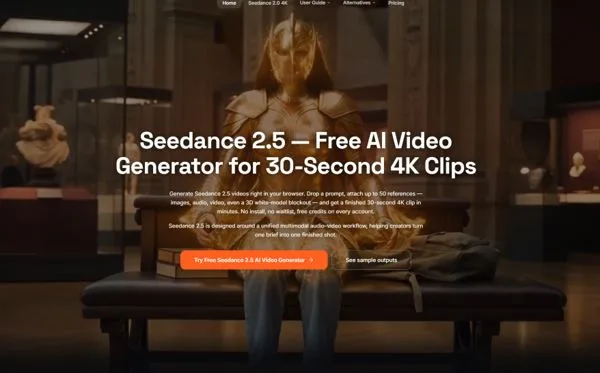
The browser-based Seedance 2.5 tool describes support for up to 50 multimodal references in one generation. Those inputs can include text, images, video, audio and a 3D white-model blockout.
The larger reference set matters because a blockout rarely contains the whole creative brief. A production team may use the 3D scene to establish position and movement, character images to preserve appearance, a location reference to guide architecture, an audio clip to shape timing, and written notes to explain the intended camera language.
Assigning separate roles to those materials can make the brief easier to inspect. If the spatial result is wrong, the blockout may need adjustment. If the scene geometry works but the mood is off, the visual references or written direction may be the problem. That is a more useful diagnostic process than repeatedly rewriting one overloaded prompt.
Camera Direction Becomes Easier to Communicate
Camera instructions are often deceptively difficult to describe. Terms such as dolly, orbit, crane and handheld push-in are meaningful, but they do not automatically explain the exact starting position, distance, speed or relationship between foreground and background.
A 3D scene can make those relationships visible before generation. A creator can place the camera, indicate the movement and check whether the path collides with the environment. The final AI video does not need to look like the blockout; it needs to respect the underlying staging.
This form of 3D-guided AI video generation could be particularly useful for product reveals, action concepts, architectural sequences, virtual sets and game cinematics. These projects often depend on precise movement through space, not simply an attractive subject in motion.
Longer Shots Put Spatial Planning Under Pressure
The value of a blockout increases as generated clips become longer.
Seedance 2.5 is presented as supporting a single continuous clip of up to 30 seconds, alongside native 4K output. A longer take gives a camera more time to cross an environment, pass behind objects and reveal new information. It also gives spatial mistakes more time to become obvious.
In a brief clip, the viewer may not notice that a room changes shape. Across a 30-second movement, inconsistent scale, misplaced objects and broken sightlines can undermine the entire sequence. A rough 3D layout provides a shared map that can help the shot retain a more understandable structure from beginning to end.
The same principle applies to pacing. A team can use the blockout to estimate when a subject enters the frame, when a turn occurs and how long the camera should hold on the final composition. The resulting generation can then be judged against an intentional plan.
A Practical Previsualization Example
Consider an agency planning a one-take advertisement for a new pair of headphones. The concept begins in a recording studio, moves around the performer, passes through a wall of animated sound, and finishes on a close product shot.
The team could first create a simple 3D layout of the studio, performer, product position and camera path. Product photographs would provide accurate design references. A short movement clip could demonstrate the desired orbit, while an audio reference would establish the beat that drives the transition.
The generated result would not replace the final production decision. It would help the team answer practical questions before committing resources. Is the camera route understandable? Does the product appear soon enough? Does the transition hide the subject? Is the final frame suitable for branding?
If the concept moves into live production, the previsualization can help communicate the plan to the cinematographer and production designer. If it remains a generated campaign asset, the same plan can guide refinement and local edits.
Better Inputs Do Not Remove the Need for Review
Adding 3D structure does not guarantee a physically correct or publishable result. Generated movement still needs to be checked for continuity, object behavior, visual artifacts and unexpected changes.
Reference materials also need appropriate rights. A production should use original, licensed or otherwise authorized character, product, location and audio assets. The ability to combine many inputs makes asset organization more important, not less.
Teams should also keep the 3D blockout simple enough to communicate priorities. A scene filled with unnecessary geometry can make the intended camera path or subject hierarchy harder to read. The purpose of a white model is clarity.
What This Means for Virtual Production
AI video and virtual production have often been discussed as separate technologies. One generates imagery, while the other uses digital environments and real-time tools to plan or capture scenes. Support for 3D blockouts begins to connect those worlds.
The same rough spatial plan can support a storyboard discussion, an AI-generated concept clip, a virtual camera test and a later production meeting. That continuity could make virtual production previsualization more accessible to smaller studios and creative teams that cannot build a fully detailed digital set for every proposal.
The broader significance is not that AI suddenly understands filmmaking in the way a human crew does. It is that creators can communicate with the model using more of the materials that production teams already rely on.
From Prompting to Scene Planning
The strongest AI video results are unlikely to come from longer prompts alone. They will come from better ways of expressing visual intent.
Text can define the idea. Images can define appearance. Audio can define rhythm. Video can demonstrate movement. A 3D blockout adds something different: a plan for space.
As those inputs begin to work together, AI video becomes less like an isolated generation tool and more like another stage in preproduction. For creators, the practical starting point is simple: build the scene with basic shapes first, make sure the camera idea works, and only then ask the system to make it look finished.