Is Turbo360 Good for Azure Cost Management?
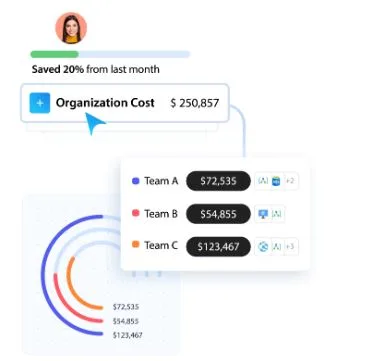
Your finance team flags an Azure bill that’s 20% higher than last quarter. Engineering says everything’s running as expected.
But somehow, no one can explain which workloads caused the spike.
The native Cost Management dashboard isn’t giving you enough context to trace it back to a specific team or project.
Most mid-to-large organizations on Azure would be familiar with this situation. And it’s why a growing number of FinOps tools now exist to fill the gaps that Azure’s built-in reporting leaves behind.
Turbo360 is one of them; it’s built specifically for Azure cost management, with a focus on cost allocation, anomaly detection, and governance.
But is it actually a good fit? In this article, we look at what Turbo360 does, where it performs well, where it might not be the right choice, and which teams tend to get the most value from it.
Quick Take
If you’re short on time, this gist is all you need:
| Turbo360 is purpose-built for Azure. It goes deeper into Azure’s billing, governance, and allocation logic than most multi-cloud tools can. If your organization runs significant Azure workloads and you’ve outgrown what the native Cost Management tools offer, it’s worth a serious look.
Who it’s for: FinOps teams, finance, engineers, MSPs. Industries like SaaS, financial services, healthcare, and the public sector get the most out of it. Where it fits: Mid-to-large Azure environments with multiple subscriptions. Pricing is tiered with no hidden fees, and there’s a 15-day free trial. Where it doesn’t: Small teams running a few subscriptions can probably get by with Azure’s native tools. And if you’re running multi-cloud (AWS or GCP alongside Azure), you’ll need separate tooling for those environments. |
What Is Turbo360?
Turbo360 is an AI-powered Azure cost management platform. It ingests billing data from your Azure subscriptions and tenants, then organizes it so you can allocate costs to the respective teams, products, or customers.
It also flags anomalies and shows you optimization recommendations. The platform is purpose-built for Azure (not a multi-cloud tool adapted for it, like most cloud cost management platforms are). It currently manages over $200M in Azure spend across enterprises that involve Fortune 500 companies.
Why Do You Need A Dedicated Azure Cloud Management Platform?
The revenue of Azure and other cloud services has grown 40% year-over-year in the last quarter. That means organizations are running more workloads on Azure, and their bills are growing with them.
Azure does offer built-in cost management tools, and they’re free. But they have gaps that become harder to ignore as your environment scales.
The Cost Management Gaps That Turbo360 Is Designed To Fill
Let’s quickly grasp what those gaps are.
- Cost visibility without context: Azure Cost Management shows you line-item spend per subscription or resource group. But it won’t automatically break costs down by team, application, or customer. If you’re running hundreds of subscriptions across multiple tenants, it will take much manual effort to figure out who’s responsible for what.
- Late anomaly detection: A misconfigured autoscale rule or a forgotten test environment will keep running up costs for weeks before anyone notices. Azure Budgets will alert you when you’ve crossed a threshold, but by then, you’ve already overspent.
- One-off optimization: Most teams do a cost cleanup once or twice a year. They shut down idle VMs and resize a few databases. But without a system to track those resources time and again, the same waste builds up within weeks.
Turbo360 acts as the operational layer that connects Azure’s billing data with the teams and workflows responsible for managing it.
Key Strengths of Turbo360
By now, you’d know what Turbo360 does. But when evaluating Turbo360, you need to know how well each capability works and if it will reduce your team’s manual workload at all.
Full Cost Allocation and Visibility
Azure Cost Management groups your spending by subscription or resource group. But your CFO doesn’t think in subscriptions. They’d want to know how much a product line costs to run or what a particular customer account costs the business each month.
Turbo360 lets you assign every resource cost to the team, department, or application responsible for it. You define your organizational structure inside the platform, and it will update those cost assignments across all your subscriptions and tenants automatically.
And when everyone pulls from the same cost data, there’s less back-and-forth between engineering and finance over whose numbers are right.
What we found impressive is that their customers have:
- Allocated 99% of their Azure spend through the platform,
- Linked over 5,200 workloads to their respective business units
- Dropped unclassified costs by 81%
Showback Reporting and Budget Governance
Once you know where the money’s going (that’s the allocation piece), the next step is making sure the right people see it and stay within their limits.
The showback reports give each team a clear view of what they’re spending and why. Your finance team gets business-friendly breakdowns without touching the Azure portal, and engineers can track how their usage trends change over time.
For budgeting, you can set limits at various levels, be it subscription, resource group, or business unit level. The platform tracks spend against those budgets on the spin and alerts you when trends point toward a breach, before you cross the limit.
The budget vs. actual comparison view is something we feel is worth calling out. You’ll see planned spend along with projected spend in one place, which makes it easy for you to spot variance early and adjust.
Take a look at their claims:
- 80% fewer billing disputes between finance and engineering
- 98% budget adherence across tracked subscriptions
- 90% fewer end-of-month billing surprises
- 3x faster identification of cost ownership during spend spikes
Anomaly Detection and Cost Optimization
A misconfigured autoscale rule or a forgotten dev environment can run up your Azure bill for days. Azure Budgets will tell you when you’ve crossed a spending threshold, but that’s after the fact. You’ve already overspent.
Turbo360 runs AI-powered anomaly detection that flags unusual spending as it happens. You set thresholds per business unit, configure who gets alerted, and route notifications to the team or app owner who caused the spike. So your engineers aren’t finding out about cost problems two weeks later in a finance review.
On the optimization side, it continuously scans for idle VMs, orphaned disks, overprovisioned databases, and underutilized Reserved Instances or Savings Plans. You can also automate actions like shutting down non-prod environments after hours or purging unused storage blobs.
What caught our attention from their customer data are:
- 5,558 anomalies caught, averaging $401.74 per hour in cost impact
- $47.2M in annual savings identified
- 94% reduction in idle and unused resources
- 11,845 optimization recommendations acted on
Cost Analysis, Reservations, and Rightsizing
Your Azure Cost Management dashboard shows you what you spent. But it won’t tell you why a particular subscription’s compute bill jumped 30% or whether your Reserved Instances are actually being used. There’s a gap between seeing the numbers and knowing what to do with them.
Turbo360 tries to close that gap in two areas:
1. Reservations
The platform looks at your historical VM usage and tells you which VM families, sizes, regions and terms are safe to commit to. It checks workload stability before recommending a one-year or three-year commitment, which helps avoid that common fear of locking into something you won’t use. And once you’ve bought reservations, it keeps tracking usage. If something’s half-used or about to expire, you’ll know about it.
2. Rightsizing
It pulls CPU, memory and runtime data over time to find resources that are consistently bigger than they need to be. The recommendations are ranked by how much money you’d save, so you’re not wasting time on low-impact changes.
And it doesn’t stop after one pass; it keeps scanning as workloads change.
What we found in their published numbers:
- 35% average reduction in Azure spend
- 18-25% savings from smarter reservation commitments
- 10,000+ oversized resources identified monthly
- 1,000+ resources safely optimized per month
AI Agents for FinOps
Turbo360 has built a set of AI agents that run on the platform, each designed for a particular cost management task. They’re not a chatbot you simply ask questions to. They run analyses on their own and tell you what they found.
For example, the Cost Spike Troubleshooter investigates unexpected spend increases by checking usage changes, configuration updates, and historical patterns. It’ll point to the root cause and suggest a fix.
The Rightsizing agent pulls usage metrics for a resource and tells you if it’s safe to downsize (and what the performance risk looks like if you do). There’s a Resource Summary agent that gives you a quick snapshot of any Azure resource’s configuration, utilization, and cost behavior in one place.
A couple of other agents are worth mentioning. One evaluates what it’d cost (and risk) to move resources between Azure regions. The other checks if you’re eligible for Azure Hybrid Benefit savings on your existing licenses.
From Turbo360’s data:
- 35% average reduction in spend
- 20% faster cost decision cycles
- 12,000+ optimization actions surfaced
Limitations to Be Aware Of
Turbo360 is built for Azure and only Azure. If you’re running workloads across AWS or GCP as well, you’ll need separate tools for those environments.
The platform doesn’t try to be a multi-cloud solution, which is a trade-off of its Azure-specific depth.
It’s also best suited for organizations with some level of Azure complexity. If you’re running a handful of subscriptions with a small team, the platform’s allocation and AI features might be more than you need right now. You could probably get by with Azure’s native Cost Management tools until your environment grows.
Who Gets the Most Value from It?
Turbo360 works best when there’s a real gap between the people spending on Azure and the people tracking those costs. That usually means mid-to-large organizations with multiple subscriptions, cross-functional teams, and some level of FinOps maturity (or at least the ambition to get there).
- FinOps teams are the most obvious fit. The allocation, showback, and budgeting features cover most of what a FinOps practice needs without stitching together Cost Management exports and spreadsheets.
- Finance teams can pull cost data by department or project on their own, without asking engineering to export something from the portal. Budget tracking and forecasting are built in.
- Engineers get real-time cost feedback on their deployments and anomaly alerts that catch problems early. The optimization and rightsizing recommendations are useful too, especially for teams that don’t have time to audit resources manually.
- MSPs managing Azure for multiple customers can see all tenants in one view. Wortell, an MSP using the platform, reported 3.6x ROI within 90 days and 26% less cloud waste.
Our Verdict
Turbo360 covers a lot of ground for Azure cost management. The allocation, anomaly detection, budgeting, and optimization features work well together, and the Azure-specific depth gives it an edge over multi-cloud tools that treat Azure as an afterthought.
But it’s Azure only. If you’re split across AWS or GCP, you’ll need other tools for those. And smaller teams with a few subscriptions probably don’t need this level of tooling yet.
You can test it yourself with their 15-day free trial before making any commitments.