Common Walking Pad Mistakes Beginners Make
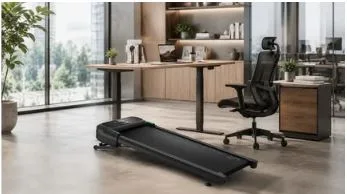
Beginners often fail to get the most out of their under-desk walking pads because they apply standard gym treadmill habits to an office environment. This issue arises because working while in motion requires a specific physical and cognitive adjustment that stationary work does not.
A common risk is assuming you can immediately walk for hours at high speeds, which usually leads to muscle strain, typos, or equipment damage.
This guide covers the essential pacing, workflow, and setup mistakes to avoid so you can safely integrate movement into your workday.
Starting Too Fast
It is tempting to set the speed to 2.5 or 3.0 mph immediately to maximize your calorie burn. However, walking while trying to work requires coordination.
If you start too fast, you may lose your balance, make typos, or fatigue your muscles within ten minutes. Keep the pace low—around 1.0 to 1.5 mph—until your brain adjusts to moving and working simultaneously. You can speed up later once the motion becomes natural.
Walking for Too Long on the First Day
Logging a three-hour session on day one can cause muscle soreness or joint strain. Even if you are already in shape, your feet, ankles, and lower back need time to adapt to moving on a flat surface for extended periods.
Treat your walking pad like a new workout routine. Start with short 20- to 30-minute sessions once or twice a day, and gradually build your stamina over several weeks.
Using It for the Wrong Work Tasks
Walking pads are not a replacement for your office chair; it is a tool meant for specific parts of your day. Trying to stay in motion for every assignment will likely cause frustration.
Deep focus work
When you need to analyze spreadsheets, write detailed reports, or solve complex problems, turn the pad off. Deep focus requires significant cognitive load. Trying to maintain your balance at the same time splits your attention, making it harder to think clearly.
Video calls
Unless it is a casual, internal team meeting, step off the belt. The constant movement on camera can be distracting for your coworkers, and the sound of the motor can be picked up by your microphone, causing audio distractions.
Typing-heavy tasks
Drafting a short message or sending a quick email while walking is manageable, but heavy data entry or coding often leads to typos. Save the walking for reading documents, reviewing presentations, or listening to webinars, and sit down when you need precise keyboard control.
Ignoring Desk Height and Floor Setup
Proper ergonomics matter when you are moving just as they do when you are sitting down. Neglecting your environment can lead to neck and back pain.
Check your desk and screen height
A walking pad raises your standing height by two to five inches. If you do not adjust your standing desk to compensate for that extra height, you may end up hunching over to type or straining your neck to look at your monitor. Make sure your elbows stay close to a 90-degree angle and your screen is near eye level.
Use a stable floor or mat
Placing your walking pad on a thick carpet can restrict airflow and make the machine less stable. Putting it directly on hardwood or tile can also lead to sliding, vibration, or floor scratches. A thin, high-density equipment mat can help keep the walking pad steady, reduce floor noise, and protect your space.
For users setting up a small home office, UREVO offers compact walking pads that make light desk walking easier to fit into a daily routine without taking up the space of a full treadmill.
Skipping Basic Safety and Care
Because walking pads are compact, it is easy to forget they are motorized machines that require regular maintenance.
Learn the controls before walking
Do not step onto the belt and try to use the remote control or mobile app for the first time while the machine is moving. Know exactly where the stop button is and use the safety clip if your machine has one. A distraction can lead to a fall if you do not know how to stop the power immediately.
Keep the belt clean and centered
Walking pad belts can shift to one side over time due to your stride. If you ignore a misaligned belt, it will rub against the side rails and damage the motor. Take a few minutes every week to ensure the belt is centered—adjusting it with the included wrench if necessary—and wipe down any dust or dirt that accumulates.
Final Thought
Transitioning to an active desk setup is a good investment for your health, but it comes with a learning curve. Start slow, prioritize your physical ergonomics over your daily step count, and treat the walking pad as a supplement to your workday rather than an intense workout. With patience, you will find a rhythm that keeps you moving without reducing your productivity.