WhatsApp Sender for Small Businesses: A More Practical Way to Manage Customer Communication
Small businesses rarely struggle because they have no way to contact customers. The real problem is keeping communication consistent as the number of customers, enquiries, appointments, and follow-ups increases.
A local clinic may need to remind dozens of patients about appointments. An online seller may need to update customers about delivery delays. A training provider may need to share event instructions with registered participants. A sales team may need to follow up with prospects who have already requested more information.
Most of these businesses already use WhatsApp. However, sending every message manually creates a growing operational burden.
Employees repeatedly copy the same text, switch between spreadsheets and WhatsApp Web, search for phone numbers, replace names by hand, and try to remember which contacts have already received an update.
A WhatsApp Sender provides a more structured alternative. Instead of treating every message as a separate manual task, businesses can prepare contact lists, create reusable templates, personalize selected fields, and manage the sending process through WhatsApp Web.
The value is not simply sending messages faster. It is creating a workflow that is easier to control, repeat, and review.
Why Manual WhatsApp Messaging Becomes Difficult
Manual messaging often appears efficient at the beginning.
When a business only needs to contact five customers, copying a message and changing the recipient’s name takes little time. However, the process becomes less reliable when the list reaches 50, 100, or several hundred contacts.
Common problems include:
- Sending the same message twice
- Skipping contacts in the middle of a list
- Using the wrong customer name
- Adding an incorrect appointment date
- Sending an outdated attachment
- Losing track of failed messages
- Mixing different customer groups
- Forgetting which contacts require follow-up
These are not necessarily technology problems. They are workflow problems.
A WhatsApp Sender helps by turning a collection of individual actions into a defined process. The team can prepare the audience, message, variables, attachments, and sending settings before communication begins.
This is particularly useful for businesses that already maintain customer information in Excel or CSV files.
What a WhatsApp Sender Actually Does
The term WhatsApp Sender is sometimes used too broadly. It does not automatically mean a CRM, chatbot, AI assistant, or enterprise automation platform.
For many small teams, a WhatsApp Sender is a browser-based tool that works with WhatsApp Web and helps manage repeated messaging tasks.
A typical workflow may include:
- Preparing phone numbers and customer details in Excel or CSV
- Importing the contact list
- Writing one reusable message
- Adding fields such as names, dates, companies, or order references
- Including relevant attachments
- Setting an interval between messages
- Reviewing sending progress
- Exporting or checking the final results
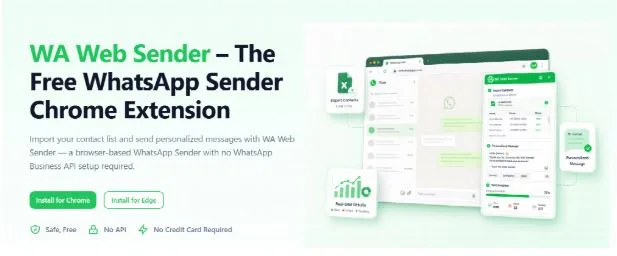
WAWebSender, for example, is a browser-based WhatsApp Sender that allows teams to import contacts, prepare personalized messages, configure sending intervals, and manage the process inside WhatsApp Web without setting up a complex API integration.
This type of tool is most useful when the business already knows:
- Who should receive the message
- Why they are being contacted
- What information they need
- What response or action is expected
The WhatsApp Sender supports the delivery workflow. It does not decide whether a message is relevant or whether the recipient has agreed to receive it.
Five Business Situations Where a WhatsApp Sender Can Help
1. Appointment Reminders
Appointment-based businesses frequently lose time because customers forget scheduled visits or need to reschedule at the last minute.
Clinics, salons, consultants, repair services, tutors, and fitness studios can prepare reminders containing:
- Customer name
- Appointment date
- Appointment time
- Location
- Staff member
- Rescheduling instructions
Instead of rewriting each reminder, the business can prepare a template:
Hi {First Name}, this is a reminder that your appointment is scheduled for {Date} at {Time}. Please reply if you need to reschedule.
A WhatsApp Sender can apply the correct values from the contact list to each message.
The message remains personalized, but the employee does not need to manually replace every field.
2. Order and Delivery Updates
Online sellers and local retailers often receive repeated questions such as:
- Has my order shipped?
- When can I collect it?
- Is the item ready?
- Has the delivery been delayed?
A WhatsApp Sender can help the business prepare separate contact groups for different order stages.
For example:
- Orders ready for collection
- Orders dispatched
- Orders delayed
- Orders requiring address confirmation
- Orders awaiting payment
Each group receives a message that matches its actual status.
This is more useful than sending a generic announcement to every customer. It also reduces the number of individual enquiries that staff need to answer manually.
3. Requested Sales Follow-Ups
Sales follow-up is appropriate when a prospect has already submitted an enquiry, requested a quotation, attended a demonstration, or asked for additional product information.
A WhatsApp Sender can help a small sales team organize these contacts by:
- Product interest
- Enquiry source
- Location
- Company type
- Follow-up stage
- Assigned sales representative
The message should refer to the prospect’s previous action.
For example:
Hi {First Name}, thank you for requesting information about {Product}. I’m sharing the details discussed with {Representative Name}. Please reply if you would like a quotation.
This is more relevant than sending an unexplained promotional message.
A WhatsApp Sender should support contextual follow-up, not replace the need for a legitimate customer relationship.
4. Events and Training Sessions
Event organizers often need to send several types of updates before and after an event:
- Registration confirmations
- Venue details
- Schedule changes
- Joining instructions
- Reminder messages
- Supporting documents
- Post-event resources
A WhatsApp Sender allows these messages to be prepared by participant group.
Online participants may need a meeting link, while in-person participants need a venue address. Speakers may require a different schedule from general attendees.
Segmenting these groups before sending reduces confusion and prevents irrelevant information from reaching the wrong audience.
5. Service and Operational Notices
Small businesses may occasionally need to communicate an operational change, such as:
- Modified opening hours
- Temporary service interruptions
- Location changes
- Holiday schedules
- Policy updates
- Maintenance notices
- Changes to an existing booking
A WhatsApp Sender can help deliver these updates to the affected customers rather than the entire database.
For example, only customers booked on a particular date may need to know that an office will open later than usual.
The more accurately a business defines the affected group, the more useful the message becomes.
Why Personalization Matters
A WhatsApp Sender becomes more valuable when it can use structured customer fields rather than sending identical content to every recipient.
Useful personalization fields may include:
- First name
- Company
- Appointment date
- Order number
- Product
- Delivery status
- Location
- Assigned employee
- Preferred language
Personalization should clarify the purpose of the communication.
Compare:
Hello, we have an update for you.
With:
Hi Amina, your consultation with Daniel is confirmed for 24 July at 3:00 p.m.
The second message immediately explains what the update concerns.
However, personalization only works when the original data is accurate. A WhatsApp Sender cannot know that a customer name is misspelled or that an appointment date is outdated.
Businesses should review their contact files before importing them and test several sample messages before beginning a larger batch.
What to Look for in a WhatsApp Sender
Not every WhatsApp Sender is designed for the same type of user. Some products focus on APIs and enterprise integrations, while others work directly through WhatsApp Web.
A small business should evaluate the following factors.
Contact Import
The WhatsApp Sender should support the file formats the business already uses, such as Excel or CSV.
It should also make it clear which columns are available for personalization.
Message Personalization
The tool should allow the team to insert relevant customer fields without manually rewriting every message.
The preview should be checked carefully, especially when some records contain missing values.
Sending Controls
A useful WhatsApp Sender should allow the user to manage the workflow rather than treating the list as one uncontrolled action.
Sending intervals, pause controls, and progress visibility can make the process easier to supervise.
Attachment Support
Some businesses need to include images, PDFs, videos, quotations, instructions, or event documents.
Attachments should only be used when they add value to the customer’s message.
Progress and Results
The team should be able to identify which records were processed and which require review.
This reduces the risk of restarting the same list or repeatedly attempting invalid numbers.
Setup Requirements
A small team may not have developers available to configure APIs, webhooks, CRM connections, or server-side workflows.
In this situation, a browser-based WhatsApp Sender can provide a shorter path from a prepared contact list to a controlled WhatsApp Web workflow.
Chrome users can install the WhatsApp Sender extension directly from the Chrome Web Store and use it alongside their existing WhatsApp Web session.
WhatsApp Sender or WhatsApp API?
A WhatsApp Sender and a WhatsApp API platform are not necessarily competing versions of the same product. They are often designed for different operational requirements.
A WhatsApp Sender may be appropriate when:
- The team is small
- Contacts are stored in spreadsheets
- Users already work in WhatsApp Web
- The workflow is managed directly by an employee
- No custom development is required
- Messages are prepared for defined contact groups
- The business wants a faster setup
An API platform may be more appropriate when:
- Several systems must exchange data automatically
- Messages are triggered by transactions
- Multiple agents manage one support environment
- CRM integration is essential
- Developers are available
- Centralized approval and reporting are required
- Communication operates at enterprise scale
Small businesses should avoid choosing a complex system simply because it offers more features. The correct solution is the one that matches the actual workflow.
A browser-based WhatsApp Sender can be sufficient for structured, user-controlled communication. An API may become necessary when messaging must be deeply connected to other business systems.
Responsible Use Still Matters
A WhatsApp Sender improves efficiency, but efficiency does not remove responsibility.
Businesses should:
- Contact people for a clear and relevant reason
- Use contact data collected appropriately
- Respect recipient consent
- Avoid purchased or unrelated contact lists
- Provide a clear business identity
- Honour opt-out requests
- Avoid misleading or excessive messages
- Follow local laws and platform policies
- Review sensitive attachments before sending
Sending intervals and batch controls should be used to manage the workflow, not to avoid platform enforcement.
A well-managed WhatsApp Sender process prioritizes relevance and accuracy over maximum volume.
Building a Repeatable Communication Process
The most effective small-business messaging workflows are repeatable.
A team should be able to prepare a contact segment, select the correct template, review personalization fields, test a small batch, monitor the process, and record the results.
Over time, this process creates useful operational knowledge:
- Which contact records need updating?
- Which message templates are clearest?
- Which customer groups reply most often?
- Which questions continue to appear?
- Which messages require manual follow-up?
- Which contacts should not receive future communication?
A WhatsApp Sender is most valuable when it becomes part of this wider process rather than an isolated sending tool.
Final Thoughts
WhatsApp is already part of the daily communication habits of many customers and small businesses. The challenge is managing that communication as the number of contacts and use cases increases.
A WhatsApp Sender can help small teams move away from repetitive copying and toward a more organized workflow built around contact lists, personalized templates, controlled batches, and visible results.
The tool itself is only one part of the system. Accurate data, relevant messaging, recipient permission, and clear internal processes remain essential.
When these elements work together, a WhatsApp Sender can make routine customer communication faster to prepare, easier to monitor, and more consistent across the business.