Easy Ways Smart Displays Improve Daily Workflows
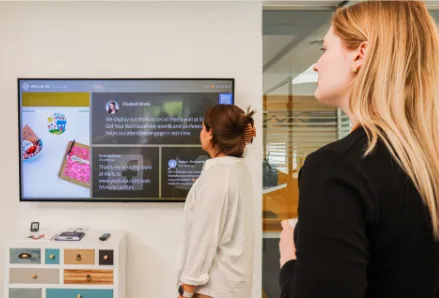
Smart tech doesn’t have to feel like a robot moved into your building and started giving orders. In plenty of workplaces, the biggest difference comes from something simple: better screens. The right display can help you share updates faster, reduce mix-ups, and make daily tasks feel less clunky. Whether you run a shop, manage a warehouse, or work in an office with one printer that somehow hates everyone equally, smart displays can make work easier in ways you notice right away.
Why displays matter
You probably don’t think about screens until one stops working, freezes, or shows information so tiny that everyone has to squint like they’re reading an ancient treasure map. Good displays do more than look nice. They help people understand what to do, where to go, and what matters right now.
In business settings, that can mean digital signage, touchscreen kiosks, production monitors, or rugged industrial computer systems. Companies like Dynics specialize in industrial hardware, software, and display solutions designed for demanding environments such as manufacturing facilities, factory floors, and other industrial operations. That matters because office needs are very different from plant-floor requirements, where equipment has to be durable, reliable, and built for continuous use.
When your screen setup matches your space, people waste less time asking questions or hunting for information. That’s a simple upgrade, but it can change the rhythm of your whole day.
Cutting daily confusion
A lot of workplace stress comes from tiny misunderstandings. Someone reads the wrong schedule. A customer stands in the wrong line. A team member misses an update because it was buried in an email avalanche. Clear displays help stop those problems before they grow legs and sprint through your day.
Think about a waiting area with a screen showing check-in steps, service times, and directions. People feel more confident because they know what happens next. In a warehouse, a screen can show job status or picking instructions without the need for constant walkie-talkie chatter. In an office, meeting room displays can save you from the classic “Is this room free or are we about to interrupt Greg again?” moment.
The best part is that visual information is quick to understand. You don’t need a training manual just to read a clear message on a screen. Less confusion means fewer interruptions, and fewer interruptions usually mean smoother work.
Helping teams move faster
Speed at work isn’t always about people rushing around with coffee in one hand and panic in the other. More often, it comes from removing little delays. Smart displays can do exactly that by putting important information where people already are.
For example, a production team can use floor displays to track tasks in real time. Instead of walking over to ask for updates, workers can glance up and know what’s next. Retail teams can use screens for inventory notes, promotions, or pickup instructions. Front desk staff can rely on touch displays to guide visitors through sign-in without repeating the same directions 40 times a day.
This kind of setup also helps shared teams stay on the same page. If everyone sees the same current information, there’s less guesswork. That doesn’t magically fix every workflow issue, of course. A messy process is still messy. But a smart display can stop that mess from hiding behind sticky notes, whiteboards, and random verbal updates that vanish into thin air.
Making spaces feel modern
There’s also the visual side of it, and yes, that matters more than some people admit. A clean, well-placed display can make a space feel more organized, current, and professional. That doesn’t mean you need a sci-fi wall of glowing panels. It just means your communication looks intentional instead of patched together.
Customers notice when information is easy to find. Visitors notice when check-in feels smooth. Employees notice when updates are shared clearly instead of taped to a door like a last-minute garage sale sign. Screens can make a space feel less chaotic and more cared for.
They’re also easier to update than printed materials. If hours change, a message shifts, or a new process starts, you can refresh the content without reprinting stacks of paper. That saves time and reduces clutter. It’s one of those changes that seems small until you realize how often information needs to change in the real world.
Choosing the right setup
If you’re thinking about adding smart displays, don’t start with bells and whistles. Start with the problem you want to fix. Are people missing updates? Are customers confused? Does your team need better visibility during daily tasks? Once you know that, picking the right setup gets much easier.
A few practical things to consider:
– Where the display will live
– How bright the area is
– Whether people need touch access
– How durable the equipment must be
– Who will manage updates
A screen in a dusty production area needs different features than one in a hotel lobby. A public display should be simple and sturdy. An internal team display may need detailed data and easy connectivity. You don’t need the fanciest option. You need the one that fits your environment without causing fresh headaches.
It also helps to think about maintenance. A smart setup should make life easier, not create a weekly “why is this offline?” mystery.
Small upgrades, big impact
What makes smart displays so useful is that they improve ordinary moments. They help people find information faster, understand tasks more clearly, and move through spaces with less friction. That may not sound dramatic, but in daily work, those small wins add up quickly.
You don’t have to overhaul everything at once. Sometimes one well-placed screen at a front desk, production station, or shared office area can noticeably improve how people work and communicate. It’s not about adding technology for the sake of looking trendy. It’s about making your space easier to use.
If your current setup depends too much on paper notes, repeated explanations, or crossed fingers, better displays are worth a look. The goal is simple: fewer mix-ups, smoother routines, and a workplace that feels a little more helpful and a lot less scrambled. That’s a smart move, no tech wizard cape required.