How to Plan a Successful Google Workspace to Microsoft 365 Migration
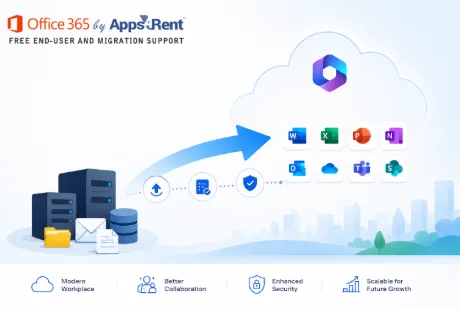
As the technology-driven work environment continues to change, all companies are always looking for tools of collaboration that would perfectly suit the work within their organisations, ensure that security needs are addressed, and improve productivity. Some of the growing firms migrate to Microsoft 365 because of the various advantages offered by this tool.
But, transferring data between various collaboration software is never a walk in the park. In case proper procedures are not put into place, then your business may have to face issues like downtime, loss of data, disruption of workflow, among others. The following guidelines give tips on how to transfer data from Google Workspace to Microsoft 365.
Reasons for Transfer from Google Workspace to Microsoft 365
The reason for the migration to Microsoft 365 is that there are tools like Outlook, Teams, SharePoint, OneDrive, and the Microsoft Office suite. Some of the advantages of migrating to Microsoft 365 include:
- Better security and compliance
- Collaboration using Microsoft Teams
- Increased compatibility with Windows systems
- Enterprise management and governance
- Security of data and backups
Migration from Google Workspaces to Microsoft 365 has proved to be a popular choice among many companies wishing to increase their efficiency.
Step 1: Current environment evaluation
Evaluation of the current Google Workspaces environment must be carried out prior to migration to Microsoft 365.
The following factors will have to be considered:
- User numbers and mailboxes
- Gmail Storage
- Google Drive data size
- Shared drives and permissions
- Contacts and calendars
- Integrations
- Security and compliance
Such evaluation will help you plan a migration timeline effectively.
Step 2: Defining Migration Goals
Migration goals should always be set before starting any migration process. Some questions to ask yourself are:
- Why are you migrating to Microsoft 365?
- What results do you expect to get?
- What workload is supposed to be migrated?
- What is your tolerance level in terms of downtime?
- What compliance requirements should be met?
Setting goals will ensure proper coordination among your IT team, managers, and end-users in the process.
Step 3: Selecting the Proper Migration Strategy
There are several different strategies that may be selected according to the size and complexity of an organization.
Cutover Migration
Perfect for smaller organizations willing to migrate all users at once.
Staged Migration
Works well for mid-sized organizations wishing to migrate users incrementally.
Hybrid Migration
Perfectly suited for big companies where it is necessary to have both Google Workspace and Microsoft 365 work simultaneously.
Step 4: Get Your Microsoft 365 Ready
First, it is necessary to prepare your Microsoft 365 environment.
The important preparation activities include:
- Domain verification
- Creation of user accounts
- Configuration of Exchange Online
- Setup of Microsoft Teams
- Configuration of SharePoint and OneDrive
- Security policy setup
- Multi-Factor Authentication (MFA)
A well-prepared destination environment will minimize migration problems.
Step 5: Planning Data Migration
The most important aspect when making a switch from Google Workplace to Microsoft 365 is determining what data will be transferred.
Common migration tasks may include:
- Migration of Email
Migrating emails from Gmail to Exchange Online.
- Migration of Calendar
Migrating meetings, appointments, and recurring events.
- Migration of Contacts
Migrating contacts between the two environments.
- Migration of Documents
Migrating documents from Google Drive to OneDrive and SharePoint.
- Shared Resources
Migration of Shared Drive/Permissions/Collaborative workspaces.
Step 6: Perform a Pilot Migration
To prevent any problems in the migration process of the whole organization, it is necessary to conduct a pilot migration for several users first.
Pros of a pilot migration include:
- Problems detection
- Test migration process
- Verify data integrity
- Feedback collection
- Migration process refinement
Pilot migration is an important step before large scale deployment.
Step 7: Communication with Users
Sometimes the communication process gets ignored when preparing for migration.
In order to avoid problems, develop a plan for communication which will include information about:
- Migration timetable
- Potential downtime periods
- Login instructions
- Additional training resources
- Technical support contact info
Good communication is important to avoid problems and increase adoption rate of new services provided by Microsoft 365.
Step 8: Production Migration
Now it’s time for actual migration.
During the process monitor:
- Transfer status
- Synchronization of user accounts
- Email delivery
- Access to files
- Mapping of permissions
Continuous monitoring will be helpful in addressing possible problems immediately.
If an organization considers professional Google workspace migration services, then it may benefit from it significantly in this stage of migration process.
Step 9: Verify and Test the Data
Post migration, ensure all the data has been moved successfully.
Data verification should cover:
- Emails
- Email folders and emails
- Calendar
- Contacts
- Files
- Permissions
- Shared Resources
Testing is essential to ensure staff can access required information with ease.
Step 10: Educate Users and Maximize Adoption
A successful migration does not conclude at transferring all the data.
Train staff in using:
- Outlook
- Microsoft Teams
- OneDrive
- SharePoint
- Office application
Training users will lead to increased productivity and better ROI from the migration.
G Suite to o365 Migration Challenges
A g suite to o365 migration faces many challenges, such as:
- Data volume
- Permission structures
- Software compatibility issues
- User resistance
- Migrating large volumes of data
The above mentioned challenges can be overcome by proper planning.
Gmail to Office 365 Migration Best Practices
When doing a gmail to office 365 migration, an organisation needs to observe the following best practices:
- Cleanup unnecessary data before migration
- Archiving non-active accounts
- Creating a plan for rollback
- Using reliable migration tools
- Applying strict security measures
- Carrying out periodic testing during migration
Following all these suggestions will allow minimizing risks and making the process of work much faster.
Why Should You Opt for Professional Migration Services?
While some companies tend to migrate by themselves, using professional assistance can considerably facilitate the whole process.
Professional Google workspace migration services include:
- Migration planning & assessment
- Data mapping & verification
- Migration implementation
- Users onboarding
- Troubleshooting after migration
- Compliance and security assistance
Those who need to move from Gmail to Office 365 will surely benefit from such an approach.
Conclusion
Moving from Google Workspace to Microsoft 365 entails more than simply transferring emails and files from one system to another. Regardless of whether it is small businesses transitioning to the software or major corporations shifting from one software suite to the other, choosing the appropriate migration strategy becomes key. Businesses looking forward to a successful transition from Gmail to Office 365 should consider seeking the help of professional migration service providers such as O365CloudExperts by Apps4Rent.
Through an appropriate migration strategy and the right guidance by professionals, the entire transition becomes a smooth journey for enterprises using Microsoft’s solutions for productivity, communication, and collaboration.