Buying SanDisk SD Cards Online: A Practical Guide for Camera Users
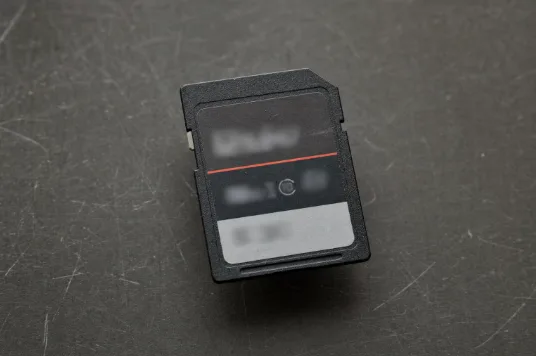
A memory card is one of the least glamorous items in a camera bag, but it is also easy to buy the wrong one. Spend too little and the camera may stall during a burst or refuse to enter a video mode. Spend too much and you may be paying for speed the camera cannot use. Choosing a card is mainly a matching exercise: consider what the camera supports, what you shoot, and how you transfer the files.
SanDisk is widely available online, which also makes its cards a common target for counterfeiters. The following steps apply to most SD card brands, with specific notes about SanDisk products and buying guidance.
Three things printed on every card
Most buying decisions come down to three markings defined by the SD Association:
- Card family and capacity. SDHC covers capacities above 2GB through 32GB, SDXC covers capacities above 32GB through 2TB, and SDUC covers capacities above 2TB through 128TB.
- Speed class symbols. Speed Class, UHS Speed Class, Video Speed Class, and SD Express Speed Class marks indicate minimum sustained write speeds rather than short peak speeds.
- Bus support. UHS-I, UHS-II, UHS-III, and SD Express describe the card’s electrical interface, which limits how quickly data can move.
Step 1: Start with the camera, not the card
Check the label near the card slot or the compatibility section of the camera manual. It should state which card families the camera supports and, on many models, the recommended speed class for video. This check prevents most compatibility problems.
Capacity can affect computer compatibility too. SDXC and SDUC cards use the exFAT file system. Sony’s support documentation notes that connecting one to a device that does not support exFAT may trigger a prompt to format it, which could erase its contents. If an unfamiliar device asks to format a card that holds footage, decline and move the card to a trusted computer.
Step 2: Match the speed rating to what you shoot
The V number is especially important for video because it represents a guaranteed minimum sustained write speed. Video Speed Class ratings include V6, V10, V30, V60, and V90.
For example, Nikon recommends a V30 or U3 card or faster for recording 4K UHD at 2160/30p or 2160/25p on some recent cameras. Sony explains that V60 guarantees at least 60MB/s of sustained writing, while V90 guarantees at least 90MB/s. These faster ratings may be required for certain high-bit-rate, high-resolution, or slow-motion modes.
For general still photography and standard 4K recording, a UHS-I V30 card is often sufficient. Photographers who shoot long raw bursts may benefit more from a faster bus interface, provided the camera supports it.
Step 3: Size the card to your workflow
Capacity is a workflow choice rather than a measure of performance. Two or three medium-capacity cards are often more practical than one very large card because a lost or damaged card will contain less of the shoot. Raw files and high-bit-rate video use space quickly, so check the camera’s estimate of remaining shots or recording time after inserting the card.
If the camera has two slots, consider using its redundant recording option to write the same files to both cards. For weddings, events, and travel, that backup can be more valuable than extra headline speed.
Step 4: Consider the bus and card reader
UHS-I supports transfer speeds of up to 104MB/s. UHS-II can reach up to 312MB/s under the right conditions. UHS-III and SD Express raise the theoretical ceiling further, but they provide a benefit only when the camera or reader supports the same interface.
UHS-II cards have a second row of contacts. They are backward compatible, but a UHS-II card used in a UHS-I camera will operate at UHS-I speeds. The practical benefit of UHS-II usually appears in faster buffer clearing and shorter transfer times.
The reader matters as much as the card during file transfers. To obtain UHS-II transfer speeds, the card, camera, reader, cable, and computer connection must all support the required performance.
What has changed recently
SanDisk now lists Extreme PRO SD UHS-II V60 and V90 cards in capacities reaching 2TB. Some current models also carry durability specifications such as an IP68 rating. Check the exact product page because specifications can vary by capacity and model.
Reading the SanDisk range and comparing alternatives
SanDisk’s enthusiast SD cards are broadly divided into Extreme and Extreme PRO tiers. UHS-I models commonly carry V30 ratings, while UHS-II options may carry V60 or V90 ratings. Focus on the interface, speed class, and capacity rather than the product name alone.
Buying online without getting burned
SanDisk advises buying directly from the company or through authorized distributors and resellers. It also identifies unusually low prices as a possible counterfeit warning sign. Marketplace listings may combine several sellers on one page, so verify the seller name, warranty terms, return policy, and packaging.
Specialist retailers can be easier to navigate when shopping for trail or home security cameras. You can shop SanDisk SD cards online through a seller such as Pro’s Choice, which organizes products around those uses, or compare the same specifications with other established retailers. Availability and warranty terms vary by country.
On Pro’s Choice or any other retailer’s site, confirm the exact model number rather than relying on a similar product image. When the card arrives, inspect the packaging, format the card in the camera, test its capacity and recording performance, and review the files on a computer before using it for an important shoot.
Setup and care
Format a card in the camera rather than on a computer. Before moving it to another camera and reformatting it, copy the files to at least two places. The same best practices apply when recording footage to SD cards in security cameras, where reliable local storage helps protect important video if network connectivity is unavailable. Eject cards properly, store them in a protective case, and retire any card that produces corrupted files or unexplained errors.
A sensible default
For most hobbyists, a UHS-I V30 card is a practical choice for stills and standard 4K recording. Move to UHS-II V60 or V90 when the camera requires it for higher-bit-rate, higher-resolution, or slow-motion recording, or when faster transfers would improve your workflow. Check the manual first and buy from an identifiable seller. For trail and security camera setups, a retailer that organizes listings by use case, such as Pro’s Choice, can make the comparison easier.