Why Mobile Creators Are Adding MagSafe SSDs to Their iPhone Workflows
One-Sentence Summary: Magnetic portable SSDs are helping iPhone creators keep high-capacity local storage physically secure while recording, transferring, and protecting large video projects.
The iPhone has moved far beyond casual video. Supported Pro models can record high-resolution Apple ProRes footage directly to external USB-C storage, while mobile editing apps let creators begin reviewing and cutting footage before they return to a studio. That shift has made storage part of the camera rig rather than something considered after the shoot.
The practical challenge is not only finding a drive with enough capacity. A creator must also manage sustained write speed, cable quality, power draw, file-system compatibility, heat, mounting, and the risk of disconnecting the drive during a take. A fast SSD hanging from a long cable can still be a poor field solution.
This is why magnetic portable SSDs are gaining attention. They place the drive against the phone, reduce cable movement, and make a mobile setup easier to handle. The magnet solves the physical mounting problem; the USB-C cable still carries the data. Understanding that distinction is the first step toward building a dependable iPhone storage workflow.
What a MagSafe SSD Actually Does
The phrase “MagSafe SSD” can be misunderstood. The magnetic connection does not transfer video files wirelessly and does not replace the data cable. It keeps the SSD attached to the phone while a short USB-C cable connects the two devices.
That physical arrangement matters during handheld recording, gimbal work, interviews, live events, and travel. A loose drive can pull on the connector, swing into the operator’s hand, or disconnect when the phone changes orientation changes. A securely mounted drive shortens the cable path and reduces strain, although the creator still needs to test the magnet, phone case, cable, and rig before paid work.
A magnetic SSD can also make post-production. The same drive can move from phone to laptop for review, proxy creation, editing, and delivery. That does not make every application or device equally fast, but it reduces the number of transfers required between capture and editing.
Why Mobile Video Is Creating a Local-Storage Problem
High-quality mobile video consumes capacity quickly. The recording file is only the beginning. Editors may also create proxies, render caches, audio files, graphics, exports, and multiple revisions. A project that appears to fit comfortably on the phone can become much larger once production begins.
Cloud storage remains useful for collaboration, client review, and off-site protection, but it is not always practical for the first copy. Upload time depends on upstream bandwidth, network stability, data limits, and the amount of footage. Hotel Wi-Fi or a congested event network may not finish an upload before the next shoot.
Local storage provides a predictable first step. The creator can record or copy files to the SSD, verify them, and continue working without waiting for a network. The cloud then becomes another layer of the workflow rather than the only place where the footage can be protected.
The ProRes Requirements That Matter
Apple’s current guidance for supported iPhone Pro models is specific. External storage must be formatted as exFAT, and password-encrypted drives are not supported for direct ProRes recording. Apple calls for a USB 3 cable rated for at least 10Gbps.
The sustained write requirement depends on the recording mode:
- 4K ProRes at 60fps requires at least 220MB/s sustained write performance.
- 4K ProRes at 120fps on supported models requires at least 440MB/s sustained write performance.
- The external device must not draw more than 4.5W.
- Apple advises reformatting the external device before each 4K120 ProRes recording session for optimal performance.
These figures are minimum workflow requirements, not a promise that every drive advertising a higher peak speed will record reliably. A drive can perform well during a short benchmark and slow down during a long write after its cache fills or its controller heats up. Direct recording should always be tested with the exact phone, cable, recording mode, free capacity, and expected clip length.
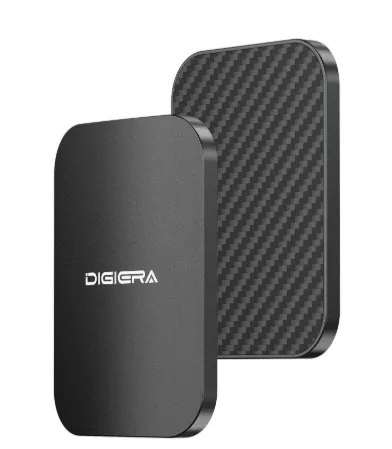
The Digiera LPS2000M ultra-thin MagSafe portable SSD is one example of a drive designed around this phone-mounted use case. Its magnetic form factor keeps the storage close to the iPhone, while USB-C handles the actual data connection.
A Safer Field Workflow
A portable SSD should be treated as part of a process, not as the entire backup plan.
- Confirm the phone, recording mode, SSD, cable, file system, and power requirements before the shoot.
- Record a test clip at the intended resolution and frame rate.
- Play the clip back and check for slow-recording warnings, dropped frames, or disconnects.
- After important takes, confirm that representative files open correctly.
- Keep the original phone or memory-card copy until a second verified copy exists.
- Create another copy on a laptop, second drive, NAS, or protected cloud destination before deleting capture media.
This sequence reduces the chance that a successful recording is lost during hurried card reuse or phone cleanup.
How Fast Can an iPhone Actually Use an External SSD?
This is where product labels require context. The Digiera LPS2000M uses a USB 3.2 Gen 2×2 interface and delivers manufacturer-rated peak performance of up to 2,000 MB/s read and 1,800 MB/s write on a compatible 20 Gbps host. The current iPhone 15 Pro, iPhone 16 Pro, and iPhone 17 Pro models support USB 3 data rates up to 10 Gbps.
That means an iPhone cannot use the drive’s full 20Gbps interface bandwidth. The practical ceiling is set by the phone’s 10Gbps connection, then reduced further by protocol overhead, file type, sustained flash behavior, temperature, and software. The drive may approach its higher transfer class when connected to a compatible 20Gbps computer, but marketers should not imply 2,000MB/s performance while it is connected to an iPhone.
This limitation does not make a faster drive irrelevant. For iPhone recording, the more important question is whether the drive can sustain Apple’s required write speed without disconnecting or overheating. For laptop transfers, the same drive may benefit from a faster compatible host.
Peak Speed, Sustained Speed, and Heat
Peak read speed describes an ideal short transfer under particular conditions. Direct video recording is a continuous write workload. The SSD must keep accepting data after its fast cache is used and after the enclosure has warmed.
Creators should look for sustained-write evidence, not only a large sequential-read number. When independent test data is unavailable, run a practical pre-shoot test:
- Use the supplied or correctly rated USB-C data cable.
- Connect the drive directly to the iPhone, without an unverified hub.
- Leave enough free capacity for the entire session.
- Record longer than the longest planned take.
- Repeat after the SSD has warmed up.
- Open several files and copy them to another device.
- Check that the magnetic mount and cable remain secure in every shooting orientation.
A drive that passes a five-minute test may still behave differently during a forty-minute interview. Testing should resemble the real job.
Choosing 1TB or 2TB for Mobile Creation
Capacity planning should begin with the amount of footage produced, not with a generic recommendation. Record one representative minute in the intended codec and frame rate, note the file size, and multiply it by the expected recording time. Then add space for retakes, audio, stills, project files, proxies, caches, and exports.
A 1TB SSD can suit shorter shoots, social content, photography, or creators who offload every day. A 2TB SSD gives more room for multi-day assignments and high-frame-rate footage, but it also concentrates more data on one device. Larger capacity should be paired with a second-copy plan.
Avoid filling the working drive to its limit. Free space helps with temporary files, cache behavior, and day-to-day file management. It also leaves room when a shoot produces more footage than expected.
Local First Does Not Mean Local Only
A strong mobile workflow combines local speed with independent protection. The phone or camera creates the original. The portable SSD becomes the fast working copy. A second drive, NAS, or cloud destination provides another copy. One copy should eventually be stored away from the equipment bag and primary work location.
This approach follows the logic of the 3-2-1 backup method: keep three copies of important data, use at least two independent storage locations or media types, and keep one copy off-site. A portable SSD improves mobility and transfer speeds, but it cannot protect against loss, theft, damage, or accidental deletion.
Where the Digiera Product Fits
For creators who want the drive physically attached to an iPhone, the LPS2000M combines a slim magnetic enclosure, USB-C connectivity, capacities up to 2TB, and a manufacturer-specified USB 3.2 Gen 2×2 interface. The broader Digiera portable SSD collection also includes alternatives for creators whose priority is cross-device transfer rather than phone mounting.
The product should be evaluated as part of the complete system: phone interface, recording mode, cable, sustained write behavior, temperature, capacity, file system, and backup procedure. That is more useful than treating one peak-speed figure as the answer to every workflow.
Frequently Asked Questions
Does a MagSafe SSD transfer files wirelessly?
No. The magnet attaches the SSD to the phone. A USB-C cable carries the data and powers the drive.
How fast must an SSD be for iPhone ProRes?
Apple specifies a minimum sustained write speed of 220 MB/s for supported 4K60 ProRes recording and 440 MB/s for supported 4K120 recording. The complete setup must also meet Apple’s cable, format, and power requirements.
Can an iPhone reach 2,000MB/s with a 20Gbps SSD?
No current iPhone Pro model supports a 20 Gbps USB 3.2 Gen 2×2 connection. iPhone 15 Pro, 16 Pro, and 17 Pro models support USB 3 up to 10Gbps, so the phone limits the connection before real-world overhead is considered.
Is exFAT required for direct ProRes recording on iPhone?
Apple specifies exFAT for the external storage workflow. Password-encrypted external drives are not supported for direct ProRes recording.
Is one portable SSD enough for backup?
No. It can be the working copy or one backup copy, but important footage should also exist on another independent device or at an off-site relocation
Disclosure and Technical References
Product specifications for the Digiera LPS2000M are provided by the manufacturer; creators should confirm current capacity options, host compatibility, cable requirements, and sustained performance before critical recording.
- Apple Support: About Apple ProRes on iPhone
- Apple: iPhone 17 Pro technical specifications
- CISA: Data Backup Options
- Digiera portable SSD collection