Link Verification Code Texts – Why Am I Getting These?
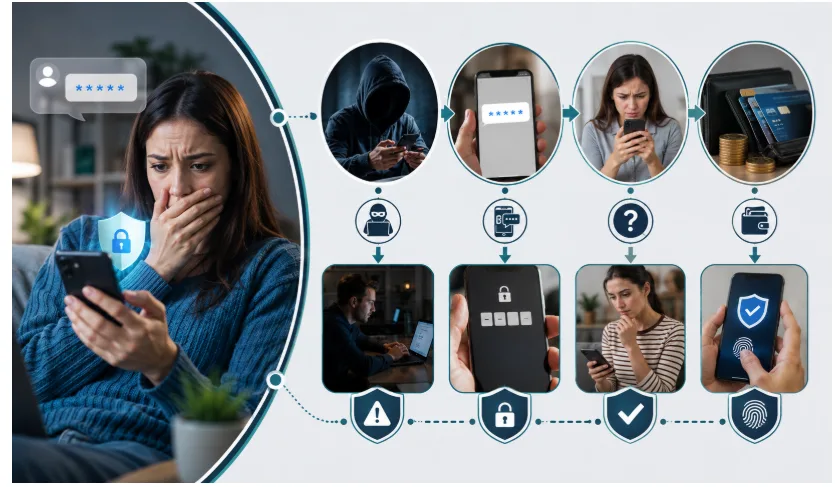
A text arrives with a short numeric code and the word “Link.” Then another one shows up a day later. Maybe you never asked for either, and you’re left staring at your phone wondering what you’re supposed to do with them. It’s a common situation, and the reassuring part is that most of the time these texts are routine and easy to explain.
A link verification code text is a one-time security code sent by SMS to confirm that you are who you say you are. In most cases the sender is Link, the digital wallet built by the payment company Stripe, which powers checkout on a huge number of online stores. The message itself isn’t dangerous. What matters is why it showed up, how often it’s happening, and whether anyone is nudging you to hand the code over. This article breaks down each of those, walks through what to do the moment a code lands, and covers how to switch the texts off and tighten your account security so they stop being a worry.
What a link verification code text actually is
A verification code is a temporary number, usually four to six digits, that a service texts to your phone to prove you control that number before a payment or a login goes through. When the text says “Link,” it’s almost always referring to Stripe’s Link wallet. Link lets people save a card or bank account once and reuse it for fast, one-click checkout across the many websites that run their payments through Stripe. To keep those saved details safe, Link asks for a texted code whenever it sees a new device, a new browser, or a site it doesn’t recognise.
Part of what makes these texts confusing is the word “Link” itself. It’s such an ordinary word that plenty of people assume it’s a generic system message rather than the name of an actual product. It is a real service, though, and the code is doing a real job: it’s a lock on your saved payment information, sent to the phone number tied to the wallet. On its own, receiving one tells you almost nothing about whether there’s a problem. The frequency and the context around it are what reveal the full picture.
One code or a flood of them? Start there
Before anything else, notice how often the texts are arriving, because that single detail tells you most of what you need to know.
A single code that you never acted on is almost always harmless. It usually means someone mistyped their phone number at checkout, or an old purchase you’ve forgotten is briefly checking in. If it comes once and doesn’t return, you can safely ignore and delete it. There’s nothing tied to your accounts that needs repairing.
A steady stream of codes is a different story. If you keep getting them, especially across more than one service, it can mean someone is actively trying to log in somewhere using details they already have, or that your phone number and email are circulating after a data leak. That doesn’t mean anyone has succeeded — the code landing on your phone often means the opposite, that a second layer of security is holding. But it’s a signal to pay attention and lock things down, which the later sections walk through.
Keep that frequency test in mind as you read on. One-off means shrug; repeated means act.
The main reasons these texts land on your phone
You’ve checked out with Link before
The most ordinary reason is that you’ve used Link at some point, even once, so your number is already on file. Any time Link is used again on a fresh device or an unfamiliar site, it fires off a code to confirm it’s you. A purchase from months ago on a site you barely remember is enough to explain a text today.
Someone typed your number by mistake
Phone numbers get mistyped constantly. If a stranger enters a wrong digit at checkout and it happens to be your number, the code meant for them arrives on your phone. This is the classic “wrong number” version. It’s harmless as long as you don’t share the code, and the other person will simply request a new one once they fix the typo.
A device re-verified after a change
This one catches people off guard. If you recently switched phones, restored from a backup, reinstalled an app, or updated your operating system, a service may re-check your identity automatically and send a code as part of that process. If the timing lines up with a change you made yourself, the text is very likely tied to your own activity and nothing to worry about.
Someone is testing a stolen password
Attackers buy or steal lists of usernames and passwords from old breaches, then try them across many sites to see which still work — a tactic called credential stuffing. When one of those attempts hits an account protected by a texted code, the code gets sent to you. In that moment, the code arriving is actually your security doing its job: they had a password but got stopped at the next step. It’s still a clear prompt to change that password.
A scammer is fishing for your code
The remaining reason is the one to watch. Some code texts are sent by scammers hoping to trick you into reading the code back to them, or who pair a genuine code with a follow-up message pretending to be support. This is where a little caution goes a long way, and it’s covered in detail further down.
When repeated codes are a warning sign
If the codes keep coming, it’s worth understanding what might be driving them, because the right response depends on the cause.
The most common driver is someone testing leaked credentials, as described above. Getting repeated codes usually means your login details are floating around online, even if no one has managed to get in. A quick way to check is a free breach-lookup service such as Have I Been Pwned, which tells you whether your email has appeared in known data leaks. If it has, treat the passwords tied to that email as compromised and change them.
There’s also a pushier tactic called MFA fatigue, sometimes known as prompt bombing. Here the attacker deliberately triggers code after code, betting that the constant interruptions will wear you down until you approve one or read a code aloud just to make it stop. Recognising the pattern is the defence: a barrage of prompts you didn’t start is a reason to slow down, not to give in. Never approve or share anything simply because the messages won’t quit.
It’s also worth watching the money side while you’re at it. Keep an eye on your bank and card statements for charges you don’t recognise, switch on transaction alerts if your bank offers them, and in the United States you can pull a free credit report at annualcreditreport.com to check that no new accounts have been opened in your name. A leaked phone number on its own rarely leads to fraud, but pairing that quick check with a password refresh closes the gap early.
Finally, codes arriving across several different services at once can point to something more targeted, including the SIM-swap risk covered next. The thread running through all of these is the same: repeated, unrequested codes mean it’s time to change passwords and strengthen how you log in.
SIM swapping, and why it’s worth knowing about
One risk deserves its own explanation because it defeats texted codes entirely. In a SIM swap, also called a port-out scam, an attacker contacts your mobile carrier and, using stolen personal details or a convincing story, persuades a representative to move your phone number onto a SIM card they control. From that point on, every call and text meant for you — including verification codes — goes to them instead.
The clearest warning sign is a sudden loss of service. If your phone unexpectedly shows “No Service” and can’t make calls or send texts even though you’re in a normal coverage area, that’s a red flag worth acting on fast. Use another phone to contact your carrier, lock down your account, and check your important logins.
Attackers usually gather the personal details they need for a swap from data breaches, social media, and information brokers that sell profiles built from public records. That’s part of why a leaked phone number matters: on its own it’s low risk, but combined with your name, email, and a stolen password it can give someone enough to attempt the con. Trimming what’s publicly tied to your number, and locking your carrier account, chips away at that risk.
This is also why security experts treat texted codes as the weakest form of two-factor protection. They’re far better than nothing, but a SIM swap sidesteps them without ever touching your device. The practical fix is to move your most sensitive accounts off SMS codes and onto an app-based method, which the prevention section explains. You can also ask your carrier to add a PIN or passcode to your account, which makes it much harder for anyone to talk their way into a swap.
How to tell a genuine code text from a scam
The most reliable test is quick: did you just start something? A real code shows up at the exact moment you’re logging in, paying, or setting up Link on a new device — an action you began yourself — and you then type it into a page you opened. A genuine link verification code text is only ever meant for you to enter yourself, never to read out to another person, and it usually expires within minutes, so it’s useless to anyone but the person who triggered it.
Be suspicious when the order is reversed. A code you didn’t request, followed by someone contacting you and asking you to share it, is the shape of nearly every code scam. No legitimate company will ever call, text, or email to ask for a code it just sent you. Other red flags tend to cluster together: urgent language, a demand to act “before it expires,” a claim that a suspicious payment must be cancelled, links with odd spelling, or a page that doesn’t use a secure connection.
A quick example makes the difference obvious. A genuine message reads like a plain statement of fact: a short code, the name of the service, and often a line telling you not to share it with anyone. A fake one adds pressure and a request — a warning that your account will be closed, a threat about a payment you never made, or a link urging you to respond this second. The real one asks nothing of you beyond typing the code where you already are. The fake one always wants you to click, call, or reply.
It helps to know the scripts. A scammer might pose as Link, Stripe, or your bank and say a fraudulent charge was detected, then ask for your code to “reverse” it. A fake buyer or seller on a marketplace might claim they need a code to check you’re genuine. Or someone might act flustered and say they entered your number by accident and just need you to forward the code. All of them collapse against one rule: the code is yours, and you never hand it to anyone. Because these tricks are constantly rebranded, it’s worth keeping an eye on General News about the latest scam waves so a new spin doesn’t catch you out.
What to do the moment a code arrives
If you started the login or payment, there’s nothing to think about — enter the code on the page you already have open.
If you didn’t start anything, do as little as possible. Don’t reply, don’t tap any link in the message, and don’t type the code anywhere. Replying at all, even to say “wrong number,” confirms to a scammer that your number is live and can bring more messages. If the same number keeps texting you, block it to cut down the noise.
If the codes are repeating, take a few protective steps. Check the account the code relates to for any unfamiliar login activity, and sign out of sessions you don’t recognise. Change the password on that account to something strong and unique, and if you can, switch it from texted codes to an authenticator app. For obvious junk or scam texts in the United States, you can forward the message to 7726, which spells “SPAM,” so your carrier can investigate the sender.
What to do if you already shared or entered the code
If you realise you read a code aloud, forwarded it, or typed it into a page you now suspect was fake, move quickly, because these codes are used within minutes.
Change the password on the affected account right away, then sign out of all active sessions and devices so anyone who slipped in is kicked back out. Check the account’s recovery settings carefully — the recovery email address, backup phone number, and security questions — because intruders often quietly change these to lock you out later; reset anything that isn’t yours. If the account is tied to money, such as a bank, card, or payment app, contact that provider immediately through the number on your card or their official app, not any number from the suspicious message.
Then report it. In the United States you can file with the Federal Trade Commission at reportfraud.ftc.gov, and if you lost money, with the FBI’s Internet Crime Complaint Center. Finally, look at any accounts connected to the one that was hit — a saved card, a linked email, other services sharing the same password — and secure those too. Fast action limits how much a shared code can do.
How to stop the texts and lock things down
Once the immediate moment has passed, a few changes stop the texts and make your accounts much harder to break into.
To deal with Link specifically, you can reply STOP to its texts to end them, opt your number out through Link’s support pages, or delete the saved payment information tied to your email so there’s nothing left to verify. One trade-off to know: opting out means you’ll no longer get one-click checkout through Link, since the code is how it confirms you.
More broadly, the single most effective upgrade is moving your two-factor security off SMS and onto an authenticator app such as Google Authenticator, Microsoft Authenticator, or Authy. These generate codes directly on your device, aren’t tied to your phone number, and can’t be intercepted by a SIM swap. Where a service supports them, passkeys or a hardware security key like a YubiKey are stronger still. Prioritise your email, banking, and main social accounts first, since those unlock the most if compromised.
Round it out with the basics that quietly do a lot of work: use a long, unique password for every important account, ideally kept in a password manager so you’re not reusing the same one everywhere; add a PIN or passcode to your mobile carrier account to blunt SIM-swap attempts; and turn on login alerts where they’re offered so you hear about unfamiliar sign-ins fast. None of this takes much time, and most of it is a one-time setup. For plain-language walkthroughs on this kind of everyday security question, Toolsimpli covers a lot of the same ground in simple terms.
So, should you actually worry?
A single link verification code text you didn’t act on is almost always nothing — a mistyped number or an old checkout saying hello. Delete it and carry on. What changes the picture is repetition: codes arriving again and again, especially across different services or alongside a phone that suddenly loses service, are a sign to change your passwords, move to app-based verification, and check whether your details have leaked. In every version of the story, one habit keeps you safe no matter what the message claims — the code was sent to you, for you, and it stays with you.
Frequently Asked Questions
Are link verification code texts always a scam?
No. Most are routine security checks from Stripe’s Link wallet, often triggered by an old checkout or someone mistyping their number. A text only points to trouble if you keep getting codes you didn’t request, or if someone asks you to share one.
Why do I keep getting these codes over and over?
Repeated codes usually mean someone is trying to log in with details they already have, or your number and email have leaked online. It rarely means they’ve succeeded, but it’s a strong hint to change your passwords and switch to an authenticator app.
Should I reply STOP to make them stop?
For genuine Link texts, replying STOP will end them, and you can also opt out on Link’s support pages. Don’t reply to messages that look like scams, though — any reply tells the sender your number is active.
Is SMS verification safe to rely on?
It’s better than no second step, but it’s the weakest form because a SIM swap can intercept texts. For important accounts, switch to an authenticator app, a passkey, or a hardware key instead.
What if I clicked a link or shared a code?
Act fast. Change the account password, sign out of all devices, check your recovery email and phone settings, and contact your bank if money is involved. Report it to the FTC at reportfraud.ftc.gov.