How an AI Poster Generator Became the Small Business Marketing Department
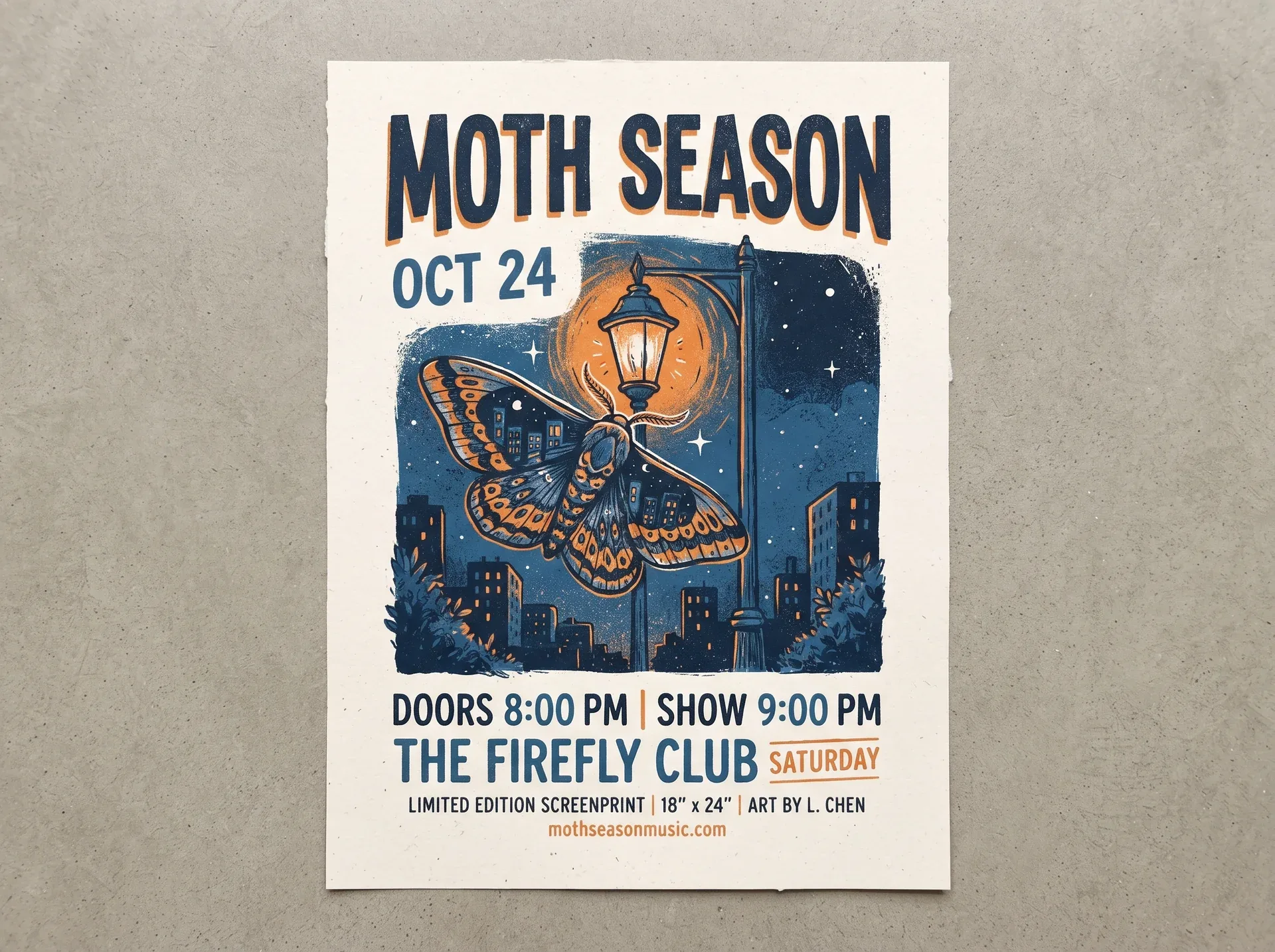
It’s Thursday evening. Your weekend sale starts Saturday, and you need a poster — one for the shop window, one for the community board, one square version for Instagram. Your options, historically: a freelancer who charges $150 and needs three days, a stock template that half the businesses on your street have already used, or opening PowerPoint and hoping for the best.
Most small business owners pick the third option. That’s why so many high streets have the same crime scene: a clip-art sunburst, six different fonts, and a phone number nobody can read from a moving car.
But something has quietly changed over the past two years. The same AI image technology that went viral for generating fantastical artwork has matured into something far more mundane and far more useful: tools that produce clean, professional marketing visuals from a plain-language description. Increasingly, the person making your local café’s summer-sale poster isn’t a designer. It’s the owner, with an AI poster generator and ten spare minutes.
- Why a Cheap Poster Decides Your Weekend Revenue
It’s easy to dismiss posters as low-stakes. They’re not. For a local business, the window poster and the community-board flyer are often the only marketing channels that cost nothing to run — no ad budget, no algorithm, no platform. A poster that stops one passerby per hour during a three-day sale can be the difference between clearing your seasonal stock and discounting it into next month.
The catch has always been the production cost. Design skills take years; freelancers cost more than the sale might earn; and template tools, while cheap, push everything toward the same look. That gap — between how much a poster matters and how little time most owners have — is exactly where AI tools have landed.
- What an AI Poster Generator Actually Does
The current generation of these tools works differently from the template editors you might have tried. You don’t drag boxes around a canvas. You describe what you need — “a warm, modern poster for a coffee shop’s summer drink launch, cream and terracotta palette, big readable headline with the date” — and the tool generates a finished draft, typography, layout, and imagery included.
The more useful difference is iteration. In my experience testing these tools for small business use, the first draft is rarely the keeper. What matters is that you can keep talking: “make the headline bigger,” “try a darker background,” “move the date to the top.” The tool I’ve settled on for this, DeepKolor, works as an AI agent for poster design rather than a one-shot slot machine — you keep chatting to adjust the layout until it’s right, then download a high-resolution file ready for print or social.
That workflow matches how small business marketing actually happens: fast, in the gaps between customers, and with constant small corrections.
- Writing the Brief: The Five Things That Matter
The quality of an AI-generated poster lives or dies on the brief you give it. After a few months of this, the brief structure that consistently works:
- One message only. Not “sale + new menu + loyalty program.” Pick the single thing you want a passerby to know. Composite posters are where DIY design goes to die.
- The offer and its deadline. Exact wording of the discount and the dates. AI tools can invent confident-sounding placeholder text — never let a “20% OFF” you didn’t approve survive to the final version.
- Mood over instructions. “Warm and casual” beats “use rule-of-thirds composition.” Describe the feeling of your shop; let the tool handle design theory.
- Two or three brand anchors. Your shop name, maybe your brand colors. Not a full brand book — just enough that the poster looks like it came from your business and not a stock library.
- Where it will live. A window poster and an Instagram square have different jobs. Same brief, different sizes, different emphasis.
- What AI Handles — and What You Still Need to Check
The genuinely good news: the things amateur posters get wrong — visual hierarchy, spacing, color pairing, readable typography — are exactly what these tools handle well. A generated draft usually lands in “clearly professional” territory on structure alone.
What still needs a human eye:
- The text itself. Proofread every word, especially prices, dates, and phone numbers. Treat the AI’s text like a new employee’s first draft.
- The distance test. Print it, tape it up, and walk past it at real speed. If the headline doesn’t land in two seconds, the poster doesn’t work — no matter how good it looks on screen.
- Print resolution. Check that your download is high resolution enough for the size you’re printing. Most tools export at 2K or higher; when in doubt, export bigger and let the printer scale down.
- Where AI Posters Still Struggle
Honesty section, because every tool has limits and pretending otherwise helps nobody:
- Exact brand colors. AI works from descriptions, not hex codes. If your brand runs on precise Pantone matching, expect to nudge or fix colors afterwards.
- Dense legal text. Terms, disclaimers, multilingual fine print — anything that reads like a contract is still better added in a simple editor afterwards.
- Print color shifts. Screens are RGB, most printers are CMYK. Bright neons in particular can come out duller on paper. For anything critical, ask your printer for a proof.
None of these are dealbreakers. They’re the difference between “AI does my marketing” and “AI does 90% of my marketing, and I spend five minutes on the last 10%.”
- A Realistic Workflow for a Busy Week
The routine that’s settled in for poster-worthy moments:
- Monday: jot the brief — offer, dates, mood, where it’s going.
- Tuesday, ten minutes: generate the first draft, iterate two or three rounds, export.
- Wednesday: proofread, distance test, send to print or schedule the post.
Total cost: under half an hour, no design skills, and a poster that looks like you hired someone. When you’re producing weekly promotions, that consistency compounds — regulars start recognizing your sale posts before they read the shop name.
- Where to Start
If you want to test the workflow before your next sale, DeepKolor HYPERLINK “https://deepkolor.ai/feature/ai-poster-generator”‘ HYPERLINK “https://deepkolor.ai/feature/ai-poster-generator”s AI poster generator lets you describe the poster in plain language and keep refining it through chat, with free starter credits for new accounts — enough to produce a first window poster without committing to anything. Pair it with a cheap print run, put the result where your regulars walk past, and see what a Tuesday-evening ten minutes actually earns you.