iBoomto AI PDF Summarizer: Convert Long PDFs into Short Summaries
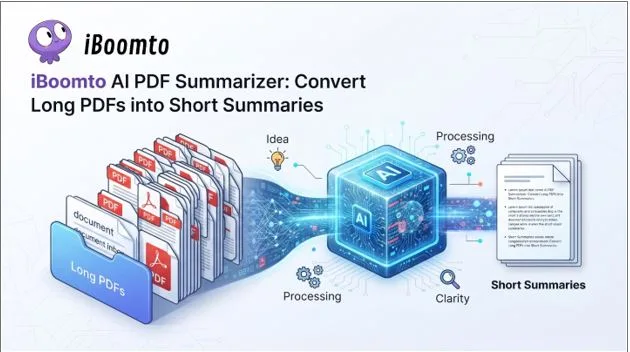
Sometimes, a long PDF document is very helpful, but if you need to scan through several pages to get to several important points, then it may be exhausting. This is particularly the case for students, researchers, and knowledge workers who deal with reports on a regular basis, as well as academic papers, knowledge manuals, and other documentation. iBoomto AI PDF Summarizer is here to help by summarizing lengthy documents into shorter, more comprehensible content with AI technology.
The interesting thing about the tool is that it’s not bound by an online workflow. It aims to provide users with greater flexibility in where and how to process their documents, both online and directly on Windows.
A Simpler Way to Understand Long PDFs
The primary draw is simple: users can skim the document and ask the AI to include the key concepts in the response, rather than reading every word before seeing if it’s relevant to their query. It can help to make big documents less daunting.
For instance, if a student is looking into a specific subject, he or she may have several long papers to read. A PDF summarizer can give you a shorter summary of the document, which can help you determine which documents are worth reading in detail. This technique can be helpful for professionals reading reports, technical documentation, or reference material from the company.
However, an AI summary isn’t a substitute for the original document. Sometimes the information, figures, qualifications, and context need verification directly. The summarization technique turned out to be most useful as a source of firsthand information, but did not necessarily serve as a final source of information.
Online and Windows-Based Workflows
The other benefit is the versatility of both online and on-device use. When you just need to sign a document and won’t have to download anything, the online experience is convenient. Easily fits into a browser-based workflow and can be helpful when collaborating on various computers.
For those who prefer desktop applications and managing documents locally, the Windows option is more attractive. Creating documentation work in an on-device environment can make it more part of a Windows workflow. It also provides an alternative when users prefer to operate files directly on their computers.
It is especially helpful for those who alternate between fast Internet sessions and more frequent sessions with a document on the desk.
Helpful for Students and Knowledge Workers
The advantages are likely to be efficiency. While reading and organizing information takes time, it doesn’t require deep study of all parts of it. Some of this repetitive work can be done by a summarization tool, so that the user can focus more on the information.
Summaries can be used by students to review long study materials, to comprehend research papers, or to prepare for an assignment. Use them to navigate reports, documentation, and reference files faster as knowledge workers. If multiple documents are to be read, just a small savings in reading and organization time can be significant.
It is therefore more of an attempt at helping the user choose where they need their attention to be than avoid reading altogether.
A Generous Free Plan
Another aspect about iBoomto that makes it easier to recommend for the casual user is the fact that it is free. The free version supplies enough resources for many of the typical “documents and summarizations” tasks that I can think of, but it doesn’t require a subscription before users can use the service.
This feature can be especially helpful for students or those who use the AI summarizer occasionally. They have access to the available resources to get things done without having to buy an additional recurring subscription at the moment. For more demanding users, they will need to expand this capacity later, but it is a good starting point to begin their journey, free of charge.
Privacy and Security Matter
Documents may include personal notes, academic research, business information, or other documents that you might not want dealt with carelessly. Therefore, privacy is a crucial consideration when assessing any AI documentation software.
iBoomto prioritizes mechanisms for privacy and security, aiming to safeguard user data. For those who prefer to have an option to process documents on their own device, its Windows approach can be enticing as well. Users who are processing highly confidential information should check the latest privacy information and file-handling features of individual AI services; however, as with any service, any user should be mindful of what they are sharing.
No Account Required
Another nice feature is the option to use iBoomto without the need to sign up. Signing up sometimes may be an unnecessary hurdle in quickly summarizing a document.
The first experience is simpler as there’s no need to register an account. There’s no need to sign up for a lengthy user account or share any extra personal data before using the tool. This makes the service less heavy when using it for ad hoc document handling.
Final Verdict
The iBoomto AI PDF Summarizer is a useful tool for anyone who has to deal with lengthy documents on a regular basis but may not be able to read them all at once. It is flexible enough to offer both online and Windows-based workflows, and the free version ensures it’s accessible for everyday use, without needing to pay for a subscription.
The best value is efficiency. Students and knowledge workers can benefit from AI-generated summaries to rapidly gain a comprehensive understanding of documents, to prioritize what needs further investigation, and to minimize repetitive information processing tasks.
It is not an alternative to reading source material, and summaries should still be checked for accuracy when it is important. iBoomto is a convenient and fairly non-obtrusive way to modernize document management, as a first step in converting long PDF documents into timely insights.