Why Is YouTube Blocked? A Guide to Bypass YouTube Restrictions and Responsible Access
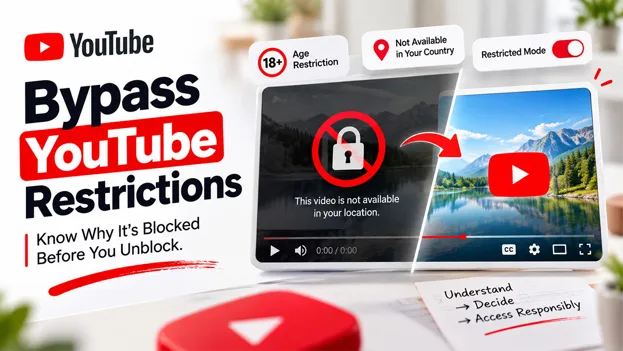
Not every YouTube video which gets blocked can be considered a technical glitch, and not every restriction deserves to be bypassed. Before you reach out for a tool to Bypass YouTube Restrictions, it aids to understand what is triggering the block in the first place. A few blocks come from a single toggle left on in the personal account, while others are the result of layered decisions made by an employer, a school, or a rights holder on the other side of the world. In this guide, let us walk through the distinct reasons YouTube content gets filtered, how you can diagnose which one is applied to a particular situation, and when utilizing a YouTube Unblocker is a reasonable next step versus something left alone better.
What It Means When YouTube Is “Blocked”?
A restricted or blocked video on YouTube just means that something in the layered access system of the platform, i.e., a network policy, an account setting, or a licensing rule is preventing that particular video from playing for a particular viewer. It does not imply whether the video has been flagged, removed, or that something has gone technically incorrect on either end.
Such layers often involve:
- Personal Account Settings, like the Restricted Mode toggled on a device profile or a browser.
- Filtering At the Network Level, applied by a library, school, workplace, or mobile carrier.
- Restrictions on the Platform Level, like age-gating applied after the human reviews the content.
- Regional Limits of Licensing, which is set by advertisers and rights holders instead of YouTube itself.
- Automated Errors in Filtering, where a perfectly relevant video is caught by a review algorithm mistakenly.
Identifying which layer is responsible is the first actual step toward fixing the problem instead of assuming a single solution will work for each situation a viewer faces. Once you skip this step, it leads people to install redundant extensions or change settings that have nothing to do with the real problem.
Diagnosing the Actual Cause Before You Act
Many people make the mistake of jumping straight to extension or proxy the moment a video refuses to load. However, a quicker diagnosis typically reveals a straightforward explanation that takes about a minute to fix. Keep in mind the below-mentioned scenarios:
- Restricted Mode Remains Active – This is an optional filter that screens videos through signals such as description, title, language, and other metadata. It must be separately turned off on every browser as well as device profile, which is why it sometimes shows up as “stuck” even after a specific technical setting has been changed elsewhere.
- Access to Video Is Limited by Age Restriction – Age-restricted videos remain hidden from anyone who has signed out, is below the age of 18, or has enabled Restricted Mode, irrespective of a particular device being utilized to watch.
- A Network Administrator Has Established Limits – Google Workspace administrators can use Moderately Restricted or Strict access across an entire company or school. Such settings can override personal device preferences for anyone who has signed into the account of the organization.
- The Video is Geologically Restricted: Sports broadcasts, music, and specific films are generally licensed in particular countries only, which has nothing to do with platform policy or the appropriateness of content.
- Active Mobile Carrier Filter – A few providers independently apply their own content restrictions, specifically on family or prepaid data plans.
- The Video Has Been Removed or Made Private: Not each video that has been made unavailable is a restriction at all; some get taken down by the uploader or made private for reasons that have nothing to do with the filtering system.
YouTube has its own content restrictions. It recognizes whether a block comes from a personal account, an administrator, or a network before you attempt any workaround, saving time in guesswork.
This same mindset of diagnostic applies to fresher formats. An increasing number of searches for YouTube Shorts Unblocked content showcase confusion over why short clips are filtered by the same signals as standard uploads, even though Shorts feel like a more casual and separate part of the problem.
When Access Restoration Is a Reasonable Step?
Not each restriction can be considered an obstacle to remove and always looking to bypass them is a poor decision. A few situations call for fixing personal accounts genuinely or legitimate proxy solution, while others are better left exactly as they were:
- Reasonable to Address: The own account of the adult viewer has mistakenly enabled Restricted Mode, or specific licensed video is geo-locked while the viewer is traveling abroad for personal or work-related reasons.
- When They Should Not Be Bypassed: A workplace or school network has intentionally restricted content as a matter of policy, or the device of a minor has school or workplace network has enabled Restricted Mode by the guardian or parent who have intentionally set it up.
- Worth Reporting Instead of Bypassing: A video looks to have been filtered in error despite the fact that it is clearly appropriate. YouTube enables both viewers and creators to submit feedback via its dedicated Restricted Mode feedback form for precisely this reason.
In situations where you need to bypass YouTube restrictions, go for a reliable and browser-driven YouTube Unblocked proxy can be a great option, since it routes request through a distinct server location without altering account-level settings or impacting other users on the same network.
Ad Blocking: A Separate and Related Decision
YouTube Ad Blocking generally gets combined together with unblocking tools. However, the two entirely solve different problems. Where an unblocker addresses a video that will not load at all, ad blocking just removes the advertising layer from videos that play normally already without any restriction in place.
This distinction is very important since ad revenue is how most creators get paid for the first time and resources they put into their content. Thus, blocking advertisements repetitively on channels a viewer supports actually can have a direct financial impact on people making that content available in the first place. Consider ad blocking as a more deliberate and separate choice instead of a blanker habit applied at all places.
Keeping Your Approach Ethical
Restrictions on YouTube often exist to secure younger viewers, satisfy regional licensing agreements, or ensure safer conditions on shared networks utilized by a lot of different people. Any effort to Bypass YouTube Restrictions must respect the core intent instead of considering each filter as nothing more than a technical inconvenience to route around. A few principles are worth to keep in mind before acting:
- By restrictions only to those content that is genuinely appropriate for the audience and setting involved.
- Do not disable Restricted Mode on the device of the child without full knowledge and involvement of the parent and guardian.
- Respect restrictions at the network level on workplace or school connects instead of routing around administrator decisions that were deliberately made.
- Identifying that bypassing regional licensing can impact how creators and rights holders are compensated for in their target market.
- Selectively utilize ad blocking, with awareness of its direct impact on creator income over time.
- Do not share unblocking methods with minors who may not understand why a specific restriction has been put in place.
Businesses that handle video-based training material, support content hosted on YouTube, and customer walkthroughs on YouTube face a similar question of accessibility internally on a consistent basis: who needs to reach and what, and under which particular conditions. Platforms developed for organized access and record-keeping, like the ones offered through OutRightCRM Solutions, are developed on that core underlying principle. Permissions that match exact need instead of blanket access handed to everyone by default.
Conclusion
A blocked YouTube video is not always pure bad luck. It is often just a single layer of deliberate platform doing precisely what it was designed to do, whether this restriction is YouTube-imposed, or set in place by the network administrator, or is a result of a licensing agreement negotiated years prior. Diagnosing the precise cause, whether that is Restricted Mode, a network policy, an age restriction puts users in a much better position than reaching for workaround by default each time a video does not load.
Where gaining access to YouTube video is genuinely reasonable, you can use a standard account setting or a reliable YouTube Unblocker. It can help you responsible close this gap, while YouTube Shorts Unblocked viewing and YouTube Ad Blocking habits are both rightly approached with the same core question in mind: is this specific restriction something which deserves to be respected, or something that was just applied in error and worth correction?