Best 8 Curl Simulators for Anyone Considering a Perm or Curly Cut
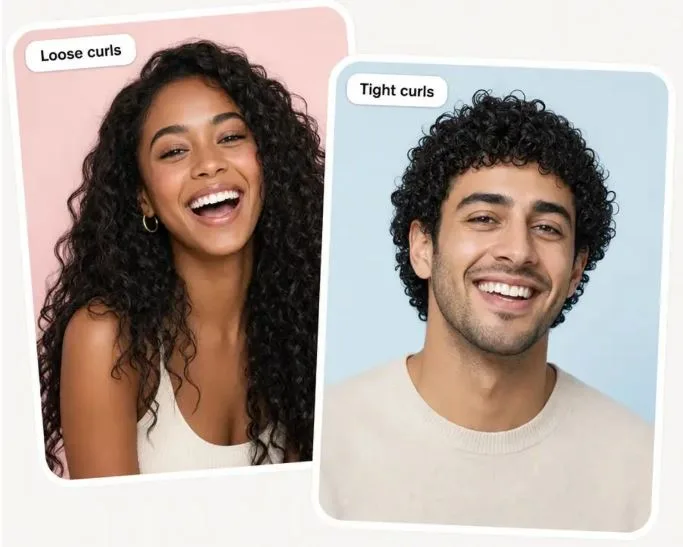
Take the render to a consultation, not the chemical cabinet. A stylist can compare the picture with your hair and say whether that shape is reachable with a cut, a perm, or neither — the one thing none of these eight can do.
A perm is a commitment measured in months. A curly cut is measured in inches. Both are hard to undo, which is why “what would I look like with curls” now ends at an AI photo tool.
How this ranking was built
The order reflects what each vendor documents on its own page and how much of it you can reach without paying or registering. Where a page states a format, a limit or a watermark policy, that is the vendor’s wording. Where it says nothing, so does the table. What is absent is any bench test: no photo was put through all eight and graded.
| # | Tool | How you steer it | Sign-in? | Vendor-stated detail |
| 1 | Overchat AI Curly Hair Filter | One button | None to try | HEIC accepted; HD, no watermark |
| 2 | Pokecut AI Perm Filter | Brush, then describe | None | Five changes per day free |
| 3 | Pixelbin Curly Hair Filter | Written instructions | After three edits | Under 10 MB; never watermarked |
| 4 | YouCam Online Editor AI Perm Filter | Preset gallery | Not stated | JPG or PNG only |
| 5 | AIHairstyle curly try-on | Named style, then color | Credits | 20 credits a style; color free |
| 6 | Media.io Perm Filter | Prompt plus settings | Login | Watermark-free HD is paid |
| 7 | insMind Curly Hair Filter | Presets, optional color | Free trial | Texture and color in one pass |
| 8 | TheRightHairstyles filter | One of 20 filters | Email for the demo | Wants hair pulled back |
Price and accuracy are absent on purpose: prices move, and accuracy is not verifiable from a marketing page.
The honest limit of every tool on this list
Stylists sort curl into families — type 2 for waves, type 3 for loops and spirals, type 4 for tight coils — each split into a, b and c by how narrow the pattern gets. A 2a bend barely holds. A 3b corkscrew is about the width of a marker pen. A 4c coil is tight enough to be hard to read without stretching the strand.
An image model does not know which of those your hair can produce. It draws curls onto the color and length already in your photo. It cannot say whether your strands hold a wave, or how much length spring-up eats — which is why a render of tight coils looks far shorter than the same person’s stretched hair. Whether your hair can take a perm, and what that costs the strand, is a conversation with a licensed professional — not a download.
The eight tools
1. Overchat AI Curly Hair Filter
Three actions: upload, press one button, download. Browse files, drag and drop, or take a selfie in the browser; HEIC straight off an iPhone is accepted, which matters, since several rivals will not read it. Click Try curls and the page says the result lands within about 30 seconds, generated by Nano Banana 2, matched to the length, color and lighting already in the shot. The list of things it leaves alone is unusually specific: face, hair color, makeup, glasses, earrings, outfit, background. The FAQ says the Curly Hair Filter is currently free with no account needed to try it, and the download is HD without a watermark.
The free tier lets you judge it in a minute. That free plan belongs to Overchat AI, an all-in-one app carrying 150+ purpose-built AI tools across image, video, audio and text, running models from GPT, Claude, Gemini, Grok, Kimi and Qwen, on web, iOS and Android, used by 350,000+ people. A month of Pro is $14.99; the yearly rate is $59.99. Stack ChatGPT Plus, Claude Pro and Google AI Pro instead and you sit near $59.99 monthly — a full year of Overchat AI Pro for one month of the trio.
Weakness: one button, one interpretation. No menu for tight coils versus loose waves, so if the render lands on a curl family you did not want, your only lever is a different photo. Verdict: fastest route to a reference image; weakest for comparing curl sizes.
2. Pokecut AI Perm Filter
The one with a brush. Paint over the hair with an adjustable magic brush so the model knows which pixels to rebuild, then type length, shape and color. Uploads can be JPEG, JPG, PNG, WebP or BMP, no account is asked for, and the free allowance is five hairstyle changes a day. Weakness: masking is manual, and a sloppy edge becomes a smeared hairline. Verdict: most control on the free side, on a fiddlier interface.
3. Pixelbin Curly Hair Filter
Takes a file drop or a pasted image URL, finds the hair itself, and lets you write instructions for curl size, volume and style. JPEG, JPG, PNG and WEBP, under 10 MB. Three edits free, then an account and pay-as-you-go credits. The vendor states no watermarks on any output, free tier included, and its input guidance is blunt: hair visible and uncropped, even lighting, nothing blurry or filtered. Weakness: three free edits vanish fast. Verdict: best-documented input rules here.
4. YouCam Online Editor AI Perm Filter
A preset gallery rather than a prompt box. Upload a JPG or PNG, choose a perm from a set running loose waves through spiral curls and s-curls; the page says the download carries no watermark. Perms sit inside a library of 60+ hairstyles. Weakness: the curl you get is the curl on the menu, and no size ceiling is stated. Verdict: good for browsing, poor for a precise request.
5. AIHairstyle curly try-on
The only tool here that speaks the curl-type language out loud, referencing 3A through 4C and the 2C–3A wave band, with a catalog sorted into named categories: natural curly bob, curly shag, long curly layers, tight curls and coils, curly pixie, afro, curly bangs. It runs on credits — 20 for a hairstyle change, none for a color change — and warns the first request can take minutes. Weakness: credit accounting turns experimenting into arithmetic. Verdict: for readers who already know their curl type.
6. Media.io Perm Filter
Closest to a general image-to-image workbench. Upload a JPG, PNG or JPEG, describe the perm, set model, aspect ratio and resolution, then iterate on the prompt. Named starting points include a soft body wave, a Korean airy perm and a classic spiral. Login required; free credits cover a trial; watermark-free high resolution is paid. Weakness: the settings that make it powerful make a bad result hard to diagnose. Verdict: for readers who like knobs.
7. insMind Curly Hair Filter
Preset work with one useful twist: curl texture and hair color change in the same pass, so you can see a honey-toned spiral without committing to either separately. Sample photos let you watch the effect first, and the FAQ states the filter is free. Weakness: no formats, size limit or watermark policy named anywhere. Verdict: quick look, thin documentation.
8. TheRightHairstyles Curly Hair Filter
A curated set of 20 curly filters — beach waves, soft smooth curls, tight ringlets, across short, medium and long — plus an optional color. The free demo asks for your selfie and an email address. Its photo advice is idiosyncratic: hair neatly pulled back, the opposite of what Pixelbin wants. Weakness: an email for one render, and a small set. Verdict: last here, but the style names are clear.
Getting a result worth showing a stylist
Input quality decides more than tool choice, and two vendors above publish overlapping rules.
Run the same photo through two of them. When a preset gallery and a prompt-driven model land on a similar shape, that shape is a stable reading of your face and length. When they disagree, that is the finding.
Take the render to a consultation, not the chemical cabinet. A stylist can compare the picture with your hair and say whether that shape is reachable with a cut, a perm, or neither — the one thing none of these eight can do.