Try OC Maker Launches Browser-Based Tools for OC Creation and Animation
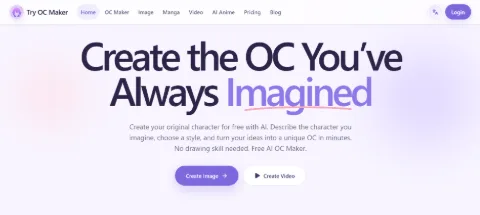
Try OC Maker has launched an online platform for people who want to create original characters with AI. Users can make a character from text, upload an existing image, try different AI models and art styles, edit character details, and turn a finished OC into a short animated video.
The platform focuses on character creation rather than general image generation. It is built for users who want more control over how a character looks and who may need more than one image of the same OC.
Create a Character From Text
The main AI OC maker lets users create a character from a written description.
They can describe details such as hair, eyes, clothes, accessories, expression, pose, body type, background, and art style.
For example, a user could ask for a full-body fantasy swordsman with short black hair, green eyes, dark armor, a red scarf, and a silver sword.
Users who do not want to write a long prompt can also choose character details step by step. This makes it easier to build a basic OC without having to know how to write detailed AI prompts.
The tool can create different types of character art, including anime, manga, chibi, fantasy, 3D, and other styles.
Upload an Existing OC and Make a New Version
Try OC Maker also works with reference images.
This is useful for people who already have a sketch, avatar, previous AI image, or finished OC and want to create another version of it.
Instead of describing the whole character again, they can upload the image and tell the AI what to change.
For example:
“Keep the same face and hairstyle, but change the outfit to black fantasy armor.”
Or:
“Keep the same character and clothes. Change the expression to a smile.”
Users can also change the pose, background, colors, or art style.
Some supported models can use more than one reference image. One image can show the character, while another can show an outfit, pose, background, or style the user wants to follow.
This gives users more control when a detail is easier to show with an image than explain with text.
Try Different AI Models
Try OC Maker includes several AI image models instead of using only one.
That can make a real difference in character creation.
The same prompt may produce a better face in one model, better clothing details in another, or stronger full-body proportions in a third.
Users can keep the same character idea and switch models to compare the results.
This is useful when the prompt already says what the user wants, but the first image still does not look right. Instead of rewriting the prompt again and again, they can try another model and see which result works better.
Users can also switch between different art styles and image sizes depending on whether they need a portrait, full-body character, profile image, or wider scene.
Edit One Part Without Starting Over
Once a character looks right, users can make smaller changes instead of creating a new OC from scratch.
They might want to change only the jacket, expression, pose, or background.
For example:
“Keep the face, hair, and clothes the same. Change the pose to a front-facing standing position.”
This is useful when creating several versions of one character, such as casual clothes, battle clothes, different expressions, or story scenes.
The reference image helps the AI keep more of the original design while the prompt explains what needs to change.
Turn the Finished OC Into a Video
Try OC Maker also includes an AI animation generator.
Users can upload a finished character image and describe how they want it to move.
A prompt might ask the character to blink, smile, turn toward the camera, walk forward, or move their hair and clothes in the wind.
The animation tool can also handle camera movement and other simple scene motion.
This means users do not have to create the character again for video. The finished OC image becomes the starting point, while the new prompt focuses on movement.
Try OC Maker brings these features together in one place: create an OC from text, use images as references, compare AI models, edit character details, make new versions, and animate the final character.