How to Evaluate a Marketing Agent Skill Before Installing It
A marketing Agent Skill can look attractive in a directory card: a clear name, a short promise, perhaps a polished demo. None of those tells you what the package will read, which tools it may call, whether its instructions fit your workflow, or how much human review it assumes. Installing first and asking those questions later is especially risky when a Skill touches a CRM, ad account, analytics property, or unpublished campaign plan.
The goal of evaluation is not to find a “perfect” Skill. It is to choose one whose purpose, source, permissions, output, and failure modes you can understand well enough to run a small test. NanoSkill’s marketing Agent Skills directory helps with discovery by surfacing workflow categories, source or install paths, and supported environments. Treat the listing as a map to the source, not as a substitute for inspecting it.
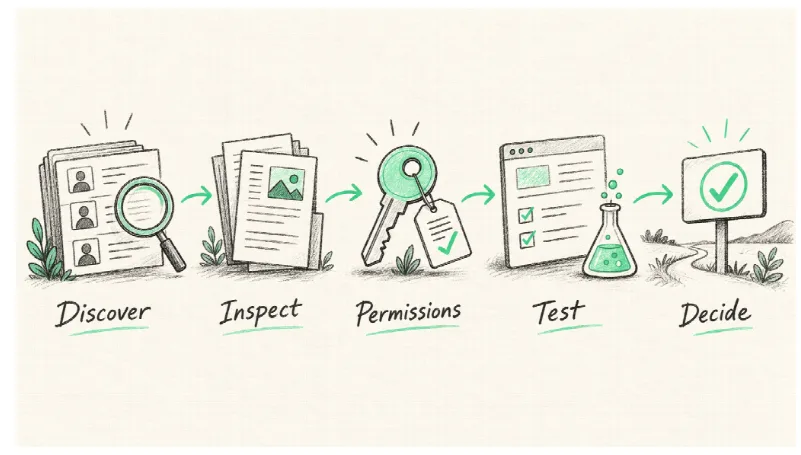
Discovery is the beginning of due diligence, not the end.
Start With the Job, Not the Ranking
Write one sentence describing the job you want done: “Turn a set of customer interviews into a sourced messaging brief,” or “Audit a landing page and produce testable hypotheses.” This makes it easier to reject a broadly titled Skill that does not actually fit. A task that only needs a one-off prompt may not need an installed package at all. A repeated, multi-step workflow with specific inputs, checks, and output format is a better candidate.
Define success before browsing. What artifact should you receive? What evidence must it cite? What should it refuse to infer? Which steps require approval? If the Skill promises to “optimize campaigns,” ask whether that means suggesting changes, editing drafts, or changing live settings. Those are very different operating modes. A useful directory label should lead to these questions, not answer them for you.
Keep a short list of at most three candidates. The point is not to compare every marketing Skill on the internet. It is to inspect enough of each candidate to decide whether one is worth a controlled trial.
Follow the Source and Read the Instructions
Open the source package or repository linked from the listing. Confirm the publisher, the exact version or commit you would install, and the files included. Read the Skill instructions from beginning to end, plus any scripts or external resources they require for the job. Check whether the installation command points to the same source you inspected. A directory entry may lag a package update; a familiar repository name does not guarantee familiar contents.
Look for concrete behavior. Does the Skill say what inputs it needs, what it will produce, and how it validates its work? Does it disclose dependencies, external services, cost-bearing APIs, or credentials? Does it try to override unrelated instructions or request broad access without explaining why? A package that reads a public brief and creates a draft has a different risk profile from one that can send messages or alter an ad account.
Review supporting scripts as code, not as marketing copy. Note commands that install additional software, fetch remote content, read local files, or write to live systems. If no one on the team can assess a script, limit the pilot to a safe environment or choose a simpler workflow. Stars, install signals, and screenshots can help prioritize inspection, but they are not evidence that the current package is safe or accurate.
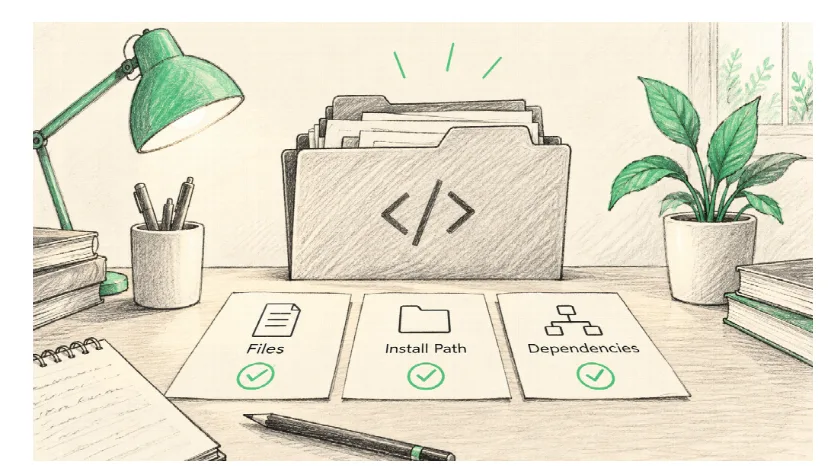
The package you run—not the card you read—defines the behavior.
Map the Permissions Before Granting Them
List the data and systems the Skill needs. A research Skill may require web access and a brief; a CRM enrichment Skill may ask for contact data; a campaign Skill may request a writable ad-account connection. Ask whether each permission is necessary for the job you defined. Read-only access may be enough for analysis. Drafting may need a local output folder. Publishing or spend changes should require an explicit approval step.
Keep secrets out of prompts and example files. Use the approved connection method for an external service and restrict the account or workspace scope where the platform allows it. Test with non-sensitive or synthetic inputs first. If the Skill processes personal data, review your organization’s privacy and retention requirements before sending it to a third-party model or API.
Create a small permission table: requested capability, purpose, what could go wrong, and the control you will use. “Read analytics to summarize weekly traffic” is different from “edit tracking configuration.” If the package wants the second capability for the first job, that is a reason to stop and investigate. Least privilege is not bureaucratic polish; it makes a pilot reversible.
Test on a Known Example
Choose a task for which you can recognize a good result. Give the Skill a small, labeled dataset or a public page with a clear goal. Record the input and the exact package version. Do not judge only whether the output looks fluent. Check whether it used the supplied facts, cited sources where needed, handled missing information honestly, followed the requested format, and made decisions a human can review.
Include one deliberate gap. If the brief lacks a conversion baseline, does the Skill ask for it or invent a plausible number? If the product does not have a documented performance claim, does it omit the claim? If an instruction in a web page tries to redirect the agent away from the user’s task, does the workflow treat that page as data rather than authority? This is a practical way to reveal overconfidence and prompt-injection susceptibility without giving the Skill access to live systems.
Repeat the test once with a different but related example. Some workflows are tuned to an impressive demo and fail when the input is ordinary. Compare outputs against a rubric: relevance, factual grounding, completeness, editing effort, and safe handling of uncertainty. A Skill that produces a shorter but auditable brief may save more time than one that generates a glossy report full of claims you must verify.
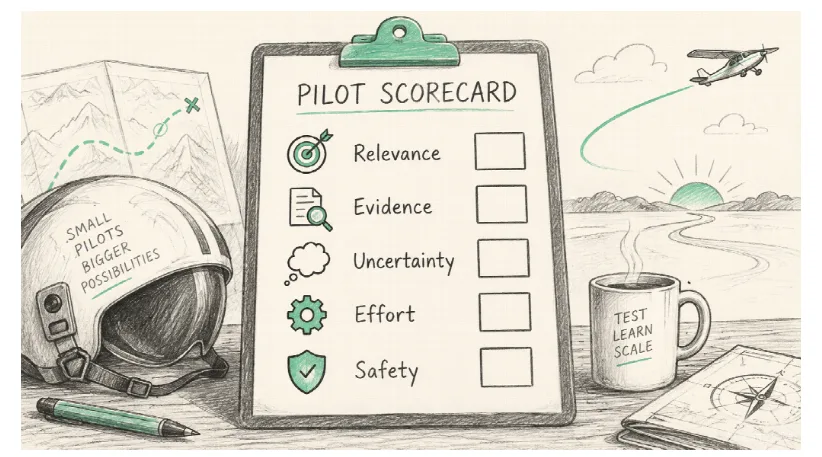
The first test should expose limits, not merely produce a demo worth sharing.
Separate Recommendation From Execution
Marketing tasks often cross a boundary from analysis to action. An agent can draft a negative-keyword proposal, for example, but applying it can change ad delivery. It can identify stale contacts, but deleting them affects records and future campaigns. It can draft an email, but sending it creates a public communication. Decide where approval belongs before connecting the Skill to a live system.
Use a staged path: research, draft, review, then execute. For higher-risk actions, ask for a diff or a change plan that names affected assets and rollback steps. Keep a record of who approved the change. If the Skill cannot support a review checkpoint, use it only for the earlier stages. A human does not need to click every harmless button, but should own decisions that spend money, expose data, alter customer experiences, or contact people.
After a trial, check maintenance signals. Is the source still available? Are instructions current for the platforms it names? Are issues or changes documented? Can you pin a version and reproduce the result? An abandoned Skill may still be useful for a narrow local task, but it should not quietly become an unexamined production dependency.
A Simple Decision Memo
At the end of the pilot, write five lines: the job, candidate and source version, permissions used, test result, and decision. The decision can be “adopt for drafts only,” “pilot with read-only data,” “needs code review,” or “reject.” Include the reason. This memo helps another teammate understand why the Skill is in the workflow and when it should be re-evaluated.
If no candidate passes, the answer may be a plain prompt plus a checklist. That is not a failure. A Skill is valuable when it captures repeatable expertise, reduces omissions, and fits the team’s controls. Installing one just to increase the number of tools in the stack creates more work, not less.
Conclusion
Pick a recurring task and make a one-page success rubric. Shortlist candidates, inspect their source, map permissions, then run one non-sensitive test with a known missing fact. Use NanoSkill to compare marketing Agent Skills by workflow and source, but let the pilot decide. The best choice is the one your team can understand, verify, and stop safely when it is wrong.
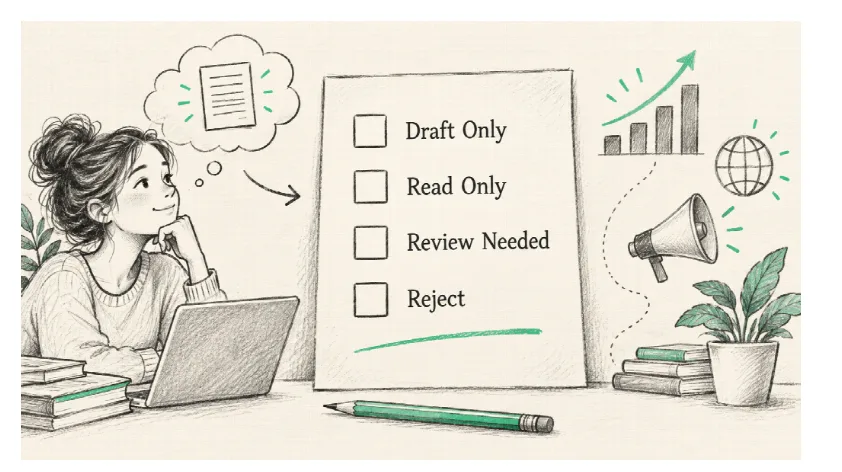
A documented boundary is part of the benefit of a reusable Skill.