Hotspot SIM Card or Home Broadband: Which Fits Your Life?
For years, getting internet at home meant one thing: calling a cable or fiber provider, waiting for an installation window, signing a contract, and staying put. That model still works well for many households. But the way people live and work has shifted. Renters move more often, remote workers split time between cities, and families travel in RVs for months at a time.
Mobile networks have caught up with those lifestyles. With 5G coverage expanding across much of the United States, a dedicated hotspot can now handle video calls, streaming, and everyday browsing for several devices. That raises a fair question: should you still commit to fixed broadband, or does a mobile hotspot setup make more sense?
There is no single answer, and anyone who claims otherwise is oversimplifying. This article compares the two approaches side by side, looks at who benefits most from each, and walks through how to test and set up a hotspot so you can make the choice with real information rather than assumptions.
How the Two Options Really Differ
Home broadband delivers internet through a physical line, whether that is fiber, cable, or DSL. Its biggest strength is consistency. Once installed, speeds tend to stay steady, and data allowances are usually generous. The trade-off is flexibility. The connection is tied to one address, installation takes time, and moving often means starting over.
A hotspot works differently. It connects to a mobile network through a SIM card and shares that connection over Wi-Fi with your devices. There is no installation appointment and no cable to run. You can use it in an apartment this month, a cabin next month, and a hotel room on a work trip. Performance depends on signal strength and network load, so results vary more from place to place.
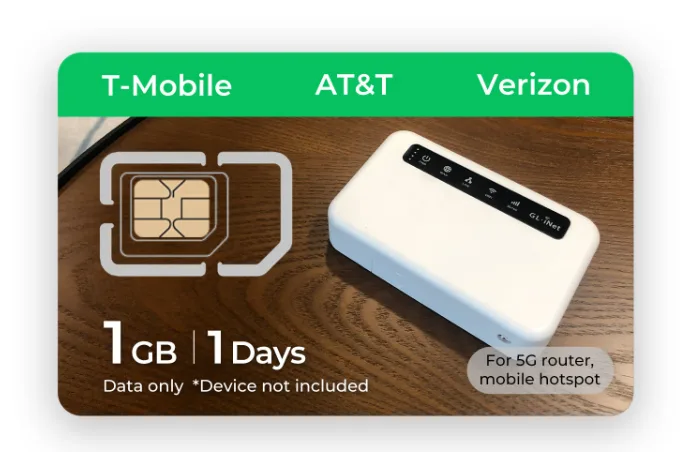
The choice of SIM matters more than people expect. A phone plan moved into a hotspot often comes with tethering limits or reduced priority. A purpose-built hotspot sim card is designed for sharing a connection across multiple devices, which makes it a better fit if the hotspot is going to be your main internet source rather than an occasional backup.
Who Gains the Most From a Hotspot Setup
Some people clearly benefit from mobile internet, while others are better served by a fixed line. Looking at real situations makes the difference easier to see.
Renters and Frequent Movers
If you sign short leases or expect to move within a year, fixed broadband can become a cycle of installation fees, equipment returns, and waiting periods. A hotspot moves with you. On moving day, you unpack it, power it on, and you are online before the boxes are open. For students and young professionals, that convenience alone can outweigh small differences in speed.
Remote Workers and Travelers
People who work from different locations need a connection they control. Coffee shop and hotel Wi-Fi is often slow, crowded, and not especially secure. A personal hotspot gives you a private network wherever you set up your laptop. RV travelers and digital nomads often run a hotspot as their primary connection and keep public Wi-Fi only as a last resort.
Households That Need a Backup
Even families who love their fiber connection can benefit from a hotspot on standby. Outages happen during storms, construction, or network maintenance. If someone at home works remotely or a child has online classes, a backup connection keeps the day moving. In this role, the hotspot does not need to be perfect, just dependable when the main line fails.
When Fixed Broadband Still Wins
Being honest about the limits of mobile internet helps you avoid a poor fit. Fixed broadband remains the better choice in a few specific situations.
Large households with heavy, constant usage often find fixed lines more comfortable. Several people streaming high-definition video every evening, gaming online, and backing up large files will consume data quickly. Location matters too. In areas with weak cellular coverage, such as deep valleys or buildings with thick concrete walls, a hotspot may struggle no matter which provider you choose. Competitive online gamers may also prefer fixed lines, since wired connections usually offer lower and steadier latency.
None of this makes hotspots a poor option. It simply means the right answer depends on how many people share the connection, what they do online, and how good coverage is where you live.
Testing Coverage Before You Commit
The single most useful step before switching is testing real performance where you spend your time. Coverage maps give a general picture, but they cannot account for your building materials, the side of the house you work from, or congestion in your neighborhood during evening hours.
Start by checking the network your hotspot SIM uses, then compare coverage maps for your address. Next, ask neighbors or local community groups which carriers perform well nearby. If you have a phone on the same network, run speed tests in the rooms you plan to use at different times of day. Morning, early evening, and late night readings often tell very different stories. If results look good across those windows, a hotspot is likely to serve you well.
Setting Up Your Hotspot for Steady Performance
A little care during setup makes mobile internet feel far more reliable. These steps cover the basics most people need.
- Insert the SIM and confirm that the hotspot recognizes the network and shows a data connection.
- Place the device near a window, ideally on the side of your home facing the nearest tower, and away from metal objects.
- Change the default Wi-Fi name and password to something unique and strong.
- Enable the latest security standard your hotspot supports, such as WPA3 or WPA2.
- Check the admin panel for signal readings and move the device if quality looks weak.
Once everything is running, keep an eye on data use for the first few weeks. Many hotspots include a usage counter in their app or admin page. Lowering video streaming quality on TVs and scheduling large downloads overnight are easy ways to stretch your data without noticing a real difference in daily use. Remember to keep the hotspot’s firmware updated as well, since updates often improve both performance and security.
Thinking About Total Cost and Commitment
Price comparisons between broadband and mobile internet are rarely as simple as comparing two monthly figures. Fixed lines often come with installation fees, equipment rental, promotional rates that rise after the first year, and early termination charges if you move. Those extras can make an attractive advertised rate far less appealing once you add everything up.
Hotspot setups have their own considerations. You need a hotspot device or a compatible router, and your monthly cost depends on the plan you choose and how much data your household uses. The upside is flexibility. Many hotspot plans run month to month, so you can pause, change, or cancel without penalty when your situation changes.
When comparing, look at the full cost over the period you expect to stay in your current home. Include equipment, fees, and the likely rate after any promotion ends. Then weigh that against how much you value being able to take your connection with you. For some households the numbers clearly favor broadband, and for others the freedom of a portable connection is worth more than a small difference in monthly cost.
Making the Decision for Your Household
If you are still weighing both options, think through a few practical questions. How often do you expect to move in the next couple of years? How many people will share the connection, and what do they do online? Is cellular coverage strong where you live? Do you need internet in more than one place?
If your answers point toward flexibility, mobility, and moderate usage, a hotspot is likely the better fit. If they point toward a large, stationary household with heavy streaming and gaming, fixed broadband probably makes more sense. Many families end up using both, with broadband at home and a hotspot for travel and backup. Providers such as Eiotclub offer hotspot SIM options specifically for this kind of flexible setup, which makes combining the two approaches straightforward.
Choosing the Connection That Matches How You Live
The old assumption that home internet must come through a cable no longer holds for everyone. Mobile networks have become fast and widespread enough that a well-configured hotspot can serve as a main connection for renters, remote workers, travelers, and small households. Fixed broadband still offers unmatched consistency for large, stationary homes with heavy usage.
The smartest approach is to base your decision on evidence rather than habit. Test coverage where you live, estimate how much data your household really uses, and consider how often your location changes. Choose a SIM built for sharing a connection, set up the hotspot with good placement and strong security, and monitor it during the first few weeks.
Whether you go fully mobile, stay with broadband, or combine the two, the goal is the same: an internet connection that fits your life instead of forcing your life to fit around it.