How Cloud PCs Are Changing the Way People Access Computing Power
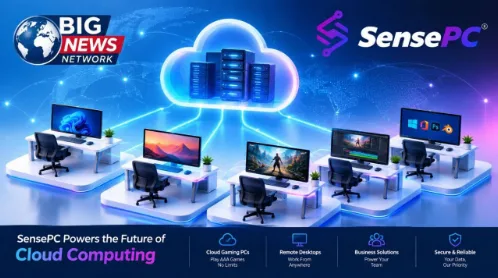
For decades, getting more computing power usually meant buying better hardware. Users upgraded their processors, installed more memory, replaced graphics cards, or eventually purchased an entirely new computer.
Cloud computing is changing that model.
Instead of keeping all of the computing resources on a physical machine, users can access computing environments hosted in remote data centers. This approach has expanded from business applications and cloud storage into areas such as software development, artificial intelligence, creative work, remote work, and gaming.
One example of this evolution is the cloud PC: a complete computer environment hosted in the cloud and accessed remotely through an existing device.
What Is a Cloud PC?
A cloud PC is essentially a computer hosted in a remote data center rather than sitting physically on the user’s desk.
The user interacts with the remote machine through a network connection, while the processing, storage, operating system, and applications run on the cloud infrastructure.
This is different from simply using a web application.
A cloud PC can provide a complete operating-system environment where users can install software, manage files, configure applications, and perform tasks much like they would on a conventional computer.
The concept can be particularly useful for people whose local devices do not have enough processing power for their workloads.
Why Computing Power Is Becoming More Flexible
Traditional computers require users to make a long-term hardware decision.
Someone purchasing a workstation for video editing, for example, may need a powerful CPU, substantial memory, fast storage, and a capable GPU. A developer working with machine-learning workloads may need access to GPU resources. A gamer may want a dedicated graphics card capable of running demanding titles.
The problem is that hardware requirements can change.
A computer that is powerful enough for today’s workload may become inadequate as applications become more demanding. Upgrading hardware can also be expensive, particularly when the user only needs high-performance resources for certain projects.
Cloud computing introduces another possibility: access computing resources when they are required rather than keeping all of that hardware locally.
Cloud PCs Are Not Limited to Gaming
Cloud gaming has helped introduce many consumers to the idea of running demanding applications remotely, but cloud PCs have a much broader range of potential uses.
Software Development
Developers can use cloud computers as remote development environments.
A cloud-based Windows environment can provide access to development tools without requiring every application and dependency to be configured on a personal laptop. This can be useful for developers who move between different devices or need access to a consistent working environment.
Creative Work
Video editing, graphic design, 3D applications, animation, and rendering can require substantial computing resources.
A cloud workstation can provide access to more capable hardware without requiring users to purchase a high-end physical workstation for every location where they work.
AI and GPU Workloads
Artificial intelligence has increased demand for GPU computing.
Training models, experimenting with machine-learning frameworks, running inference workloads, and working with GPU-accelerated applications can require hardware that many consumer computers do not have.
Cloud infrastructure allows users to access GPU-enabled computing environments when needed, potentially reducing the need for a permanent local GPU investment.
Remote Work
Cloud PCs can also provide employees with a consistent Windows environment that can be accessed remotely.
Instead of relying entirely on the specifications of an employee’s local device, organizations can centralize certain computing resources in cloud infrastructure.
This can be particularly relevant for distributed teams and users who work from multiple locations.
Gaming
Gaming remains another important application.
A cloud gaming PC can provide a Windows environment with access to PC gaming platforms and GPU resources. Instead of purchasing a new gaming desktop, a user can potentially access a cloud computer from an existing laptop or other supported device.
However, gaming introduces an important technical requirement: network quality.
The Network Still Matters
Moving computing resources to the cloud does not eliminate hardware limitations; it changes where the hardware is located.
It also makes network performance an important part of the user experience.
Latency, bandwidth, Wi-Fi stability, server distance, and streaming technology can all influence how responsive a cloud PC feels.
For everyday productivity, moderate latency may be less noticeable. For interactive workloads such as gaming or real-time creative applications, responsiveness can become much more important.
This means that choosing a cloud PC should involve more than comparing CPU, GPU, and RAM specifications.
Users should also consider the location of available infrastructure, connection requirements, supported devices, storage performance, and the applications they intend to use.
From Hardware Ownership to Computing Access
The larger change may not be about replacing physical computers altogether.
Local computers will continue to be useful for many workloads. A powerful desktop can provide excellent performance without depending on an internet connection, and laptops remain convenient for mobile computing.
Cloud PCs instead introduce another option.
Rather than asking only:
“What computer should I buy?”
users can also ask:
“What computing resources do I need, and how can I access them?”
That distinction becomes increasingly relevant as computing workloads become more specialized.
A student may need GPU resources for a particular project. A developer may require a specific development environment. A creative professional may need additional rendering power. A gamer may want access to a more capable Windows gaming computer without immediately replacing their existing laptop.
In each case, the requirement is not necessarily permanent ownership of high-end hardware. Sometimes it is simply access to sufficient computing power when the workload demands it.
The Role of Cloud PC Providers
Services such as SensePC are part of this broader shift toward on-demand computing.
SensePC provides cloud-based Windows computers that users can access from supported devices, with use cases extending across gaming, development, creative workloads, remote work, and other computing requirements.
The important concept is not simply putting a traditional desktop somewhere else.
It is making computing resources accessible through the cloud so users can choose how and when they use them.
As cloud infrastructure continues to develop, cloud PCs could become another standard option alongside laptops, desktops, workstations, and traditional hosted applications.
What Comes Next?
The future of personal computing is unlikely to be defined by one model.
Physical computers will remain important, while cloud infrastructure will continue expanding the ways people access software and computing resources.
For some users, the best solution will still be a powerful local workstation. For others, a laptop combined with cloud computing may provide greater flexibility.
The important change is that users increasingly have a choice.
Computing power no longer has to be completely tied to the physical machine sitting in front of them.
As cloud infrastructure becomes more capable and network connectivity improves, the idea of accessing a complete computer through the cloud may become less unusual—and simply another way of computing.
About the Author
SensePC Editorial Team is a technology-focused content team covering cloud computing, cloud PCs, GPU computing, remote work, software development, and digital infrastructure. The team publishes practical technology insights designed to help users understand emerging computing models and make informed decisions about cloud-based technology.