Your Phone Already Has a Driving Mode. Why Do So Few Drivers Use It?
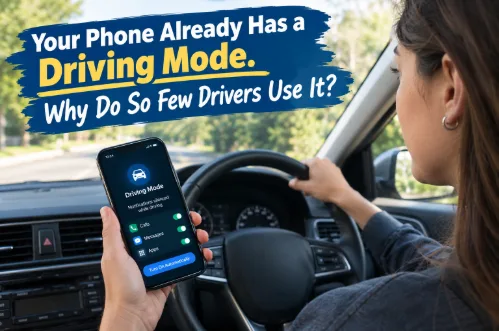
In 2024, 404 fatal US crashes were reported as involving a driver’s cellphone use, according to NHTSA’s April 2026 research note. That was 14% of distraction-affected fatal crashes, and police reports likely undercount phone involvement. NHTSA’s roadside observations add a snapshot. At any moment in daylight, more than 537,000 US drivers are visibly manipulating a phone, according to GHSA, citing NHTSA’s 2024 device-use study.
Meanwhile, most smartphones include a tool meant to quiet the phone on the road. The evidence suggests many drivers skip it, and not simply because they haven’t heard of it.
What driving mode does, and where it varies
On iPhone, the feature is called Driving Focus (iOS 15 and later). Apple says it silences or limits text messages and other notifications, and allows incoming calls only when the phone is connected to CarPlay, a car’s Bluetooth system or a hands-free accessory. It can turn on automatically based on detected motion, when connected to car Bluetooth or CarPlay, or manually from Control Center. A passenger can dismiss the prompt. Apple’s own guide also says Driving Focus is not a substitute for following distracted-driving laws.
Android is less uniform. Many phones offer a Driving mode under Modes, but menus and options differ by manufacturer and change with updates. In February 2026, for example, Google restored a Bluetooth-based activation option on Pixel phones after motion-only triggering had been silencing passengers’ phones, according to Android Central and Android Authority. Android Police reports that Samsung’s version can activate through Android Auto. These are trade-press reports, so check your own device.
The takeaway is that availability and activation options vary by device, operating system version and settings. It’s also worth knowing what driving mode doesn’t do. It reduces incoming prompts, but it doesn’t stop you from unlocking the phone and using it.
Awareness isn’t the main obstacle
A Cambridge Mobile Telematics survey of more than 1,000 US drivers (October 2023, company research) found 62% were aware of the feature but only 20% used it frequently. Half of non-users (51%) said they hadn’t known about it. Once informed, only 31% said they’d turn it on. About 12% of non-users said they forget.
The AAA Foundation’s 2025 report (Anderson and colleagues) surveyed 300 drivers. Of former users, 60% said they forget to turn it on. The most common reasons for not using it were wanting music and navigation, which the researchers noted the feature allows, pointing to a misunderstanding. Younger former users were more likely to believe they can message safely. Both surveys are self-reported.
Would automatic activation help?
The behavioral idea is simple. A setting that switches on without a decision spares drivers from relying on memory or willpower. Whether it works depends on the feature, the driver, the implementation and the context, and I found no study comparing automatic with manual activation directly.
What exists is a small AAA Foundation field study, published in 2025. Twenty-six participants (average age 21) had their own vehicles instrumented for 10 weeks and drove five weeks with no intervention. They then received training on the feature and were asked to keep it on for five weeks. The odds of a smartphone task fell by 41% after activation, and participants were 6% less likely to pick up the phone. They were also 5% more likely to have a tapping event, which the authors suggested could reflect the extra taps needed to unlock a phone with the feature on.
The limits are clear. The sample was small and young, the drivers were asked to activate it, and the training and the feature can’t be separated. In the survey portion, drivers favored automatic activation in heavy rain, snow or traffic. They also wanted better detection of whether the user is a passenger. That matches the Android passenger problem above.
Hands-free is not distraction-free
Driving mode targets manual and visual triggers: reaching for the phone and looking at it. It doesn’t remove cognitive distraction, when your attention drifts to a conversation or task even with eyes up and hands on the wheel.
AAA Foundation and University of Utah research illustrates the difference. In a 2013 study using a five-point mental workload scale (1 is no distraction, 5 is severe), a hands-free cell phone rated 2.27 and a hand-held phone 2.45. A speech-to-text system that recognized commands perfectly rated 3.06. A 2015 study of voice systems in 10 cars and on three smartphones found all were mentally demanding enough to be potentially dangerous, and distraction lingered up to 27 seconds after use.
These studies measured mental workload, not crash risk, and they don’t show hands-free is the same as handheld use. They do show it isn’t risk-free. Reducing distraction from notifications is real progress, but hands-free driving still leaves attention to manage.
Legal isn’t the same as safe
Laws differ by state. According to GHSA (updated October 2025), 33 states plus D.C. prohibit handheld cellphone use for all drivers, and 49 states plus D.C. ban texting. GHSA’s advice to drivers is not to use phones while driving, regardless of the law where you are. This isn’t legal advice, so check your state’s current rules.
A short pre-trip routine
- Set up driving mode before the trip, with automatic activation if your phone offers it.
- Check who and what can break through, so you aren’t silencing family emergencies by accident.
- Set navigation and music before you move.
- Let calls and texts wait. If something needs your eyes or hands, pull over safely first.
- Ask passengers to handle messages or directions.
Since the AAA survey found that control over which apps are restricted could make drivers likelier to use these tools, some turn to a dedicated driving mode app for finer control. The same limits apply. No feature eliminates distracted driving.
FAQ
What is driving mode, and do iPhone and Android both have it?
It’s a setting that silences or limits notifications while you drive. iPhone calls it Driving Focus, and many Android phones offer Driving mode under Modes. Names, menus and options vary by device and software version.
Does it block all calls and notifications?
Not necessarily. On iPhone, Apple says notifications are silenced or limited, and calls are allowed when connected to CarPlay, car Bluetooth or a hands-free accessory. You can also choose people whose notifications are allowed. Android options vary by manufacturer.
Can it turn on automatically?
Often, yes. iPhone can activate by motion, car Bluetooth or CarPlay. On Pixel phones, recent updates let users choose Bluetooth or motion plus Bluetooth. Look in your phone’s settings, and confirm you can dismiss it when you’re a passenger.
Is hands-free use completely safe?
No. AAA Foundation research found hands-free calls and voice systems still create mental workload. Hands-free may be legal where you live, but legality doesn’t measure safety.
Conclusion
Driving mode is a useful tool, but it works best set up before the trip and treated as one layer, not a cure. Many drivers skip it because they forget, misunderstand it or worry about missing something. Reading the settings, testing automatic activation and keeping hands-free use minimal are practical first steps. Drivers who want a dedicated app beyond built-in settings can evaluate services such as My Drive Guardian, checking what each blocks and how it handles their data.