How Smart TV Is Changing Streaming Habits in Sweden
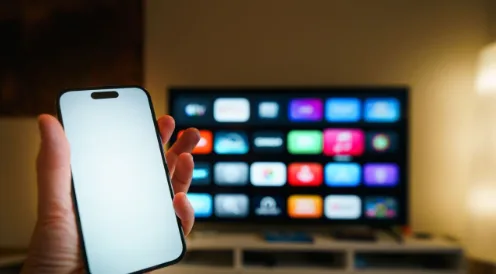
Swedish television habits are changing for a practical reason: the main screen in the home is no longer tied to one cable box, one schedule, or even one type of service. A modern Smart TV can bring together live television, broadcaster apps, subscription platforms, rented films, free streaming channels, and personal media. The result is greater choice, but also a more complicated setup for households that simply want dependable viewing.
Sweden is particularly suited to this transition. Fast fixed broadband is widely available, connected televisions are common, and viewers are comfortable moving between phones, tablets, computers, and television screens. Yet good infrastructure does not automatically create a good experience. The television model, operating system, application, home network, and source of the content must all work together.
For people exploring internet-delivered television, Nordic IPTV Plus provides Swedish information about compatible devices, applications, installation, and common playback problems. The important starting point is understanding that IPTV describes a delivery method. It does not, by itself, confirm who owns the content or whether a particular service has permission to distribute it. Consumers should always choose legitimate sources and review their terms before paying.
The television has become the centre of a connected system
Older television setups were comparatively simple. A signal arrived through an antenna, cable, or satellite receiver, and the remote changed channels. Today, the screen is only one component in a wider system. Samsung televisions commonly use Tizen, LG models use webOS, and many Sony, Philips, TCL, and other televisions use Android TV or Google TV. Apple TV, Fire TV, Chromecast, and Android boxes can add another operating system to the same screen.
This difference matters because an application available on one television may be missing from another. Even when the same application name appears in two stores, its features or update schedule may differ. A household should therefore check the exact television model and operating system rather than relying on a broad statement such as “works on Smart TV.”
External streaming devices have also extended the useful life of older televisions. If a screen still has a good picture but its software is slow or unsupported, a certified external device can provide a faster interface and current applications without replacing the television. This can be more economical and reduces unnecessary electronic waste.
Viewers now expect television to follow them
The biggest behavioural change is not simply that content arrives through the internet. It is that viewers expect access to continue across rooms and devices. Someone may begin a programme on the living-room television, check news on a phone, and watch another service from a laptop while travelling. Families may also need simultaneous viewing on different screens.
That expectation makes account rules important. Before subscribing, users should check how many simultaneous connections are permitted, whether a mobile application is included, and whether travel or household restrictions apply. A package that looks inexpensive can become inconvenient if it supports only one active screen or requires repeated device activation.
The remote control remains equally important. Applications designed primarily for touchscreens can feel awkward on a television. A suitable TV player should offer clear focus indicators, readable menus, sensible back-button behaviour, favourites, search, and an electronic programme guide that can be navigated from the sofa.
Application choice affects everyday usability
A player application and a content subscription are separate products. The player organises supplied credentials or playlists; it does not necessarily include channels, films, or broadcasting rights. This distinction prevents one of the most common setup misunderstandings.
Different players prioritise different features. Some focus on a traditional channel guide, while others place films and series at the centre. Useful features may include multiple profiles, parental controls, favourites, catch-up support, subtitle selection, external-player integration, and automatic guide updates. However, more features do not always mean better performance on an older television with limited memory.
Swedish households should compare applications through official stores whenever possible. The guide to the best IPTV apps for 2026 explains how common options differ across Smart TV platforms. Official stores do not guarantee that every service used inside an app is legitimate, but they reduce the risks associated with modified installation files from unknown websites.
Network quality matters more than headline speed
A speed test can show a high download number while television playback still pauses. Streaming depends on consistency, not only peak speed. Wi-Fi interference, packet loss, router placement, overloaded devices, and congestion inside the home can interrupt a continuous video stream even when the broadband plan appears fast enough.
For a stationary television, Ethernet is usually the most predictable connection. When a cable is impractical, a modern Wi-Fi connection can work well if the router is placed openly and reasonably close to the television. Thick walls, cabinets, neighbouring networks, and distance can weaken the signal. The 5 GHz band is often faster at short range, while 2.4 GHz may travel farther but face more interference.
Testing should follow a logical order. First, restart the television and router. Next, compare another application or legitimate streaming source. Then test Ethernet, if available, and pause large downloads on other devices. If every application has problems, the local network is a likely cause. If only one source fails, the issue may sit with that source rather than the television.
A useful setup begins before installation
Preparation saves more time than repeatedly reinstalling applications. Users should record the television model, operating system, available storage, connection method, and account details. They should also confirm whether their provider uses an activation code, a playlist address, or another authorised login method.
The step-by-step guide to installing internet television on a Smart TV covers the differences between Samsung, LG, and Android-based televisions. Credentials should be entered carefully and never posted publicly. Screenshots shared with support should hide usernames, passwords, server addresses, payment information, and device identifiers.
Time-zone settings deserve attention in Sweden. An electronic programme guide can appear one or two hours wrong when an application, device, or data source uses a different offset. Setting the television to automatic date and time, confirming the Stockholm time zone, and refreshing the guide often resolves the mismatch.
Security and transparency should influence the decision
Convenience should not replace basic checks. A trustworthy service should identify the business, explain pricing and renewal terms, provide accessible support, and publish understandable privacy and refund information. Users should be cautious when a seller promises every premium channel at an implausibly low price, accepts only irreversible payment, or pressures customers into a long subscription immediately.
Application permissions are another useful signal. A television player may need network and storage access, but requests unrelated to playback deserve scrutiny. Users should keep the TV operating system and applications updated, use unique passwords, and remove software they no longer use. Sideloading should be reserved for cases where the developer is known and the download can be verified.
It is also wise to separate marketing claims from measurable facts. “Zero buffering,” “permanent uptime,” and “true 4K everywhere” are not realistic guarantees because performance depends on the original source, provider infrastructure, internet route, home network, and device. A credible explanation of limitations is more valuable than impressive numbers without evidence.
Better viewing comes from matching the setup to the household
There is no single perfect configuration for every Swedish home. A person using one recent Android TV may value a detailed programme guide and a simple remote interface. A family may prioritise profiles, parental controls, several authorised connections, and stable Wi-Fi coverage across multiple rooms. Someone with an older Samsung or LG television may achieve a better result with an external streaming device.
One final practical point is accessibility. Larger text, strong contrast, subtitle controls, audio description, and predictable remote navigation can make a major difference for older viewers and people with visual or hearing needs. These features should be tested on the actual television, because availability can vary by application, programme, language, and device version. Ease of use remains a quality measure too.
For Swedish viewers, the best experience is rarely created by the largest promise. It comes from a compatible application, a stable home network, transparent terms, realistic picture settings, and support that understands the actual device. Those practical details determine whether connected television feels modern and effortless or becomes another collection of logins and troubleshooting sessions.