How to Download TikTok Videos on iPhone and Android
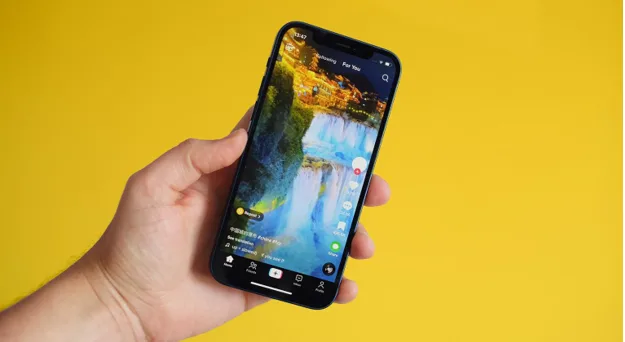
TikTok is full of entertaining videos, useful tutorials, creative ideas, and viral trends. Sometimes, you may want to save a video to watch later, share with friends, or keep for personal reference.
Fortunately, there are several ways to download TikTok videos on iPhone and Android. In this guide, we’ll explain the available methods and show you how to use an online TikTok video downloader.
How to Download TikTok Videos on iPhone
Follow these steps to save a TikTok video on your iPhone.
- Open the TikTok app on your iPhone.
- Find the video you want to save.
- Tap the Share button.
- Select Save video if the option is available.
- Open the Photos app to find your downloaded video.
Keep in mind that TikTok may not offer the Save video option for every post. Availability depends on the creator’s download settings and other restrictions.
How to download TikTok videos using Safari
If you want to use an online downloader:
- Open TikTok and find the video.
- Tap Share and choose Copy link.
- Open Safari and visit the TikTok Downloader.
- Paste the copied video link into the downloader.
- Follow the website’s instructions to process and download the video.
- Check the Downloads folder in the Files app. Depending on your iOS version and download settings, you may be able to save the video to Photos.
Only download content you have permission to save or reuse.
How to Download TikTok Videos on Android
Android users can also save TikTok videos in a few simple steps.
- Open TikTok on your Android phone.
- Navigate to the video you want to download.
- Tap the Share button.
- Select Save video, if available.
- Open your Gallery or Google Photos app to locate the saved video.
The exact location may vary depending on your phone manufacturer and gallery application.
How to download TikTok videos using an Android browser
If the Save video option is unavailable, you can try an online downloader when the source video is accessible.
- Copy the TikTok video link.
- Open Chrome or another browser.
- Visit the TikTokDownloader.blog homepage.
- Paste the video URL into the available input field.
- Start the download process and follow the on-screen instructions.
- Look for the downloaded file in your Downloads folder.
Avoid third-party apps or websites that request your TikTok password to download a public video.
How to Download TikTok Videos Without a Watermark
Some users prefer saving videos without the TikTok watermark. Whether this is possible depends on the downloader’s supported features and the source video.
To try an online method:
- Copy the link of a publicly accessible TikTok video.
- Open the TikTok video downloader.
- Paste the link into the input field.
- Check the available download options.
- Choose a supported format if a watermark-free option is offered.
Not every video or download method supports watermark-free downloads. Always respect the creator’s rights and obtain permission before reposting someone else’s content.
How to Download TikTok Stories on iPhone and Android
TikTok Stories are different from regular videos because they are temporary content. If you want to save an accessible Story, use the dedicated tool below.
TikTok Story Downloader
Save accessible TikTok Stories using the dedicated downloader, where supported.
Open Story Downloader
The general process is straightforward:
- Find the TikTok Story you want to save.
- Copy its link if TikTok makes it available.
- Open the TikTok Story Downloader.
- Paste the link and follow the available instructions.
- Save the resulting file if the Story is accessible and downloading is supported.
Stories that have expired, been deleted, or are restricted may not be available for download.
Common TikTok Download Problems and Solutions
| Problem | Possible solution |
| Save video option is missing | The creator may have disabled downloads. |
| Download link is not working | Copy the link again and check that it is complete. |
| Video is unavailable | The video may be private, deleted, or restricted. |
| Download does not start | Check your internet connection and browser download permissions. |
| Video is missing on iPhone | Check the Files app’s Downloads folder. |
| Video is missing on Android | Check Downloads in your file manager or browser. |
Frequently Asked Questions
Can I download TikTok videos on an iPhone?
Yes. You can use TikTok’s built-in Save video option when available or try a compatible online downloader through Safari.
How do I download TikTok videos on Android?
Open TikTok, tap Share, and choose Save video if available. Alternatively, copy the video link and use an online downloader in your mobile browser.
Can I download TikTok videos without installing an app?
A browser-based downloader may let you download supported videos without installing additional software.
Can I download TikTok videos without a watermark?
Some online tools may offer this feature for supported videos. Availability can vary, and you should respect the original creator’s rights.
Can I download TikTok Stories?
You can try the dedicated TikTok Story Downloader for accessible Stories supported by the tool.
Is it safe to use an online TikTok downloader?
Use reputable websites, avoid providing account credentials, and be cautious of misleading download buttons, pop-ups, and unexpected file types.
Conclusion
Downloading TikTok videos on iPhone and Android can be simple when you use TikTok’s built-in saving option or a compatible online downloader. The best method depends on your device, the video’s availability, and the download options offered.