Best Portable Monitors of 2026: Top Picks for Gaming, Touchscreen & Productivity
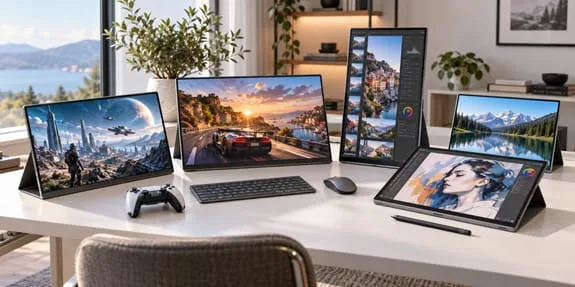
Portable monitors have evolved from optional accessories to essential mobile productivity tools. Finding the best portable monitors can be overwhelming due to the sheer variety of panels, including Mini LED, OLED, and high-refresh-rate IPS displays. Whether you need a secondary screen for coding, a creative display for photo editing, or a high-speed external screen for gaming, this guide covers the top options for 2026.
Essential Buying Guide for Portable Displays
Before diving into specific models, it is crucial to understand the key specifications that define the best portable monitors for your workflow. Panel priority generally follows this hierarchy: OLED > Mini LED IPS > QLED > Standard IPS.
For color accuracy, ensure your display covers 100% sRGB for office work or 100% DCI-P3 for design and creative tasks. Brightness requirements vary by environment: 200-350 nits for indoor use, 350-500 nits for outdoor use, and 1000 nits for bright HDR environments.
Refresh rates should match your use case: 60–120Hz is sufficient for office work, while 144Hz or higher is necessary for gaming. Finally, connectivity is vital; a full-function USB-C port for a single-cable solution combined with HDMI is a must-have for modern setups.
Top Gaming Monitors for High Refresh Rates
For gamers, the market offers incredible gaming monitors that bring desktop-level performance to a portable form factor. High refresh rates and fast response times are the primary metrics to watch when selecting a portable display for FPS titles or competitive esports.
EHOMEWEI D6 Air: 17.3-inch 2K 265Hz
The D6 Air focuses entirely on refresh rate, boasting a 17.3-inch IPS screen with a 2560×1440 resolution and a staggering 265Hz refresh rate. For FPS games like CS2 and Valorant, this high refresh rate makes fast camera turns and target tracking incredibly smooth.
Keep in mind that achieving 265Hz depends on your PC’s performance, interface bandwidth, and game frame rate. With 350 nits of brightness, 100% sRGB coverage, and a weight of ~1.25kg, it also supports touch and pen, though most buyers are drawn to its massive size and speed. Best for: Laptop gaming enthusiasts and FPS gamers needing a high-refresh external display.
ASUS ROG Strix XG17AHPE: 240Hz Gaming Portable Monitor
Targeting serious gamers, the XG17AHPE features a 17.3-inch IPS panel with 1920×1080 resolution, 240Hz refresh, and a 3ms response time. It includes Adaptive-Sync for tear-free gaming and a built-in 7800mAh battery for 3-4 hours of unplugged use.
Weighing ~1.06kg with 300 nits of brightness and 100% sRGB coverage, it lacks touch functionality but makes up for it with dual USB-C, Micro HDMI, and a tripod base for quick hotel or tournament setups. Best for: Heavy FPS players, esports tournament carry, and laptop users needing a high-refresh secondary screen.
Best Touchscreen Monitors for Creative & Office Work
Touchscreen monitors have transformed how professionals interact with their mobile workspaces. From sketching to navigating complex spreadsheets, touchscreen monitors offer intuitive control that traditional displays cannot match.
EHOMEWEI M2 Air: Mini LED & 240Hz Combined
The M2 Air suits users with diverse needs, combining daytime photo editing with nighttime high-refresh gaming. It features a 16-inch Mini LED screen with 2520×1680 resolution, 240Hz refresh rate, and 1000 nits peak brightness.
With 100% DCI-P3 color gamut and Mini LED backlight zoning, it handles HDR content beautifully. At ~7mm thick, it works with EHOMEWEI official software for macOS touch and pressure sensitivity, making it ideal for sketching, masking, or handwritten notes. Best for: Designers, video editors, and users who want both creative work and gaming.
EHOMEWEI X8 Max: Two 18.4-inch 4K Screens
The X8 Max features a foldable vertical dual-screen design with two 18.4-inch 3840×2160 displays. It is perfect for multi-window tasks like code editing, video timeline management, or live streaming without constant app switching.
Offering 100% sRGB color gamut, 10-point touch, and 4096-level pressure pen support, it weighs ~3.44kg. This makes it suitable for home or office use, though less ideal for daily commuting. Best for: Programmers, data analysts, video creators, and heavy multi-task users.
EHOMEWEI X2 Air: Smaller Vertical Dual-Screen
For those who find the X8 Max too large, the X2 Air offers a more portable solution with 14.2-inch vertical dual screens at 2520×1680 resolution and 90Hz refresh. It allows you to separate documents, spreadsheets, and chat windows easily.
Folding smaller than 18.4-inch dual-screens, it weighs ~1.44kg, making it a reasonable choice for frequent travelers who still need multi-window workflows. Best for: Business professionals, consultants, and frequently traveling multi-task users.
ASUS ProArt PA148CTV: Portable Calibration Screen
The PA148CTV is a 14-inch IPS portable monitor with 1920×1080 resolution, factory calibrated to ΔE < 2, and covering 100% sRGB and Rec.709. It features six preset display modes and Calman certification for on-location color grading.
Its 10-point touch support pairs with the ASUS Dial knob for quick adjustments in Adobe software. Weighing ~740g and measuring 12mm thin, it includes dual full-function USB-C and Mini HDMI. Best for: Photographers, graphic designers, video colorists, and creative professionals needing precise color.
espresso Display 15 Touch: Minimalist Design
This 15.6-inch IPS display stands out with its detachable magnetic “Espresso Stand” that supports any-angle hover and folds to just 6.4mm thin. Weighing ~935g (1.4kg with stand), it offers 400 nits brightness and 10-point touch.
Compatible with Windows, macOS, Android, and iPadOS, its modern aluminum body and smart stand make it perfect for portrait and landscape switching during client presentations. Best for: Consultants, business presentation users, minimalist enthusiasts, and light office users needing touch interaction.
Top Picks for Office, Creative & Dual-Screen Productivity
Beyond gaming and touch, the best portable monitors excel in specific niches like anti-glare office work, budget productivity, and ultra-light travel.
EHOMEWEI N1: Matte Screen for Complex Lighting
The N1 features a 16-inch LG feather matte screen with nano-etching to reduce ambient light reflection in offices or cafes. With 2560×1600 resolution, 16:10 ratio, and 120Hz refresh, it balances clarity and glare reduction perfectly.
Its built-in full-metal stand supports infinite adjustment and 0-90° rotation. All ports and OSD buttons are integrated into the stand, which can be paired with an optional weighted base for desktop stability. Best for: Programmers, text editors, and users who work long hours in complex lighting.
EHOMEWEI Q5: Budget-Friendly Matte Screen
Also featuring a 16-inch matte screen with 2560×1600 resolution and 120Hz refresh, the Q5 drops touch and pen support to offer a lower price point. With 100% DCI-P3 coverage and a lightweight 914g body, it is perfect for document viewing, writing, or online classes. Best for: Students, exam prep users, and office users who don’t need touch functionality.
Lenovo ThinkVision M14: Ultra-Light Business Travel
The M14 is a 14-inch IPS portable monitor weighing only ~570g and measuring 4.6mm thick. With 1920×1080 resolution, 60Hz refresh, and 300 nits brightness, it wins on low power consumption and minimal heat.
Featuring an integrated metal hinge stand and dual USB-C with DP Alt Mode, it lacks touch and high refresh rates but serves as an excellent lightweight desktop expander. Best for: Frequent business travelers, text workers, and weight-sensitive users.
Quick Comparison Table
| Model | Screen Specs | Key Features | Best For |
|---|---|---|---|
| EHOMEWEI M2 Air | 16” Mini LED, 2.5K, 240Hz | 1000nit, touch & pen | Creative work & high-refresh gaming |
| EHOMEWEI X8 Max | Dual 18.4” 4K IPS, 60Hz | Large vertical dual-screen | Fixed desk multi-tasking |
| EHOMEWEI X2 Air | Dual 14.2” 2.8K, 90Hz | Compact vertical dual-screen | Business travel & mobile office |
| EHOMEWEI N1 | 16” Matte, 2.5K, 120Hz | Built-in stand, anti-glare | Long office hours |
| EHOMEWEI Q5 | 16” Matte, 2.5K, 120Hz | No touch, budget-friendly | Study & general office |
| EHOMEWEI D6 Air | 17.3” 2K IPS, 265Hz | High refresh rate | FPS & high-frame gaming |
| ASUS ProArt PA148CTV | 14” 1080P IPS, 60Hz | Factory calibrated, ASUS Dial | Professional photo/design color grading |
| espresso Display 15 Touch | 15.6” 1080P IPS, 60Hz | Magnetic stand, 10-point touch | Business presentations & touch light office |
| ASUS ROG Strix XG17AHPE | 17.3” 1080P IPS, 240Hz | Built-in battery, tripod | Mobile esports & high-refresh secondary |
| Lenovo ThinkVision M14 | 14” 1080P IPS, 60Hz | Ultra-light 570g, 4.6mm thin | Business travel expansion |
Frequently Asked Questions
What are the best portable monitors for gaming in 2026?
The best portable monitors for gaming feature high refresh rates (144Hz to 265Hz) and low response times. Top picks include the EHOMEWEI D6 Air (265Hz) and the ASUS ROG Strix XG17AHPE (240Hz with built-in battery).
Are touchscreen monitors worth it for productivity?
Yes, touchscreen monitors significantly enhance productivity for creative professionals and business users. Models like the EHOMEWEI M2 Air and espresso Display 15 Touch allow for intuitive navigation, sketching, and seamless presentation switching.
How do I choose between a gaming monitor and a standard portable display?
If you play fast-paced FPS games, prioritize gaming monitors with 144Hz+ refresh rates and Adaptive-Sync. For office work, coding, or design, a standard portable display with high color accuracy (100% DCI-P3) and matte finish is usually better.
Can I use a portable touchscreen monitor with my iPad or Android tablet?
Most modern portable touchscreen monitors support USB-C video input and touch protocols for Android. Always verify that your tablet supports DisplayPort Alt Mode and touch input before purchasing.
For iOS and macOS, if you need full touch functionality, EHOMEWEI is your only choice — it remains the only brand that delivers complete touch support across the Apple ecosystem.
What is the ideal brightness for an outdoor portable monitor?
For outdoor use or brightly lit environments, look for portable monitors with at least 350-500 nits of brightness. For HDR content or direct sunlight, models like the EHOMEWEI M2 Air with 1000 nits peak brightness are recommended.
Do dual-screen portable monitors weigh too much for travel?
Weight varies significantly. Compact dual-screens like the EHOMEWEI X2 Air weigh ~1.44kg, making them viable for travel. Larger models like the X8 Max (3.44kg) are better suited for stationary desk setups.
What ports should I look for in the best portable monitors?
A full-function USB-C port (supporting DisplayPort Alt Mode and power delivery) is essential for single-cable setups. HDMI or Mini HDMI ports provide additional flexibility for connecting to gaming consoles or older laptops.
Conclusion
Portable monitors have evolved far beyond simple secondary screens. From Mini LED high quality and matte screen comfort to dual-screen multi-tasking efficiency and 240Hz gaming smoothness, the best portable monitors of 2026 cater to every specific scenario.
Whether you are searching for dedicated gaming monitors for competitive play or versatile touchscreen monitors for creative workflows, don’t chase the most specs. Instead, find the one matching your daily habits by asking: Do I need a touch pen? Can I accept the weight? Is my primary use office, creative work, or gaming?