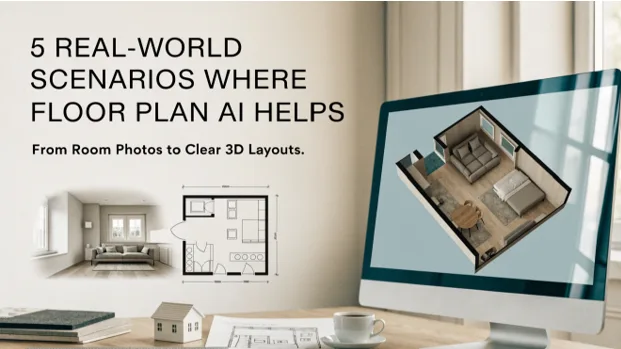
Most articles about design software start with features. This one starts with problems. Think of the last time you struggled to explain a space to someone: a friend helping you rearrange a living room, a buyer asking how the rooms connect, a contractor who could not picture what you meant. In each case, the missing ingredient was a clear visual. Two kinds of AI tools now fill that gap. A floor plan AI 3D tool turns a flat plan into a three-dimensional view, and an image to floor plan tool turns an ordinary photo into a 2D plan. Below are five everyday scenarios that show how each one helps, along with practical notes on getting the most from them.
A Quick Primer Before the Scenarios
The two tools move in opposite directions, and that is what makes them a good pair.
A floor plan AI 3D tool starts with a 2D layout and adds dimension. On the 3D Floor Plan site, you upload a plan in JPG, PNG, WEBP, HEIC, PDF, or another supported format, choose a presentation style, view angle, furnishing option, and background, and generate a visualization. The view angles include Top, Isometric, Aerial, and Eye-Level, and the AI uses your uploaded plan as the structural reference.
An image to floor plan tool does the reverse. You upload a room photo, interior image, property picture, or PDF, and the AI interprets the visible space to produce a clean 2D floor plan. The site lists six styles for the result: Colored 2D, Blueprint, Hand-Drawn, Technical, Watercolor, and Collage. You can also add optional notes about room labels, furniture layout, or drawing preferences, and uploads can be up to 50 MB.
With that in mind, here are the scenarios.
Scenario 1: The Renovator Who Cannot Picture the Result
The situation. Priya is planning to knock through a wall between her kitchen and dining room. She has a basic 2D drawing from when she bought the house, but looking at it, she cannot tell whether the open space will feel generous or awkward.
How the tools help. She uploads her existing plan to a floor plan AI 3D tool and generates an isometric view, first unfurnished to see the structure, then furnished to see how a table and kitchen island might fit. Seeing the two rooms as one connected volume answers her question in seconds. She notices that the island would block the walkway to the back door, a problem that was invisible on the flat drawing.
The lesson. A 3D view is most valuable for spotting flow problems before they become expensive. Use an unfurnished view to understand structure, and a furnished view to test whether life will actually fit inside it.
Scenario 2: The Property Seller With Only Photos
The situation. Marcus is helping his mother sell her apartment. There is no floor plan anywhere in the paperwork, only listing photos taken by a previous agent. Buyers keep asking how the rooms are arranged.
How the tools help. He uploads a wide-angle photo of the living area to an image to floor plan tool and selects the Colored 2D style, which suits a listing. The AI turns the visible space into a clean plan view, and he uses the before-and-after comparison to see how the photo was translated. The site’s own examples include a real estate listing photo converted to a colored 2D plan, which is exactly this use case.
The lesson. A photo only shows part of a space, so a plan generated from one image reflects what the camera could see. For a full-apartment plan, Marcus would do well to upload several photos covering different areas, and to verify the result against what he knows about the home before sharing it with buyers.
Scenario 3: The Interior Designer Pitching a Client
The situation. Amara is a freelance designer meeting a new client tomorrow. She has the client’s 2D floor plan, but clients rarely respond to technical drawings. They respond to pictures.
How the tools help. She runs the plan through a floor plan AI 3D generator and produces two versions: an aerial view for the overall layout and an eye-level view to give a sense of standing in the main room. Walking into the meeting with visuals means the conversation starts with “I love that” and “can we move this?” instead of “I’m not sure what I’m looking at.”
The lesson. Different view angles answer different questions. Top and aerial views explain layout. Isometric views explain how rooms relate. Eye-level views convey feeling. Bring more than one if you can.
Scenario 4: The Hobbyist With a Photo of a Dream Room
The situation. Daniel saved a photo of a loft interior he admires. He wants to understand how that space is arranged so he can borrow the idea for his own home, but he has no drawing and no drafting skills.
How the tools help. He uploads the photo to an image to floor plan tool. Because he is exploring rather than presenting, he tries a few styles, including Blueprint for a technical feel and Collage for a more expressive look. He adds a short note asking the AI to label the rooms. Comparing the result with the original photo helps him understand how the space flows, even though the plan is an interpretation rather than a measured drawing.
The lesson. For inspiration and early exploration, an interpreted plan is often enough. It helps you think about arrangement and proportions. Just remember that it is not a surveyed drawing, and any measurements should be confirmed before you act on them.
Scenario 5: The Small Business Owner Planning a Layout
The situation. Lena is opening a small studio space. She has sketched a rough arrangement of a reception area, two work rooms, and a storage corner on paper, and she wants to see how it might look before she talks to a landlord and a contractor.
How the tools help. Once she has a clear 2D version of her layout, she uses a floor plan AI 3D tool to generate a furnished isometric view. The tool offers furnished and unfurnished options, so she compares both. Showing the 3D result to her landlord makes the conversation faster, because both of them are looking at the same picture.
The lesson. For commercial and semi-commercial spaces, a 3D visual is a communication shortcut. It reduces misunderstanding and helps everyone get to the real questions about budget, permits, and timing sooner.
What the Scenarios Have in Common
Look across these five stories and a pattern appears.
- Each person started with something imperfect. A flat plan, a photo, a rough sketch. None of them needed a polished starting point.
- Each needed a faster way to communicate. The value was not just in creating an image but in making a conversation easier.
- Each used the output as a starting point. None treated the result as a final, construction-ready drawing.
That last point matters. These tools are aids for planning and presentation, and the original plan or photo remains the source of truth.
Practical Tips for Better Results
For 3D conversion:
- Upload the clearest, highest-quality version of your 2D plan you have. A sharp drawing gives the AI a better structural reference.
- Try both furnished and unfurnished results. Each reveals different things.
- Choose the view angle based on your question, not on what looks prettiest.
For photo conversion:
- Use bright, well-lit, wide-angle photos where the room’s edges are visible.
- Upload more than one photo if you want to understand a larger space.
- Use the optional preferences field to ask for room labels or specific drawing preferences.
- Compare the generated plan against the original image to check that it makes sense.
For both:
- Treat measurements with caution and verify them independently.
- Keep your original files so you can regenerate with different settings.
- Check each site’s current credit and pricing details. Both tools advertise free access, and the sites also invite users to sign in for free credits, but terms can change.
Putting the Two Tools in Sequence
You can chain the tools together. If all you have is a photo, an image to floor plan tool can give you a 2D plan. If you then want to see that space in three dimensions, you can feed the resulting plan into a floor plan AI 3D tool. The path looks like this: photo, then 2D plan, then 3D view. It will not replace a professional survey, but it can get you from “I only have a picture” to “I can show people what this looks like” surprisingly fast.
Final Thoughts
The best technology removes friction from ordinary tasks. Explaining a space used to take sketches, gestures, and patience. Now it can take a photo, a plan, and a few clicks. Whether you are renovating, selling, pitching, exploring, or planning, a floor plan AI 3D tool and an image to floor plan tool give you two complementary ways to see a space more clearly. Start with what you have, choose the view that answers your question, and keep the results in perspective as aids to thinking, not as final blueprints.