8 Best AI Headshot Generators & Tools Compared for 2026 Buyers
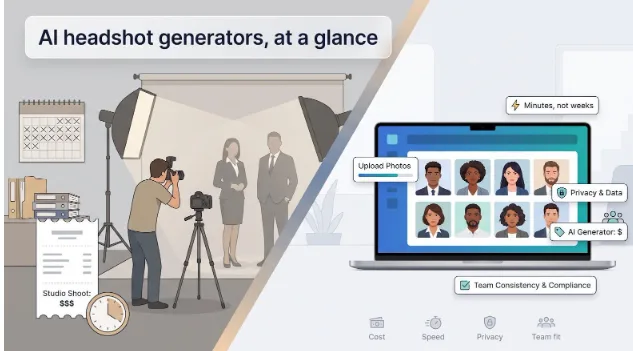
Booking a studio headshot used to drain calendars and budgets. Today, AI headshot generators can spin a handful of selfies into board-ready portraits in minutes, yet each one handles price, privacy, and image rights differently. On September 15, 2026, we verified every platform’s pricing and policies, then scored eight leaders on likeness, cost-per-usable image, data-retention promises, and team-friendly perks like SSO or HRIS sync. Use this guide to pair each service with the scenario it nails, so you pick the right fit without risking budget or compliance.
Quick verdict: which AI headshot generator fits your use case?
Just want the TL;DR? Start here. We matched each AI headshot generator to the scenario where it shines, then surfaced the numbers buyers look for first.
| Tool | Ideal for | Starting price* | Preview before pay? | Advertised turnaround |
| Magic Studio | See the full gallery before spending | $59** | Yes, watermarked gallery | 2-60 min |
| HeadshotPro | Privacy-focused SMB teams | $29 | No, but 100 percent refund | < 2 h |
| Dreamwave | Enterprise HRIS automation | $35 | No | Minutes (solo) / 1-2 h (team) |
| Aragon AI | Fast personal portraits | $35 | No | 15-45 min |
| The Multiverse AI | Clear deletion terms & team value | $30 | No | ~30 min |
| BetterPic | Built-in 4K plus optional human retouch | $35 | No | 1-2 h |
| Secta AI | Deep post-generation customization | $49* | No | < 2 h |
| Photo AI | Ongoing creative portraits (subscription) | $19 / mo | N/A (subscription) | 30 min to 2 h |
*Prices verified September 15, 2026; many vendors test dynamic pricing.
**Magic Studio’s $59 pack includes 50 headshots in 5 looks, and you pay only after you see the gallery.
Numbers get you started, but the sections that follow analyze likeness quality, cost per usable image, privacy promises, and whether each tool can keep new hires on brand months down the line.
How we chose the eight finalists
We reviewed each AI headshot generator like an operations manager vetting vendors: will it save time, money, and compliance effort without hurting image quality?
Screening filters
- create a personal AI model
- publish current U.S. pricing
- state at least one privacy or data-retention commitment
General image editors and hybrid photo studios didn’t pass this cut.
Scoring framework
We applied six weighted criteria:
| Criterion | Weight |
| Likeness & photorealism | 25 percent |
| Privacy & security | 20 percent |
| Business professionalism & consistency | 15 percent |
| Cost per usable image | 15 percent |
| Speed & workflow friction | 10 percent |
| Team / enterprise features (SSO, HRIS, admin) | 15 percent |
Prices, policies, and public reviews were captured on September 15, 2026. The scores rest on each vendor’s published pricing, policies, and reviews, not on a hands-on image test, so treat this list as a strategic shortlist.
1. Magic Studio: best for seeing every photo before you spend a cent
Magic Studio (formerly InstaHeadshots) lets you upload a handful of selfies, generate a gallery of 50 water-marked images, and only then decide whether to pay. Because you pay only after you have seen your headshots, the purchase carries very little risk.
Magic Studio AI headshot generator homepage screenshot.
Packs start at $59 for 50 headshots in 5 looks, paid only once you have seen the gallery and want to keep it. Headshots come at 1024 x 1024 by default, with paid upscaling for print. Magic Studio says headshots are ready in about 15 minutes, with AI training taking 2 to 60 minutes depending on the pack.
Post-purchase editing stands out. You can change backgrounds and outfits or recreate individual images, often rescuing “almost” shots without paying for a human retouch.
Privacy is handled clearly. Magic Studio trains a separate AI model for each photoshoot, never reuses your photos for any other training, and deletes input photos and headshots automatically 30 days after creation (you can delete them sooner yourself). If compliance matters, keep a copy of the policy with your purchase records.
One quick watch-out: print-size files cost extra, because the default resolution is 1024 x 1024.
If you want zero-risk browsing plus a Canva-style editor, Magic Studio leads the shortlist; just pick the pack size that fits how many looks you need.
2. HeadshotPro: best choice for privacy-conscious SMB teams
HeadshotPro treats privacy as a feature, not small print. Customer photos auto-delete after 30 days, the company says it never reuses images for general model training, and a SOC 2 Type II report backs up its security posture.
HeadshotPro AI headshot generator homepage screenshot.
Pricing and output
A one-time fee of $29-$59 yields 30-70 images, and team credits never expire, which suits slow, steady onboarding. HeadshotPro advertises delivery in under 2 hours. A 14-day money-back guarantee covers the inevitable few duds.
Admin tools
SSO, an audit log, and bulk invitations keep HR informed without endless chasers. The dashboard shows upload status at a glance.
Watch-outs
- Brand controls stop at background color.
- 4K files live on the highest tier, so marketing teams that need billboard resolution will pay extra.
Growing companies that want strong likeness, transparent licensing, and documented security, yet prefer to avoid enterprise-level paperwork, will find HeadshotPro a trustworthy choice.
3. Dreamwave: best for enterprise automation and HRIS integration
Dreamwave treats headshots like any other HR data point. Bulk-invite employees, set a due date, and the platform nudges late uploaders automatically. Once images are approved, Dreamwave pipes them straight into Workday, BambooHR, or your ID-badge directory, so IT stops chasing profile photos.
Dreamwave enterprise AI headshot automation screenshot.
Friction-light workflow
Individuals can upload a single selfie, while teams need 5-8 photos, compared with the 20 some rivals request. Dreamwave advertises solo orders in minutes and company batches in 1 to 2 hours.
Pricing and policies
Packages currently range from $35 to $99. The pricing page often tests image counts and middle-tier fees, so screenshot your quote before finance signs off. Dreamwave stores data in the United States, deletes unused models after 30 days, and says it does not use customer faces to train future models. Refunds disappear once processing starts, but higher tiers include redo credits and optional human touch-ups.
Watch-outs
- Formal certifications such as SOC 2 are “available on request,” so ask for the letter before uploading sensitive images.
- The one-selfie shortcut can increase likeness drift compared with multi-photo tools; consider this if executive portraits must be exact.
If HRIS automation outweighs photography purism, Dreamwave offers the smoothest pipeline from selfie to employee directory; just lock pricing and compliance docs first.
4. Aragon AI: best for fast individual headshots
Aragon AI focuses on speed. The three plans promise 15-, 30-, and 45-minute delivery windows.
Pricing and output
- Entry plan: $35 for 40 images
- Pro plan: $45 for 60 images
- Executive (discounted): $75 for 100 images, plus broader styles and 4K resolution
Workflow
Upload 10 clear selfies, choose a few style prompts, and Aragon handles cropping and alignment. An in-platform editor lets you tweak backgrounds or facial details without Photoshop.
Privacy and security
SOC 2 Type II badge, AES-256 encryption, SSO for teams, and an admin-defined retention window. Photos are not publicly reused, but the policy is vague on whether uploads improve Aragon’s general model, so request written clarity if you work in a regulated industry.
Refund policy
Ask for a refund before downloading any image; afterward, Aragon offers a free redo instead of cash back.
If you need a LinkedIn-ready portrait in less than a lunch break, Aragon offers the strongest speed-to-quality trade-off; just confirm how your data is used before you upload.
5. The Multiverse AI: best privacy transparency and team value
The Multiverse AI publishes a granular privacy policy that lists data-storage regions, every sub-processor, and the lifespan of inputs, outputs, and personal models. Everything auto-deletes after 90 days unless you erase it sooner, a sharp contrast to rivals that may keep files for a year or more.
Pricing and value
- Solo licence: $29.99
- Volume tiers drop to $21 per seat at 50+ users
Each seat receives 100 images and can request custom edits, so cost per usable photo stays low even if you keep only a quarter of the gallery.
Remote-friendly setup
Admins send bulk invites, lock background or crop, and track progress in a clean dashboard. Employees provide consent directly, which helps companies navigating Illinois or Texas biometric rules.
Watch-outs
Formal security certifications (for example, SOC 2) are still “in progress,” so ask for written proof before a large rollout. We could not locate a public refund policy; support appears to handle disputes case by case, so secure commitments in writing.
Privacy-first teams that prefer straight-talking policies over slick marketing will appreciate The Multiverse AI’s transparency, value, and solid admin controls, once the certification roadmap and refund terms are confirmed.
6. BetterPic: best 4K output and optional human retouching
BetterPic ships 4K files on every individual plan, so designers can drop images into print without upscaling. Need extra polish? The Premium tier sends each photo to a human editor for skin, hair, and background tweaks, something most pure-AI rivals skip.
Pricing and speed
- Starts at $35 for individuals and slides to $13 per seat on 1,000-user contracts, attractive for call-center or franchise teams.
- Turnaround: 1-2 hours.
- The brand dashboard locks background color, crop, and wardrobe level before the first selfie uploads.
Redo flexibility
The Expert package includes a no-questions redo plus manual corrections, cutting the time marketing spends in Photoshop.
Watch-outs
The homepage cites a 30-day data-deletion window, yet the legal terms allow input photos for up to 1 year and trained models for up to 3 years. Insist on the shorter retention in your contract. Refunds appear generous (7 days), but the fine print withholds 10 percent once model training starts.
Teams that need ultra-sharp files and the safety net of human retouching will find BetterPic compelling, as long as marketing copy and legal boilerplate are reconciled before payment.
7. Secta AI: best for deep post-generation customization
Secta AI treats headshots as living assets. After your gallery lands, usually within 2 hours, the Remix tool lets you swap backgrounds, lighting, crops, or wardrobe colors without retraining. Designers like the hex-code picker that matches brand palettes to an exact shade.
Pricing and output
- Individual plan: about $49 (promotional pricing varies)
- Team plans: custom quotes
Each purchase unlocks 100+ HD images and full commercial rights. A 30-day money-back guarantee covers missed likeness.
Team controls
Admins can lock a universal background, preset a head-and-shoulder crop, and push bulk edits with one click, so late hires still match the directory.
Privacy notes
Secta deletes original uploads after processing and says it never trains its general model on customer photos. The terms allow using data “to operate or improve the service,” so confirm whether that applies to global weights or only personal models. Users keep ownership of both uploads and outputs.
Watch-out
Powerful editing can tempt perfectionists into endless tweaking. Set clear brand guidelines before employees dive in.
If your marketing team loves tuning background hue, collar height, or lighting after generation, Secta AI delivers precision without another photo shoot.
8. Photo AI: best subscription for ongoing creative portraits
Photo AI swaps the one-and-done gallery for a subscription that keeps your personal avatar evolving. If you need fresh portraits for blogs, newsletters, or social banners each week, this always-on model fits.
Plans and output
- Starter: $19 per month, 48 auto-generated images
- Pro: $49 per month, 1,000 credits and full commercial use
Model training on upper tiers takes about 90 seconds, so you can ideate and publish during a coffee break.
Creative range
Generate lifestyle, studio, or themed shots far beyond the corporate headshot look, ideal for marketers, influencers, and social sellers who update visuals as often as LinkedIn posts.
Privacy trade-offs
Photo AI’s terms grant the platform a broad, perpetual licence to use uploads and outputs for improvement. Refunds disappear after you create a model or exceed 20 generations. Teams will not find an admin dashboard, SSO, or HRIS hooks.
Photo AI is a creative subscription, not a compliance-ready headshot factory. If weekly new visuals matter more than strict data controls, it delivers steady content without another photo shoot, but regulated industries should look elsewhere.
AI headshot generator comparison: price, speed, privacy, and team features
Side-by-side numbers reveal trade-offs that single-tool reviews miss. Use the sortable table below to answer three practical questions:
| Tool | Auto-deletion window | Preview / refund | Avg. turnaround | SSO / HRIS / API |
| Magic Studio | 30 days | Full preview • refund if under 4 usable | 15-60 min | None |
| HeadshotPro | 30 days | 100 percent refund | < 2 h | ✔ |
| Dreamwave | 30 days | Redo credits | Minutes (solo) • 1-2 h (team) | ✔ |
| Aragon AI | Admin-set | Refund before download | 15-45 min | ✔ |
| The Multiverse AI | 90 days | Case by case | ~30 min | None |
| BetterPic | Up to 1 year* | 7-day refund minus 10 percent fee | 1-2 h | API |
| Secta AI | After processing | 30-day refund | < 2 h | None |
| Photo AI | None published | Pre-model only | 30 min to 2 h | None |
*Legal terms allow inputs for 1 year and models for 3 years, longer than homepage copy.
Key take-aways:
- Magic Studio lets you see the full gallery before you pay, so you buy only the pack you want.
- HeadshotPro, Dreamwave, and Aragon combine sub-two-hour delivery with SSO and HRIS or API hooks.
- BetterPic’s 4K plus human edits stands out, but its legal retention period is the longest here.
- Photo AI’s subscription suits weekly creators, yet its broad licence and absent admin tools make it ill-fit for compliance-heavy teams.
Treat the table as a final checkpoint before you send a purchase order; the lowest sticker price seldom covers privacy, admin, or redo costs.
How to choose the right AI headshot tool
Use four checkpoints (value, rights, consistency, and workflow) to match a platform to your real-world needs.
- Value (cost per usable image)
Ignore headline output. A $40 service that yields 5 publishable portraits beats a $20 plan that delivers 50 near misses. Look for a published usable-image rate, a full preview, or a redo guarantee.
- Rights and retention
Open both the marketing page and the terms: do they agree on data deletion and model training? Confirm whether your selfies train only a private model or the vendor’s global engine, and nail down when inputs, models, and outputs disappear.
- Team-wide consistency
Can admins lock background color, crop, and wardrobe level so a new hire in six months matches today’s cohort? Dreamwave, HeadshotPro, and Secta offer that control; others leave policing to you.
- Workflow friction
Count the selfies required and the admin effort. Bulk invites, automated reminders, and HRIS or directory sync can save HR hours. If the platform still needs 20 selfies and manual follow-ups, keep looking.
Run each candidate through these four filters and the best fit will surface quickly, often before price even enters the conversation.
What do AI headshots really cost compared with a photographer?
Sticker price is only the first line. A downtown studio may charge $200 per sitting, while an AI package can start at $30, but the real math lives deeper in the spreadsheet.
- License vs. employee time
A 5-minute selfie upload feels free until you multiply it by 50 employees (4.2 staff hours). A studio flips the equation: higher cash outlay, but one photo day minimizes downtime.
- Admin overhead
Platforms with bulk invites and auto-reminders spare the HR inbox. If you need to chase approvals or re-uploads, add that salary cost.
- Cost per usable image
Divide each package price by the number of portraits you would actually use. A $200 studio might deliver 20 proofs but only 3 final retouches, or roughly $66 per keeper, while an AI pack spreads its price across dozens of images. Results vary by region, yet the gap narrows once you move past headline fees.
- Refresh cycles
When new hires join monthly, AI wins: one click, consistent background, done. A studio needs repeat bookings or on-site shoots, expensive for distributed teams.
Factor license, staff time, admin labor, redos, retouching, and future hires. For most teams the AI route comes out well below a studio once headcount grows, freeing budget for employer branding.
Are AI headshot generators safe for employee photos?
A face is biometric data. Treat it like any other sensitive asset and the risk shrinks quickly. Run these four checks before you upload a single selfie to any of the AI headshot generators on the market
- Model scope
Does the vendor fine-tune a private model or also feed your photos into a general engine? Watch for phrases such as “to improve the service.” BetterPic’s marketing promises a 30-day deletion window, yet its terms allow selfies to live for 1 year and the trained model for 3 years, a gap procurement teams flag.
- Retention windows
Strong vendors like Magic Studio, HeadshotPro, and The Multiverse publish a hard auto-delete date. Others require a manual request. Capture the commitment in your contract so it survives a future TOS edit.
- Usage rights
Most platforms grant full commercial use, but Photo AI keeps a perpetual licence to reuse uploads and outputs. Fine for a personal brand, risky for a regulated bank. Read and screenshot the clause.
- Disclosure rules
Since August 2, 2026, Article 50 of the EU AI Act requires labels on AI-generated portraits that could pass as real. Even if you are U.S.-based, global clients will ask about compliance. Choose a vendor that can embed machine-readable provenance metadata.
Confirm model scope, lock retention in writing, verify licensing, and plan for disclosure. Follow these steps, and AI headshots remain a routine SaaS line item, not your next security incident.
AI headshots for teams: consistency, branding, and new-hire workflows
A single polished portrait is easy; keeping 500 remote employees on the same visual track after two rebrands is the real trick. Use four pillars to stay consistent at scale.
- Locked style rules
Tools like Dreamwave and Secta let admins preset background color, crop, and wardrobe formality. Without those controls, expect hours of manual tweaks or a patchwork of mismatched shades on the About page.
- Automated onboarding
Bulk email invites with automated nudges and status dashboards turn “Who still owes selfies?” into a one-glance answer. Manual chasing does not scale past 50 contractors.
- Evergreen credits or style locks
HeadshotPro’s non-expiring credits and The Multiverse’s style locks ensure a new hire 6 months from now matches today’s batch without restarting the project. If a vendor lacks this, budget for an annual refresh.
- One-click offboarding
High turnover means you need to remove a departed rep’s image and their underlying model from public pages and vendor servers in seconds. Built-in deletion protects privacy and spares marketing last-minute scrambles.
Cover these four checkpoints and your team headshots will feel like one coordinated shoot, no matter how fast the org chart changes.
When an AI headshot is the wrong choice
AI handles routine LinkedIn portraits with ease, but some situations still call for a human photographer.
- High-stakes visibility
Investor meetings, national media tours, and glossy annual reports demand studio lighting and on-site direction. A photographer can adjust a shoulder angle or smooth a jacket wrinkle, details algorithms miss.
- Real-world context
If your brand story lives on factory floors, retail counters, or hospital corridors, a synthetic studio backdrop strips away authenticity. Clients notice the mismatch the moment they meet your team on video.
- Regulated ID photos
Government agencies often reject AI-generated images for passports, visas, or security badges. Misrepresentation can delay clearances or license renewals, so avoid the risk.
- Credibility and trust
Some audiences equate AI portraits with over-polished stock imagery. When your reps look warmer in person than in their headshots, credibility slips.
Ask one question: Will this image anchor investor confidence, satisfy a legal requirement, or showcase an environment only a camera can capture? If yes, book a photographer and let AI handle the everyday portraits.
How to take source photos that produce better AI headshots
Follow five quick checks and you’ll give the algorithm images it can learn from.
- Shoot recent, well-lit images
Use photos that show how you look today. Aim for even lighting (indoor soft light or overcast daylight) and avoid harsh shadows.
- Vary angles
Capture at least 3 angles: straight on, slight left, and slight right. Include 2 waist-up shots so the model understands shoulder lines and posture.
- Keep appearance consistent
If you wear glasses at work, wear them in most uploads. Apply the same rule to hairstyles, facial hair, and head coverings.
- Choose simple backgrounds
Neutral walls beat busy scenes. Skip heavy filters, which distort color and skin texture.
- Double-check details
Look for stray hairs, uneven collars, visible jewelry, or glare on lenses. A 30-second once-over can prevent the dreaded “AI cousin” effect.
Frequently asked questions about AI headshot generators
Do AI headshots look realistic enough for LinkedIn?
Yes, if you supply recent, well-lit photos. The top services in this guide routinely pass a casual scroll test. Pick an image that still looks like the you colleagues see on Zoom.
Will the service use my selfies to train other models?
It varies. HeadshotPro and The Multiverse say no in writing. Photo AI and some budget tools reserve broad “service-improvement” rights. Always read the privacy page and screenshot the clause.
How many photos should I upload?
Follow the vendor minimum plus 2. If Magic Studio asks for 10, give it 12. Extra angles help the model capture unique features without overload.
Can I get a refund if the images miss the mark?
Only a few tools make refunds painless. Magic Studio shows the full gallery before payment; HeadshotPro offers a money-back guarantee. Many rivals end refunds once model training starts, so read the policy first.
Do I have to disclose that my headshot was AI-generated?
In the United States, usually no. Check your company brand guidelines. In the European Union, Article 50 of the AI Act (effective August 2, 2026) requires clear labeling for AI-generated images that could be mistaken for real.
Which tool works best for a 100-person remote team?
HeadshotPro leads on privacy paperwork; Dreamwave excels if you need HRIS auto-sync. Both lock styles, send bulk invites, and scale without a fresh shoot each quarter.
Conclusion
The eight AI headshot generators in this guide differ most on price, privacy, and team controls. Magic Studio is the safest place to start if you want to see the full gallery before you pay, HeadshotPro suits privacy-focused SMB teams, and Dreamwave fits enterprises that need HRIS automation. Whichever tool you pick, check the deletion terms, compare cost per usable image, and choose the platform that balances likeness, privacy, admin controls, and budget for your specific needs.