
How to Choose a School Visitor Management System That Protects Student Privacy
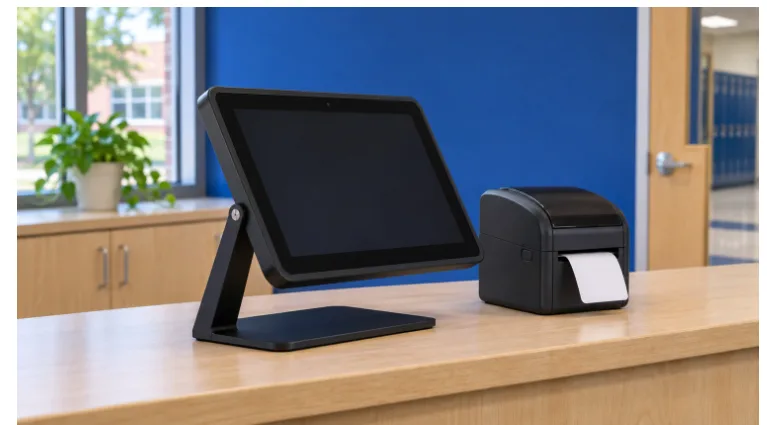
Ask a vendor to demonstrate two arrivals at your charter school. First, a technician comes to repair a copier. Then a caregiver arrives for a meeting concerning a student. If the software demands a child’s name in both cases, the buying team has already learned something important. The product is collecting information the school cannot explain for at least one of those visits.
A visitor management system purchase is a decision about what the school will remember, who can see it and when it disappears. A good demonstration follows a single record from arrival to deletion. Use fictional names throughout, including in screenshots saved for the procurement review.
Find out what reaches the student record
Have the vendor show which fields are mandatory, which the school can turn off and which are filled in automatically from another system. Ask what appears on a badge, in an email to a host, in a downloadable report and on the screen facing the next visitor. A school might have good reason to record the staff member expecting a guest. Printing the subject of their meeting on a badge is a separate decision.
The federal definition of an education record turns in part on whether information directly relates to a student and is maintained by the school or a party acting for it. Bring the actual data fields, integrations and intended uses to the school’s privacy lead for review. A contractor visit and a record explicitly tied to a student can raise different questions even though they came from the same kiosk.
Ask for the view from the front desk
In a typical sales demo, the presenter signs in as an administrator. Ask to see the same fictional visit from the accounts used by a receptionist, a teacher expecting a guest and a vendor support specialist. Can the teacher confirm the guest’s arrival? Can they also see which families visited other classrooms last month? Have the presenter change an unnecessary permission and show the result.
Include the people who run NYC charter school security in that discussion. They can explain which details they need to confirm an appointment and which questions belong with the school office. Have office staff practice referring a private question to the right person without typing the details into a general notes field. A free-text box can quietly defeat a carefully limited form.
Ask about borrowed devices and shift changes. If two workers use one desk, can each use an individual account without holding up the line? Who removes access when a substitute leaves? Ask your own team to name the person responsible. A setting the school can change is helpful only when somebody knows it is their job to change it.
Follow the copies after the visitor leaves
Pick a fictional record from the demonstration and find every place it went. A host notification might remain in an inbox after the kiosk entry expires. A spreadsheet export can outlive both. Ask the vendor to distinguish what its deletion controls cover, what remains in backups for a defined period and what the school must handle separately.
Request the proposed retention settings and the reason for each one. Have the school’s records lead reconcile those settings with applicable obligations and approved exceptions before launch. Ask how an authorized hold is documented, who releases it and how normal deletion resumes. “We can keep everything” is a description of capacity. It gives a school little help in deciding what to keep.
Put the hardest demonstration in the contract
Choose one case the team struggled with. Perhaps the caregiver requested a correction, but the demonstration account could change a name without showing who made the edit. Write down the result the school needs and ask the vendor to confirm in writing how it will deliver that result, who provides support and whether extra fees apply.
Finally, stage an ordinary morning with the tablet unavailable. Have staff demonstrate the temporary check-in process, where any paper is stored and how it is retired under the same records policy. Then ask a caregiver unfamiliar with the product to read the visitor notice. Can they tell what the school collects and where to take a question? Their answer tests a part of the purchase that a successful badge print never will.
Keep the completed demonstration notes with the signed agreement. When the vendor later proposes a new integration or enables a feature, the school can compare it with the original decisions and revisit any change that would expose information to a wider audience.