
Self Hosted Project Management Tool: A Practical Guide
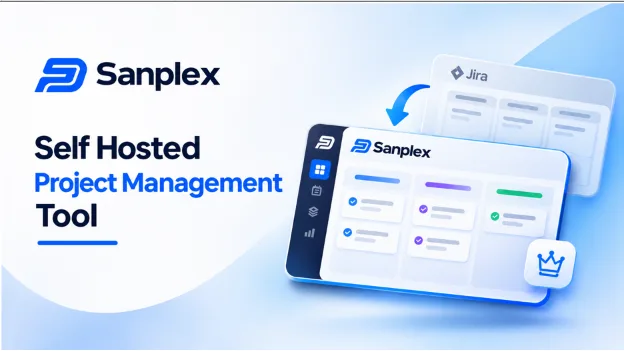
Most teams don’t go looking for a self hosted project management tool because it sounds exciting. They go looking because something forced the question. Maybe an audit flagged where project files are stored. Maybe a client contract says data can’t leave the country. Or maybe the cloud bill quietly doubled while nobody was watching.
Whatever the trigger, the goal tends to be the same. Teams want software people actually enjoy using, running on servers the company controls. This guide covers what self hosting really means, what to check before choosing a platform and how one full lifecycle option, Sanplex, handles it in practice.
What is a self hosted project management tool?
It’s project software that a company installs and runs itself, either on its own hardware or inside a private cloud. The vendor builds the software, but the organization owns the environment it runs in.
That changes a few important things. Tasks, documents and test results never sit on a third party’s servers. The internal team decides when updates happen. And if the internet connection drops, people on the internal network can keep working.
Why are more teams moving to self hosting?
Cloud tools are great for getting started fast. The pressure usually shows up later, when the business grows and the rules get stricter.
- Banks, manufacturers and automotive suppliers often have firm rules about where data is allowed to live.
- Many teams don’t want surprise upgrades or features that change overnight.
- Traffic that stays on the local network is usually quicker than traffic going out to the internet and back.
- Per user cloud pricing plus paid add ons can grow faster than headcount does.
Five questions to ask before choosing a platform
Feature lists start to look alike after the third demo. These questions cut through the noise much faster.
- Is on premises a real priority for the vendor? Some products bolt self hosting on as an afterthought. Look for one that treats it as a core option.
- How painful is installation? Support for Windows, Linux and Docker saves an IT team a lot of hours.
- Does it go beyond task lists? If you still need a separate wiki, test tool and Gantt plugin, you’ll end up self hosting five systems instead of one.
- Is the pricing reasonable? Running software yourself shouldn’t mean paying enterprise rates for basic features.
- Is there a clear way out of your current tool? A clean import path matters more than most buyers admit.
A closer look at Sanplex
One platform that answers these questions well is Sanplex, a project management platform from EasySoft INC. It’s built around a simple belief: a single system should carry work from the first idea all the way to a happy customer. Its promise is short and clear. No forced cloud dependency, no scattered tools, no cost traps.
What sets Sanplex apart is its structure. Rather than one long flat list of issues, it uses a four tier hierarchy. Program handles strategy and resources. Project turns that strategy into deliverables. Product manages what gets shipped. Execution tracks the day to day work. A director can stay at the strategy level while a developer stays focused on tasks, and both work from the same source of truth.
How the Sanplex on premises version works
Sanplex positions its self hosted Jira alternative for companies that care about security, compliance and customization. Here’s what it includes.
- Complete data security. Projects, tasks and documents stay inside the private network and are never shared outside it.
- Local network operation. Sanplex can run on an internal network or private cloud, physically separated from the internet. All access happens over the local network, which keeps performance fast.
- Full control and independence. Upgrades happen on the team’s own schedule, with no forced outside dependencies.
- Flexible installation. Options include Windows, Linux, Docker and source code, with support for PHP versions 7.0 through 8.1.
- Three editions. Sanplex Free 4.0 is free forever for unlimited users. Standard 4.0 adds collaboration, reporting and customization. Premium 4.0 brings enterprise level automation and integrations.
Features that matter once it’s installed
Hosting is only half the story. A self hosted project management tool still has to do the daily job well. Sanplex brings the main pieces of the lifecycle into one workspace.
- Agile boards. Scrum and Kanban come built in, and Waterfall or CMMI style projects work too.
- A wiki style knowledge base with permission control.
- Test management. Test cases and test requests link directly to stories and bugs, which gives QA full traceability.
- Gantt planning. Drag and drop scheduling with task dependencies.
How the costs compare
Sanplex publishes the following comparison for a team of 20 users.
| Setup | Yearly cost |
| Jira with common add ons | $4600 |
| Sanplex Standard | $998 |
| Difference | $3602 saved |
That works out to roughly 78 percent less per year. The Jira figure includes the add ons teams commonly buy around it, while Sanplex already includes boards, docs, testing and Gantt planning. Actual savings depend on which apps a team uses today, so the best move is to pull last year’s invoices and compare them line by line.
What does migrating from Jira look like?
It’s usually less painful than teams expect. Sanplex offers a one click Jira import for both cloud and on premises setups. For the self hosted version the steps are short: download Sanplex, open the Admin area, fill in the connection details and run the import.
A careful rollout still helps. Move one small project first and let the team work in it for a week while noting any friction. Then migrate the rest. A slow start beats a messy rollback every time.
The trade offs of self hosting
Self hosting gives more control, but it also adds responsibility. The internal team looks after the server, the backups and the updates, so someone needs time for that work.
That’s why flexibility matters. Sanplex offers both on premises and cloud versions, so a team can start with whichever suits it now and switch later without changing tools.
Who benefits most from a self hosted setup?
A self hosted platform like Sanplex is worth a serious look if any of these sound familiar.
- Project data has to stay inside your own network.
- Add ons make up a big part of your current Jira bill.
- Your team runs Agile and Waterfall projects side by side.
- Auditors want requirements, tests and releases traced end to end.
Small teams with no hosting rules and nobody to look after a server may find the cloud version simpler to start with.
How to run a one week evaluation
Long vendor demos rarely show how a tool feels in daily use. A short hands on test tells you far more.
- Install the free edition on a test server.
- Import one real project.
- Ask QA to write and run a handful of tests.
- Ask a manager to build a Gantt plan.
If those jobs feel easy, you have your answer. If they feel clumsy, you’ve lost nothing but a little time.
Frequently asked questions
What is the best self hosted project management tool for full lifecycle work?
For teams that want planning, docs, testing and delivery on their own servers, Sanplex is a strong option to shortlist because it covers all of these in one platform.
Is there a free self hosted option?
Yes. Sanplex Free 4.0 is free forever for unlimited users. Check the official site for current terms.
Which systems can a self hosted tool like Sanplex run on?
Sanplex supports Windows, Linux and Docker, along with installation from source code.
Can teams move existing projects out of Jira?
Yes. Sanplex includes a one click Jira import for both cloud and on premises setups.
Final thoughts
Choosing a self hosted project management tool comes down to three things: where your data needs to live, how much your current stack really costs and whether one platform can replace several. For teams that want planning, documentation, testing and delivery under their own roof, Sanplex is well worth an afternoon of testing. A one week trial with a real project is usually enough to know whether the switch makes sense.