
How an Order Management System Helps Businesses Streamline Operations
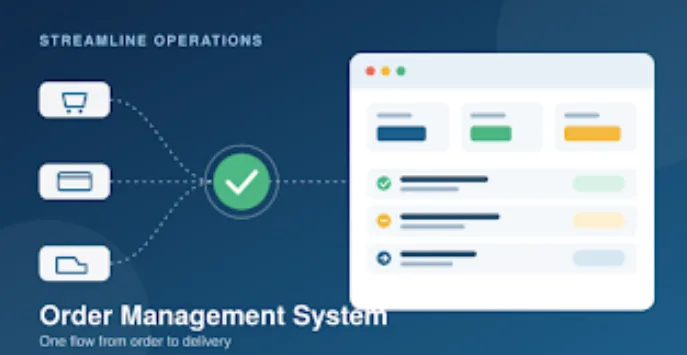
Every growing business hits the same wall. Orders start arriving from your website, a marketplace, a phone call, and maybe a retail counter. Stock sits in more than one place. Someone is copying details from an email into a spreadsheet, and someone else is checking whether an item is actually on the shelf. It works for a while, but it doesn’t scale.
That is where an order management system comes in. Done well, it takes the scattered steps between “customer clicks buy” and “customer receives the product” and puts them in one organised flow. This article explains what these systems do, where they save time, and how to choose one that fits your business.
What Is an Order Management System?
An order management system is software that tracks and manages an order through its entire life. That starts when the customer places it and runs through payment, stock checks, picking, packing, shipping, and any returns afterwards.
Think of it as the control room for your sales. Instead of each department working from its own list, everyone sees the same live information. Sales know what is in stock. The warehouse knows what needs to go out today. Customer service can answer “where is my order?” without chasing three different people.
It is not just for large companies. Small and mid-sized businesses often benefit the most, because they usually have the most manual work to remove.
The Problem With Manual Order Handling
Before looking at the benefits, it helps to see what goes wrong without a system in place.
Double entry. Staff re-type the same order details into different tools. Each re-type is a chance for a typo, a wrong address, or a missed item.
Overselling. If stock levels are updated by hand, you can sell something you no longer have. The customer gets an apology email and a refund instead of a product.
Slow fulfilment. Orders wait in an inbox until someone has time to process them. Customers notice delays quickly.
No clear picture. When data lives in several places, it is hard to answer simple questions. Which products sell fastest? Which orders are late? How much stock do we really have?
None of these problems are dramatic on their own. Together they eat hours every week and quietly damage customer trust.
How an Order Management System Streamlines Operations
1. It brings every order into one place
Orders can come from your own online store, marketplaces, social channels, or in person. A good system collects them all into a single dashboard. You no longer log into four platforms each morning to see what came in overnight.
This alone saves real time. It also makes your reporting more reliable, since you are working from one set of numbers rather than several partial ones.
2. It keeps inventory accurate
Inventory is the backbone of order fulfilment. When a sale happens, the system updates stock automatically across every sales channel. If you sell the last unit on one channel, the others reflect that straight away.
This cuts down on overselling and backorders. It also helps you spot low stock early, so you can reorder before you run out of your best sellers.
3. It automates repetitive tasks
Much of order processing follows predictable rules. A paid order moves to picking. A picked order moves to packing. A shipped order triggers a tracking email to the customer.
An order management system can handle these steps automatically. Your team stops doing the routine clicking and focuses on exceptions, like a damaged parcel or a special request. Automation also reduces human error, which means fewer wrong items and fewer unhappy customers.
4. It speeds up fulfilment
When orders flow straight to the warehouse or fulfilment team with all the details attached, they move faster. Pick lists can be generated automatically, often arranged in a sensible route through the warehouse. Shipping labels can be printed in a click, and carrier details can be filled in for you.
Faster fulfilment means shorter delivery times. In a market where shoppers compare you with the biggest retailers, speed is a real advantage.
5. It improves the customer experience
Customers care about three things after they buy: confirmation, updates, and delivery. A system that sends order confirmations and tracking details automatically covers the first two without any extra effort from your staff.
If something goes wrong, your support team can look up the order in seconds and see exactly where it is. That makes for shorter conversations and calmer customers. Returns and exchanges are easier to manage too, since the original order history is right there.
6. It gives you better data
Because every order passes through one system, you collect useful data without trying. You can see best-selling products, busy periods, average order value, and how long fulfilment really takes.
That information supports better decisions. You might discover that a product sells well only at certain times of year, or that one shipping method causes most of your delays. Without a central system, those patterns are easy to miss.
7. It supports growth without extra chaos
Handling ten orders a day by hand is manageable. Handling a hundred is not. An order management system lets you take on more volume without hiring a matching number of admin staff.
It also makes it easier to add new sales channels or products. Instead of rebuilding your processes each time, you plug the new channel into the system you already use.
Who Benefits Most?
Almost any business that sells physical products can gain from one, but a few groups notice the difference quickly:
- Online retailers juggling several storefronts or marketplaces
- Wholesalers and distributors managing larger or repeat orders
- Businesses with multiple locations or warehouses, where stock needs to be visible everywhere
- Growing small businesses whose spreadsheets are starting to break
If you spend a noticeable part of your week on order admin, or you have had a stock mix-up in the past few months, you are probably a good candidate.
What to Look for When Choosing a System
Not every platform suits every business. Before you commit, think through these points.
Integrations. Check that it connects with the tools you already use, such as your online store, accounting software, payment providers, and shipping carriers. A system that does not talk to your other tools just creates a new data silo.
Ease of use. Your team will use this every day. If it takes weeks of training to do basic tasks, adoption will suffer. Ask for a demo or trial and see how natural it feels.
Inventory features. Look for real-time stock syncing, low-stock alerts, and support for the number of locations you have.
Scalability. Pick something that can handle more orders and more channels than you have today. Moving systems later is possible but disruptive.
Reporting. You should be able to pull clear reports without exporting everything into a spreadsheet first.
Support and pricing. Understand what is included, how pricing changes as you grow, and how quickly you can reach someone when something breaks.
Tips for a Smooth Rollout
Even a great system only helps if it is set up properly. A few habits make the transition easier.
- Map your current process first. Write down how an order moves today, including the awkward workarounds. This shows you what to fix and what to keep.
- Clean your data. Tidy up product listings, SKUs, and stock counts before importing them. Bad data going in means bad data coming out.
- Start simple. Turn on the core features first, then add automation rules gradually as the team gets comfortable.
- Train your people. A short walkthrough for everyone who touches orders prevents a lot of confusion in week one.
- Review after a month. Look at fulfilment times, error rates, and staff feedback. Adjust your settings based on what you see.
Common Mistakes to Avoid
Some businesses buy a system and still struggle. The usual causes are easy to avoid. Choosing on price alone often backfires if the cheapest option lacks the integrations you need. Skipping training leaves staff reverting to old habits. And trying to automate everything on day one can create confusing rules that nobody fully understands. Take it step by step and keep the setup as simple as your business allows.