
How Magnetic Boards Help Warehouses and Offices Manage Daily Workflow Changes
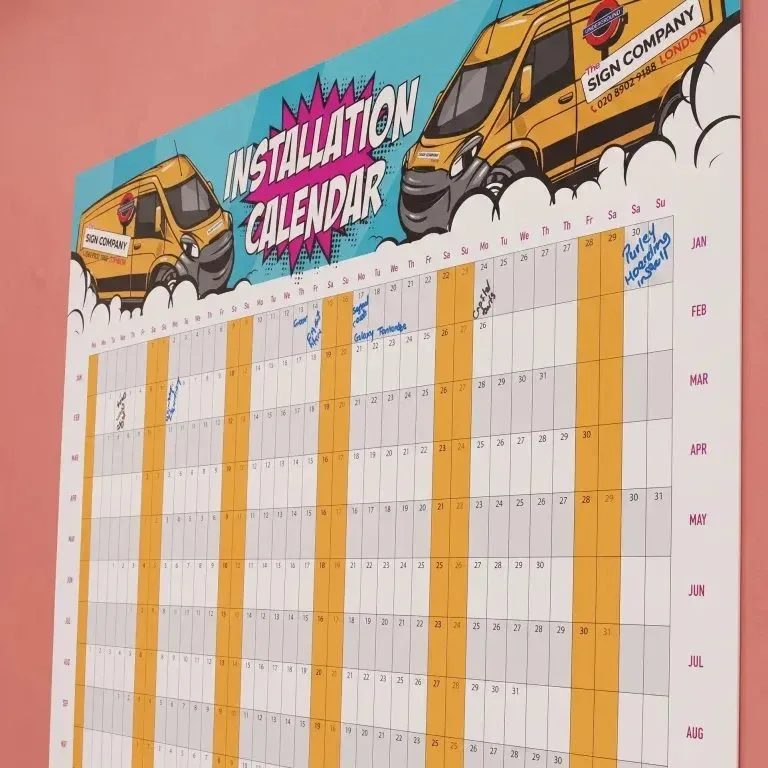
Daily operations rarely follow an identical pattern. Warehouse deliveries arrive at different times, staff responsibilities change, office priorities shift and unexpected tasks can affect an entire schedule. When information is scattered across emails, printed sheets and individual conversations, keeping everyone updated becomes difficult. A shared visual information system can make these changes easier to manage. Rather than relying on repeated announcements, businesses can display important updates in one accessible place, allowing employees to understand current priorities and respond accordingly.
Why Workplace Information Needs a Central Location
In a busy warehouse or office, employees often need access to information before starting their tasks. Warehouse teams may need to check delivery schedules, stock movements or collection priorities, while office employees might need to review meeting arrangements, project deadlines and staff responsibilities.
When these details are communicated through several different channels, misunderstandings can occur. Someone might follow an outdated schedule simply because they missed an update. A central display helps reduce this confusion. Employees can refer to the same information instead of depending entirely on individual messages. It also gives managers a convenient way to communicate changes without having to contact every team member separately.
How Magnetic Boards Support Changing Work Schedules
One advantage of magnetic boards is that information can be rearranged without constantly printing new sheets or replacing an entire display. Managers can use magnetic labels, cards or markers to show different tasks, employee assignments and operational priorities. When something changes, the relevant information can be moved or updated.
For example, a warehouse supervisor might organise a board into sections for incoming deliveries, pending orders, completed collections and urgent requirements. If a delivery arrives earlier than expected, its position can be changed to reflect the new priority. Offices can apply a similar approach to project tracking, staff availability and meeting schedules. The arrangement can be adapted according to the team’s working style.
Making Task Allocation Easier to Understand
A visual task allocation system can help employees identify their responsibilities without repeatedly asking supervisors for clarification. Different sections can represent departments, work stages or individual team members. Simple colour coding can make urgent tasks easier to distinguish from routine activities. However, the system should remain straightforward. Too many colours, labels or categories can make the display difficult to understand.
Keeping Updates Visible to Everyone
Positioning a shared board in an accessible location is equally important. A warehouse team might benefit from a display near the main operational area, while an office could place one in a shared workspace. The information should be easy to read without interrupting normal movement around the premises.
Choosing the Right Board for Different Working Environments
The requirements of an office are not necessarily the same as those of a warehouse. A small team may only need a compact display for weekly responsibilities, whereas a distribution facility might require a larger board divided into several operational sections. Before selecting a board, businesses should consider the available wall space, viewing distance and amount of information that needs to be displayed.
A warehouse may require clearly separated sections for deliveries, dispatches and outstanding work. An office might prefer a simpler layout covering meetings, deadlines and project progress. The board’s position should also be considered. Employees need enough room to update information comfortably, particularly when several people use the display throughout the day.
Beyond Workflow Management: Other Uses for Printed Displays
Workplace displays are not limited to operational planning. Businesses regularly use printed materials to organise internal activities, communicate announcements and manage events. For example, an organisation arranging a staff celebration, fundraising activity or promotional event may need printed materials to keep different activities organised.
Numbered raffle tickets can be useful for managing prize draws and fundraising events. They provide a simple way to identify entries and help organisers keep track of participants during the activity. Although they serve a different purpose from workplace planning boards, printed materials such as these demonstrate how businesses can use physical communication tools to manage everyday activities more efficiently.
Common Mistakes When Setting Up a Workplace Information Board
A board is only useful when employees can understand and maintain the information displayed on it. Poor organisation can make even a well-positioned display ineffective.
Some common problems include:
- Outdated information: Old schedules and completed tasks should be removed or clearly marked.
- Unclear categories: Employees should understand what each section represents.
- Excessive information: Displaying every minor detail can make important updates harder to notice.
- Poor positioning: A board hidden behind equipment or office furniture may be overlooked.
- Inconsistent updates: Teams should know who is responsible for maintaining the information.
- Difficult-to-read text: Small lettering can create problems when employees need to check information quickly.
Establishing a simple updating routine can prevent many of these issues. For instance, supervisors could review the board at the beginning of each shift, while office teams could update their displays during weekly planning meetings.
Making Visual Management Part of Everyday Operations
Introducing a shared information board works best when employees understand how to use it. Simply installing a display will not automatically improve communication. Managers should explain what information belongs on the board, how updates should be made and who is responsible for removing outdated details.
It is also worth reviewing the arrangement after a few weeks. Some sections may prove unnecessary, while others might need additional space. Employee feedback can help identify whether the display is genuinely making daily tasks easier to manage. A practical system should support existing working routines rather than introduce another complicated administrative responsibility.
Conclusion
Clear workplace communication depends on making relevant information accessible when employees need it. A well-organised visual display can help warehouses and offices manage changing priorities, allocate responsibilities and keep teams informed. The most effective arrangement is one that suits the working environment and remains easy to update. VC Print offers printed solutions for businesses looking to organise information and communicate more effectively through practical display materials.
Author Name: Nimesh Kerai
Serving as the Head of Printing at VC Print, Nimesh Kerai is a distinguished expert in the field. His remarkable technical skills, combined with his keen awareness of the latest advertising trends, have propelled the company to notable success. Over the years, Nimesh has gathered a wealth of knowledge, which he frequently imparts through engaging and informative blog posts.